AMP
OpenLM monitors AMP through OpenLM Broker. AMP generates a periodic XML file, which OpenLM parses and displays in OpenLM Platform.
Before you begin
- OpenLM Platform.
- OpenLM Broker v25.x or later, installed on the same machine as AMP and approved in Broker Hub.
- The path to
AMP_OpenLM.exe(provided by the vendor or located in the AMP installation folder).
Configure OpenLM Broker
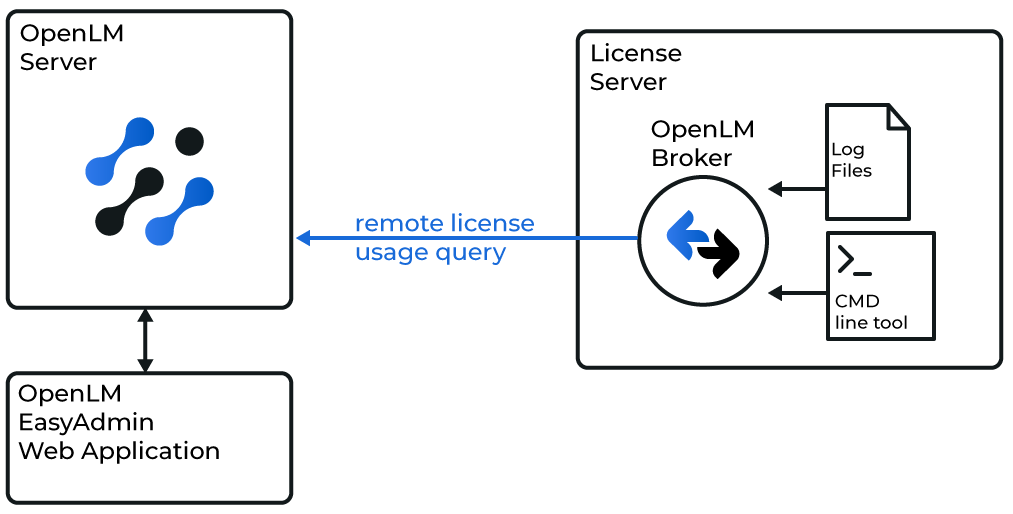 How OpenLM Broker queries AMP and forwards data to OpenLM Server
-
Open the Broker UI at
http://localhost:5090/. -
Go to License Managers → Add License Manager.
-
Select AMP and specify the port number (for example,
2306). -
From License Manager Type, select OpenLM Generic.
-
In Commands, set the path to
AMP_OpenLM.exe. For example:C:\Program Files (x86)\AMPORTAKAMP\AMP_OpenLM.exe -
Select Update, then Apply.
-
Select Execute to confirm data retrieval works.
-
Repeat for the Status command.
-
In Vendors, enter
AMP YAZILIM(case-sensitive). -
Select Apply, then Restart Broker.
Approve AMP in OpenLM Platform
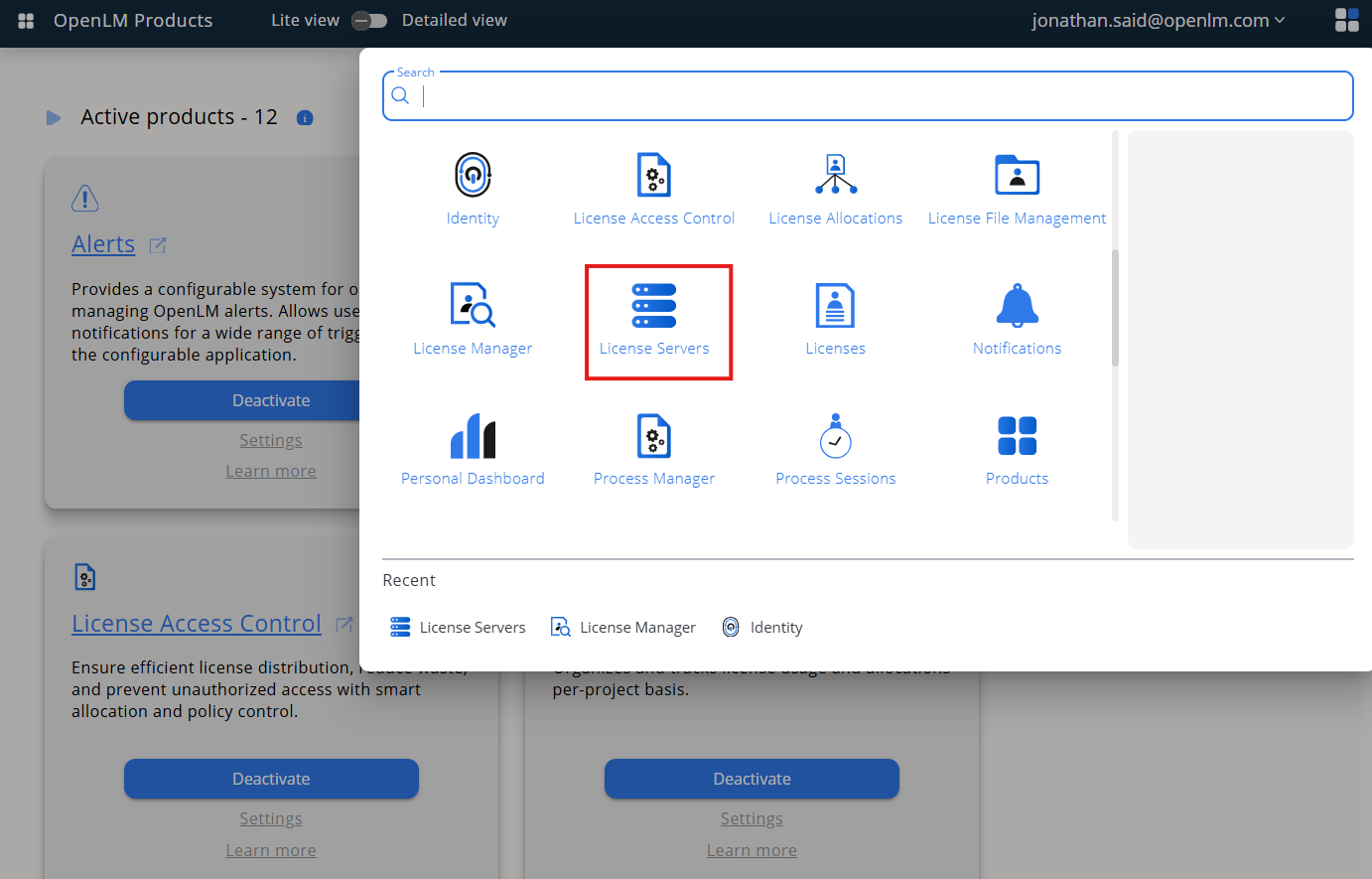 Approve AMP in Pending Server
- Sign in to OpenLM Platform.
- From the menu, go to License Servers → Pending Server.
- Select the AMP license manager, then select Approve and Merge.
Verify the integration
- In OpenLM Platform, go to License Servers Live → Server Statistics.
- Confirm AMP appears with a green status indicator.
note
It can take up to 3 minutes for the status to update for a new connection.