Flexera FlexNet (FLEXlm)
OpenLM monitors Flexera FlexNet — also known as FLEXlm and FlexNet Publisher — through OpenLM Broker. The integration covers license usage, denials, expirations, options-file changes, and TokenFlex token consumption.
Before you begin
- OpenLM Platform.
- OpenLM Broker v25.x or later, installed on the same machine as the FlexNet license server and approved in Broker Hub.
- The path to the vendor's
lmutil.exe. - The vendor daemon name (for example,
adskflex,ptc_d,MLM,ugslmd). - (Optional) The path to the FlexLM debug log file, if you want denials and detailed event reporting.
Configure OpenLM Broker
You can let Broker detect FlexNet automatically or add it manually. Auto-detect handles most installations; switch to manual configuration if your setup uses a non-standard path or a custom service name.
Option 1 — Detect FlexNet automatically
-
Open the Broker UI at
http://localhost:5090/. -
Go to License Managers and select Detect.
-
Confirm FlexLM appears in the list.
-
Select Validate, then Save.
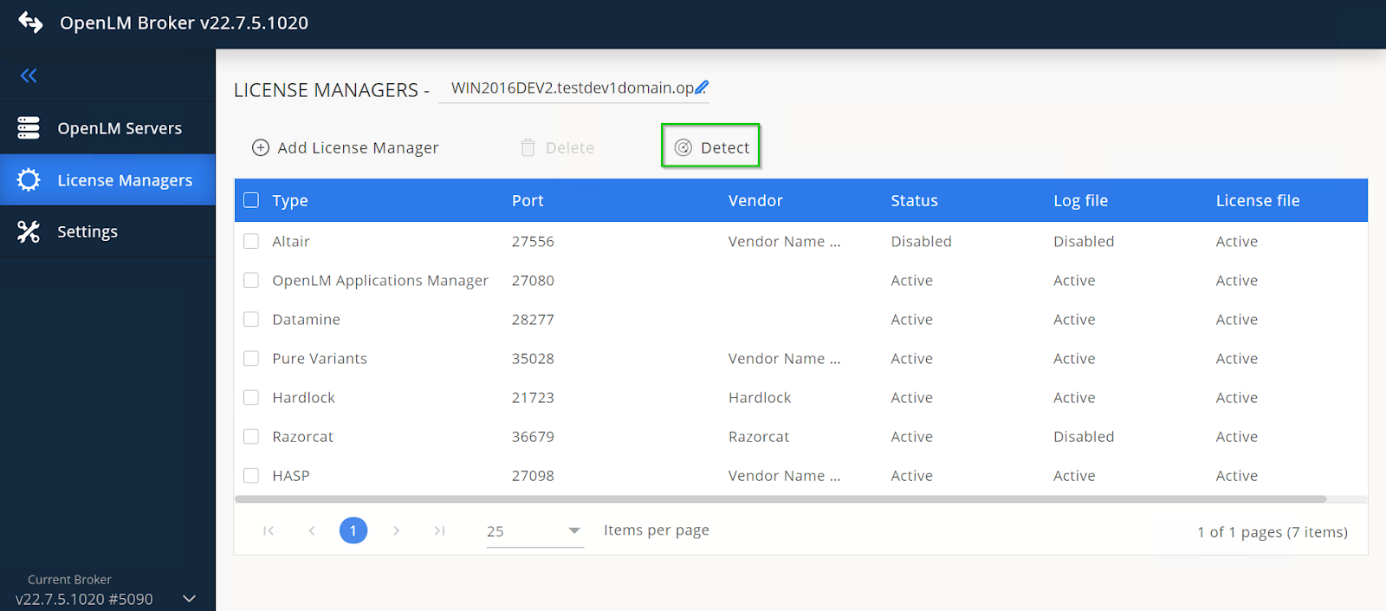 Automatic Broker detection of FlexLM
If the FlexLM service is running, Broker configures the port and utility path automatically. If detection does not configure everything correctly, continue with Option 2.
Option 2 — Add FlexNet manually
-
In the Broker UI, go to License Managers → Add License Manager.
-
From License Manager Type, select FlexLM.
-
Enter the FlexLM port number, then select Add.
-
In Settings, add the license file path. If no license file is listed, select Set Path Manually → Add, then select the file. Activate Watch License File.
-
In Commands, set the executable path to the vendor's
lmutil.exeand select Update, then Apply. Select Execute to confirm valid output.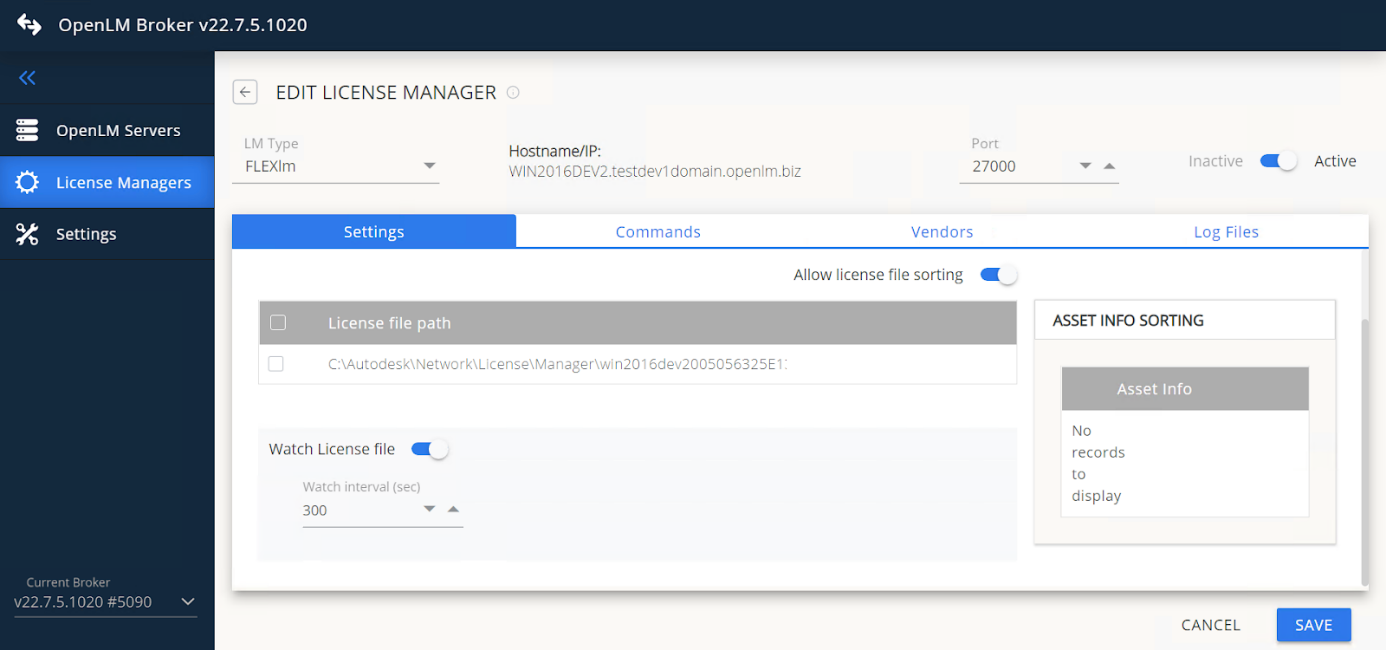 Verify the lmutil path and executetip
On some installations,
lsmonlives in a different folder. If so, update thedata_inquirynode manually. -
(Windows only) If FlexLM runs as a service, activate Use OS start/stop commands and enter
FlexLM License Manager. -
In Vendors, select Add Vendor and enter the vendor daemon name exactly as the vendor provides (for example,
adskflex,ptc_d,MLM,ugslmd). -
(Optional) Expand Options File Details to configure the options file path and a backup, and activate Watch Options File.
-
(Optional) In Log Files, select Add Log File, select FlexLM Debug Log File, set the path, assign the vendor, and select Continue.
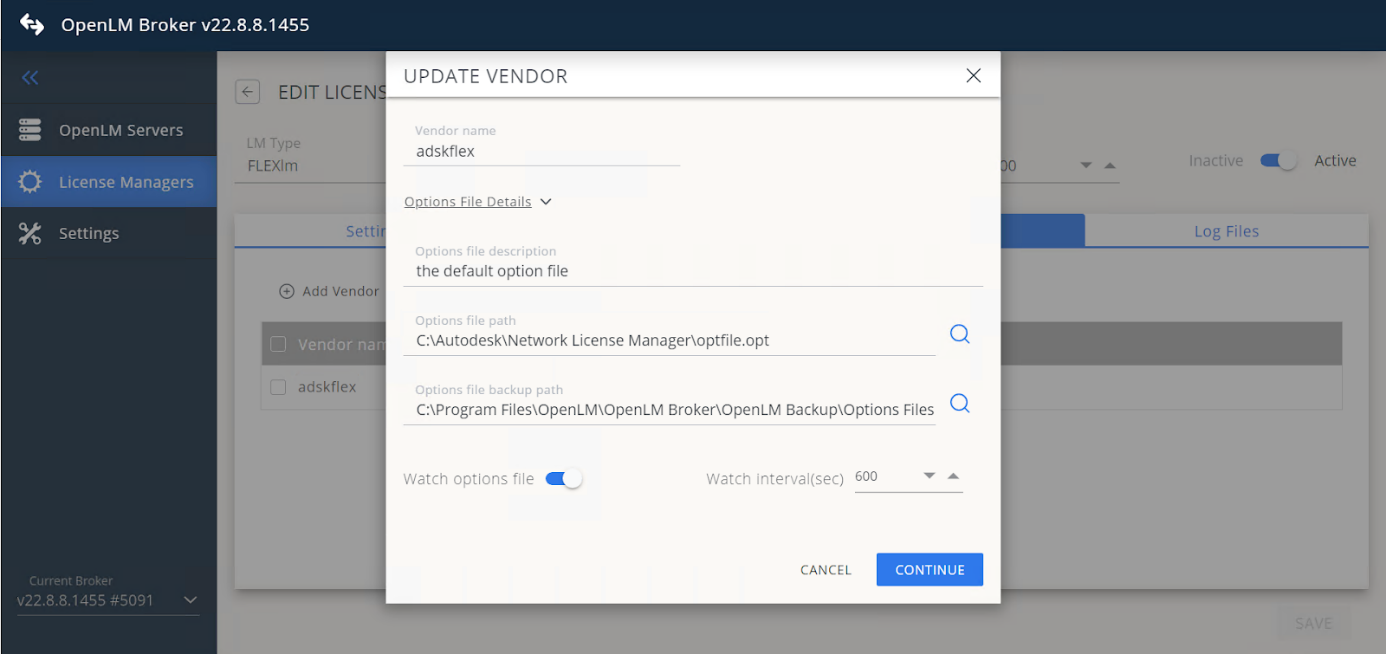 Add the FlexLM debug log file
 -
Select Save.
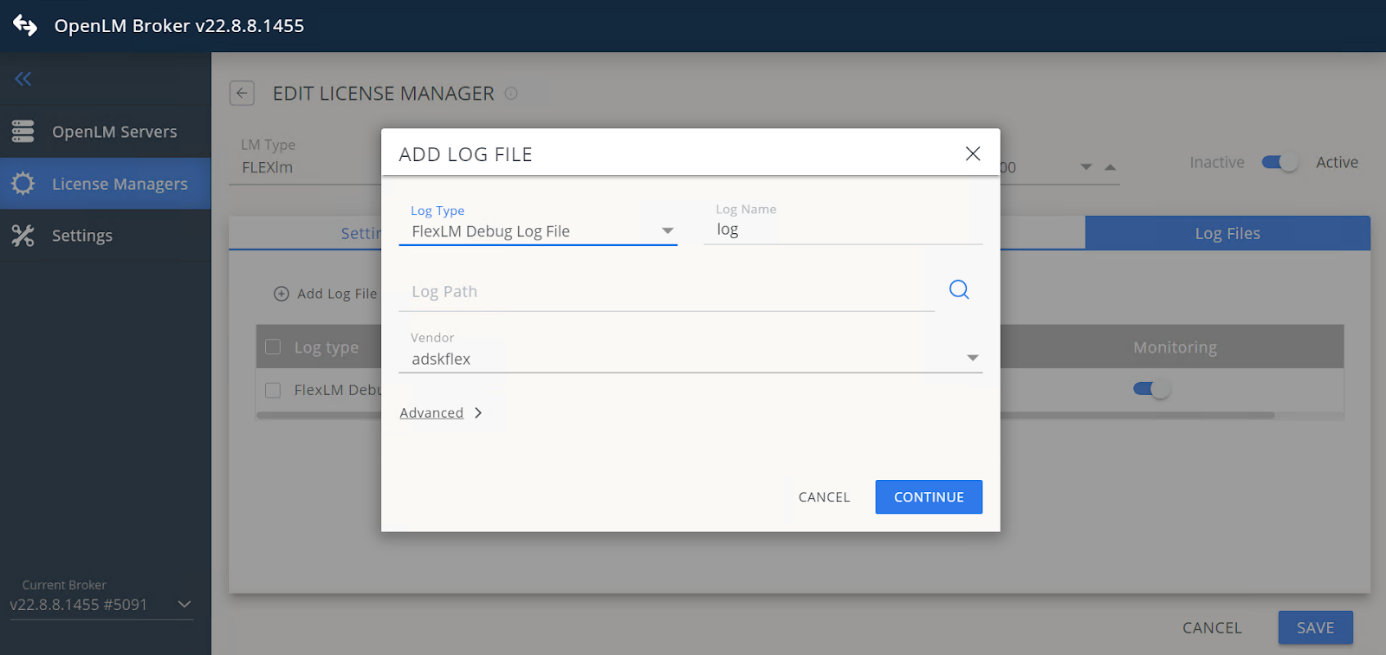 Save the configuration
Approve FlexNet in OpenLM Platform
-
Sign in to OpenLM Platform.
-
From the menu, go to License Servers → Pending Server.
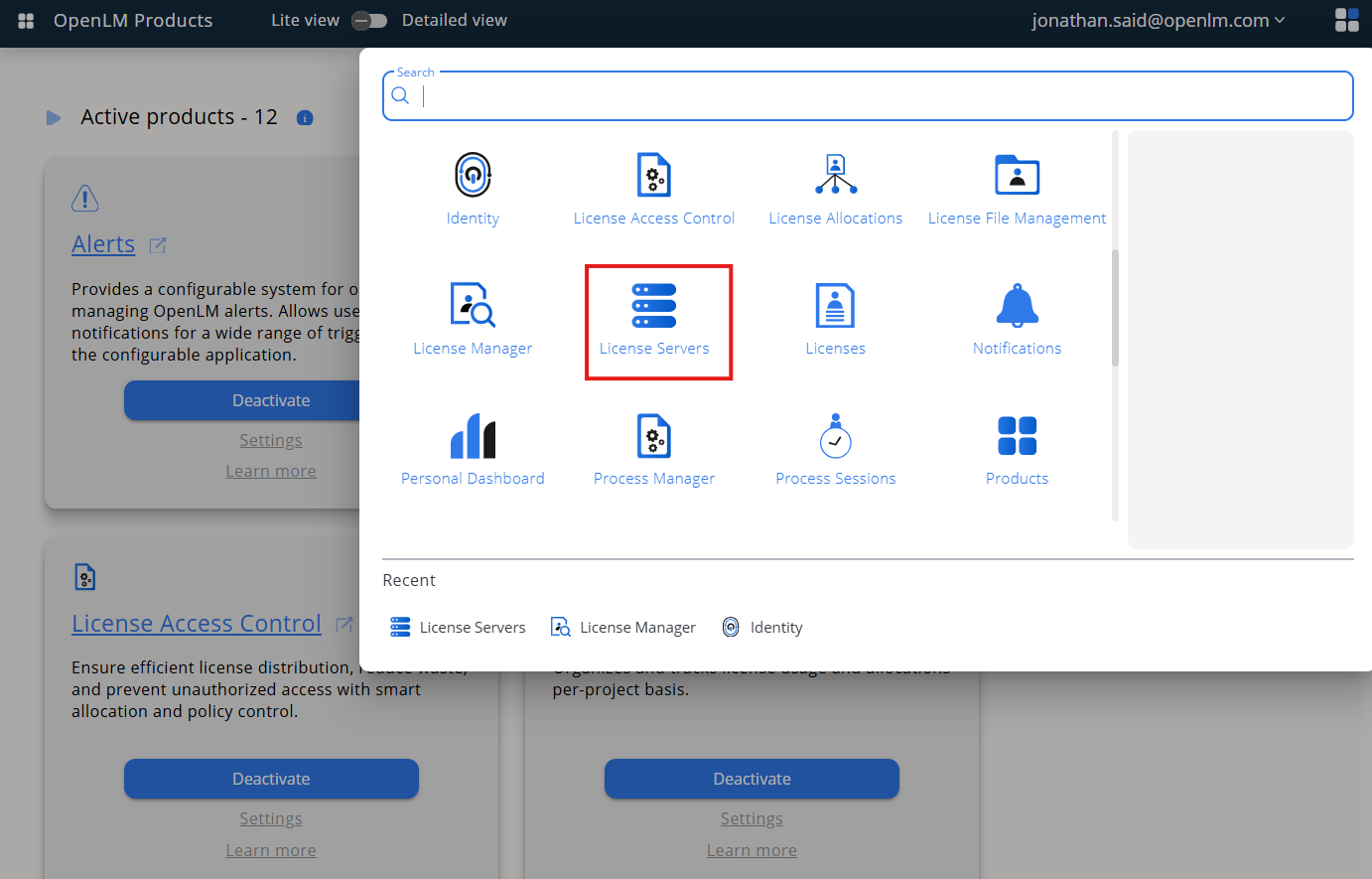 Open Pending Server
 -
Select the FlexNet license manager, then select Approve and Merge.
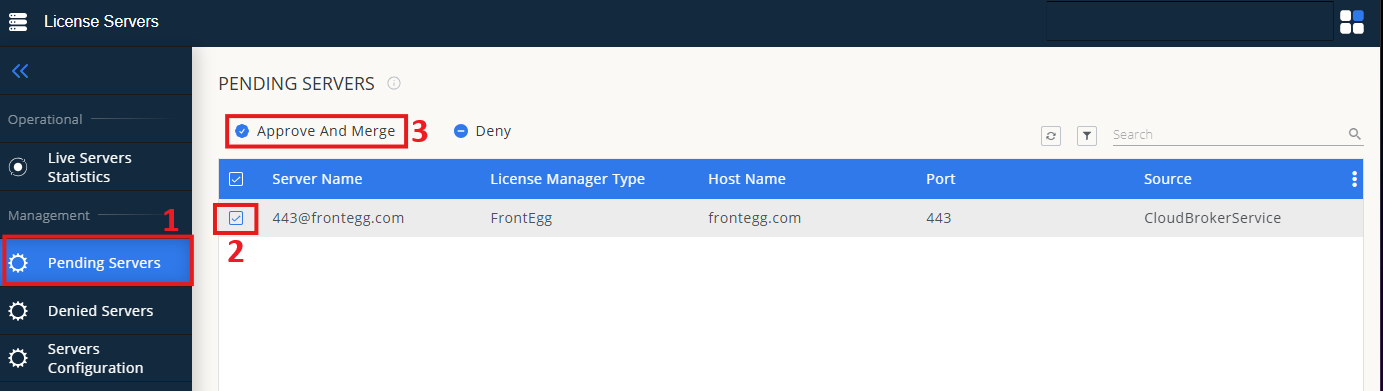 Approve and Merge
(Optional) Activate token support
If you use TokenFlex, activate Token Support for the license server in OpenLM Server configuration after the license manager is approved.
Verify the integration
- In OpenLM Platform, go to License Servers Live → Server Statistics.
- Confirm FlexNet appears with a green status indicator.
It can take up to 3 minutes for the status to update for a new connection.