Greenhills
OpenLM can monitor the usage of Green Hills licenses. There are two options for querying the license server:
-
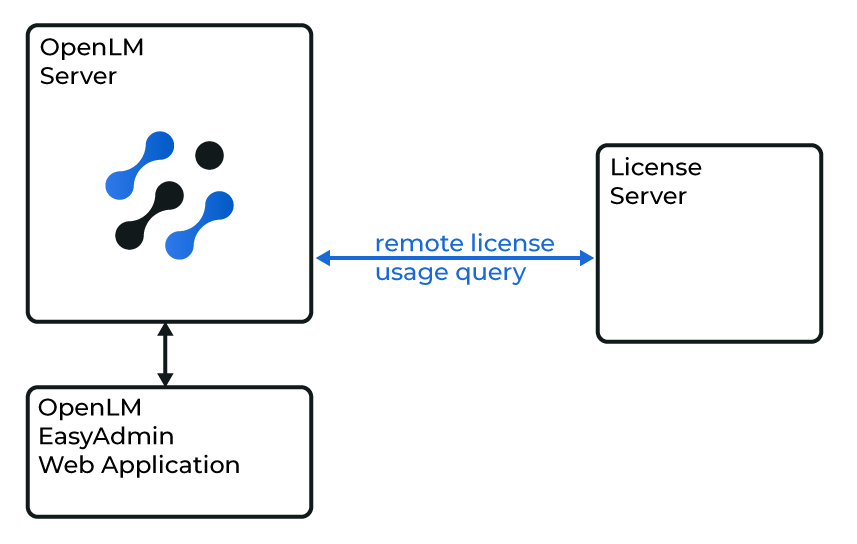
Quick method: OpenLM Server queries the license server remotely.
-
Robust method: OpenLM Broker queries the server locally and sends the data to OpenLM Server. This method adds robustness against communication failure, bypasses networking and security limitations, and may activate log file parsing in the future.
Before you begin
-
OpenLM Platform
-
OpenLM Broker v25.x or higher installed on the same machine as Green Hills, and approve it in Broker Hub.
 Configuring through the Broker UI
-
Open a browser → go to http://localhost:5090/.
-
Navigate to License Managers → Add License Manager.
-
Select Green Hills from the drop-down and enter any port (for example, 888). Select Add.
-
Go to Vendors → Add Vendor → enter Green Hills. Select Confirm.
-
Go to Log Files → Add Log File.
- Browse or enter the path manually.
- Assign it to the Green Hills vendor.
-
Select Save.
Approve Greenhills in OpenLM Platform
- Sign in to OpenLM Platform.
- From the menu, go to License Servers → Pending Server.
- Select the Greenhills license manager, then select Approve and Merge.
Verify the integration
- In OpenLM Platform, go to License Servers Live → Server Statistics.
- Confirm Greenhills appears with a green status indicator.
It can take up to 3 minutes for the status to update for a new connection.