Innovyze
This integration allows OpenLM to monitor Innovyze for license usage, denials, and borrowed license reporting.
Before you begin
- OpenLM Platform
- OpenLM Broker v25.x or higher installed on the same machine as Innovyze, and approve it in Broker Hub.
Monitoring capabilities
| Report resolution | License totals | License usage | Denials reporting | Borrowed license reporting | Expiration date reporting | Multiple server redundancy |
|---|---|---|---|---|---|---|
| By second | Yes | Yes | Yes | Yes | No | No |
Additionally, using OpenLM Broker allows for buffered communication and the ability to remotely start or stop the Innovyze service.
Configure OpenLM Broker
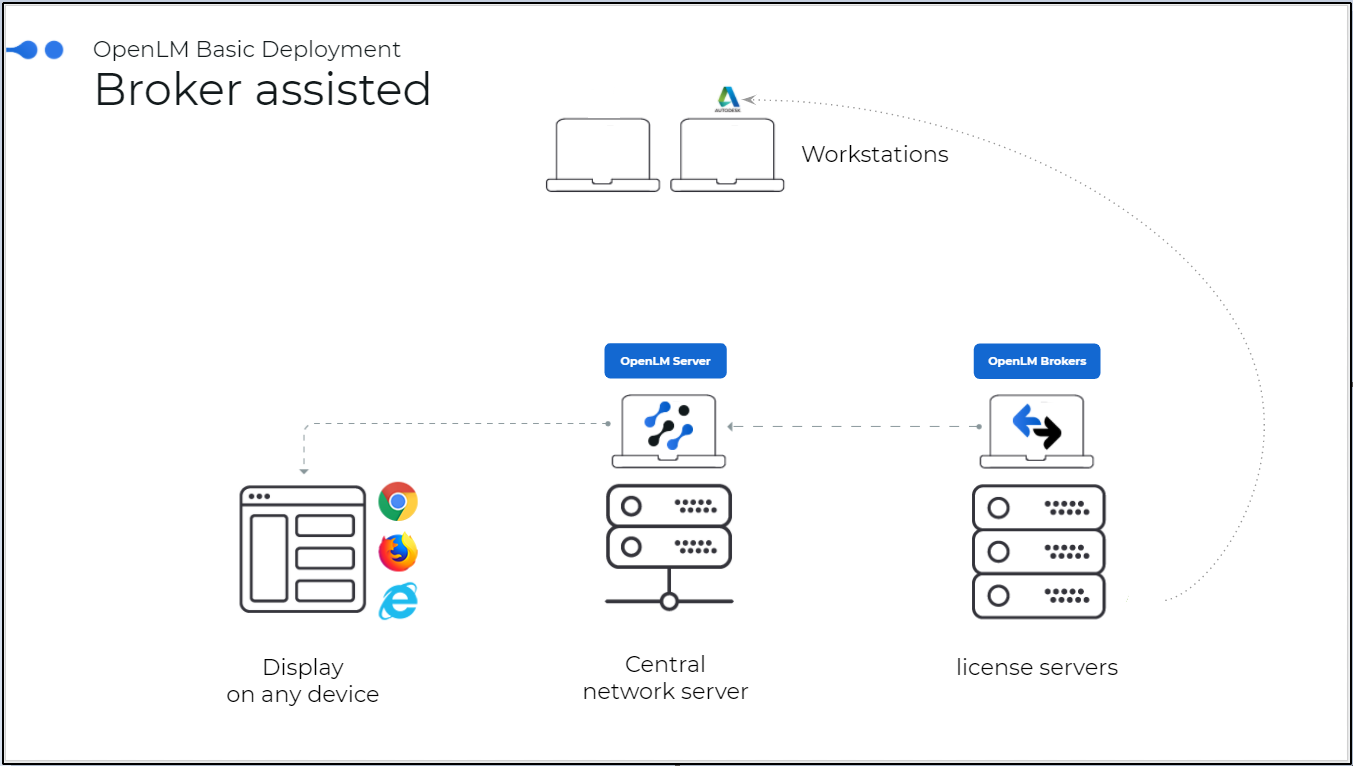 Diagram of how OpenLM interfaces with Innovyze.
OpenLM Broker reads the Innovyze LicenseMonitor log file, compiles the data, and sends it to OpenLM Server for processing.
You must have OpenLM Broker installed and reporting to OpenLM Server before starting this configuration.
Automatic configuration
-
Open Broker UI at http://localhost:5090/.
-
Go to License Managers → Detect
-
Innovyze appears
-
Validate and save
Add manually
-
Open Broker UI at http://localhost:5090/.
-
Go to License Managers → Add License Manager.
-
Set License Manager Type to Innovyze and select Apply.
-
Under Vendors, select "Vendor Name to Be Filled," enter Innovyze, and select Apply.
-
Select the Log Files node and select Add Log File.
-
Select the newly created log node, select […], and browse to the CSV log file location (typically C:\ProgramData\InnovyzeLM#.#\Usage where #.# is the version, for example, 6.0).
-
Select Advanced, then check Watch Files by Pattern.
-
Select Apply.
-
Select Restart Broker.
Approve Innovyze in OpenLM Platform
- Sign in to OpenLM Platform.
- From the menu, go to License Servers → Pending Server.
- Select the Innovyze license manager, then select Approve and Merge.
Verify the integration
- In OpenLM Platform, go to License Servers Live → Server Statistics.
- Confirm Innovyze appears with a green status indicator.
It can take up to 3 minutes for the status to update for a new connection.