ProgeCAD
ProgeCAD is a 2D and 3D design software for CAD and concept sketching. It is compatible with AutoCAD and supports Direct Modeling in native .dwg format.
OpenLM supports monitoring the ProgeCAD Network License Manager (NLM) for versions 13.0.18 onward. The license server creates a periodic XML file, which OpenLM parses to present usage results in the OpenLM Web Interface.
Before you begin
Monitoring ProgeCAD requires:
-
OpenLM Platform
-
OpenLM Broker v25.x or higher installed on the same machine as ProgeCAD, and approve it in Broker Hub.
Configure OpenLM Broker
Alternatively, use the Broker web UI:
- Open http://localhost:5090/.
-
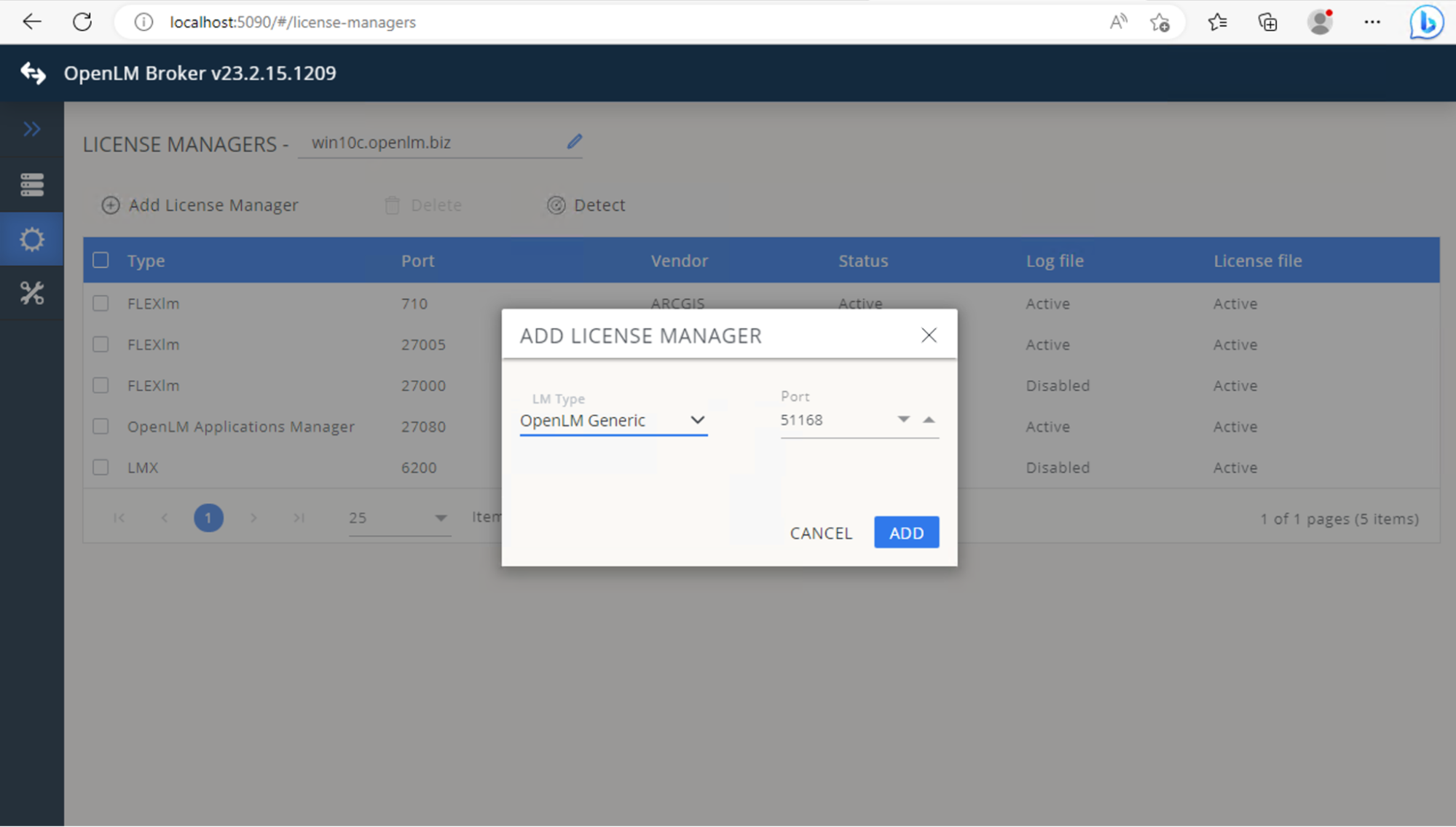
Go to License Managers → Add License Manager.
-
From Type, select OpenLM Generic. Enter the port (for example, 51168) and select Add.
 Go to the Commands tab. In Executable path, enter:"<Full path to NLMServerMonitor.exe>" /xml
 -
Select Save, then Execute to validate the output.
 Go to the Vendors tab. Select Add Vendor. Enter ProgeCAD (or another free-text name). Select Continue → Save.
Approve ProgeCAD in OpenLM Platform
- Sign in to OpenLM Platform.
- From the menu, go to License Servers → Pending Server.
- Select the ProgeCAD license manager, then select Approve and Merge.
Verify the integration
- In OpenLM Platform, go to License Servers Live → Server Statistics.
- Confirm ProgeCAD appears with a green status indicator.
It can take up to 3 minutes for the status to update for a new connection.