pure::variants
Follow these steps to configure OpenLM to monitor license usage and retrieve statistics from the pure::variants License Manager.
Before you begin
Before starting, make sure you have:
- OpenLM Platform
- OpenLM Broker v25.x or higher installed on the same machine as Pure::variants, and approve it in Broker Hub.
Monitoring capabilities
| Report resolution | License totals | License usage | Denials reporting | Borrowed license reporting | Expiration date reporting | Multiple server redundancy |
|---|---|---|---|---|---|---|
| By minute | Yes | Yes | No | No | No | No |
Configure OpenLM Broker
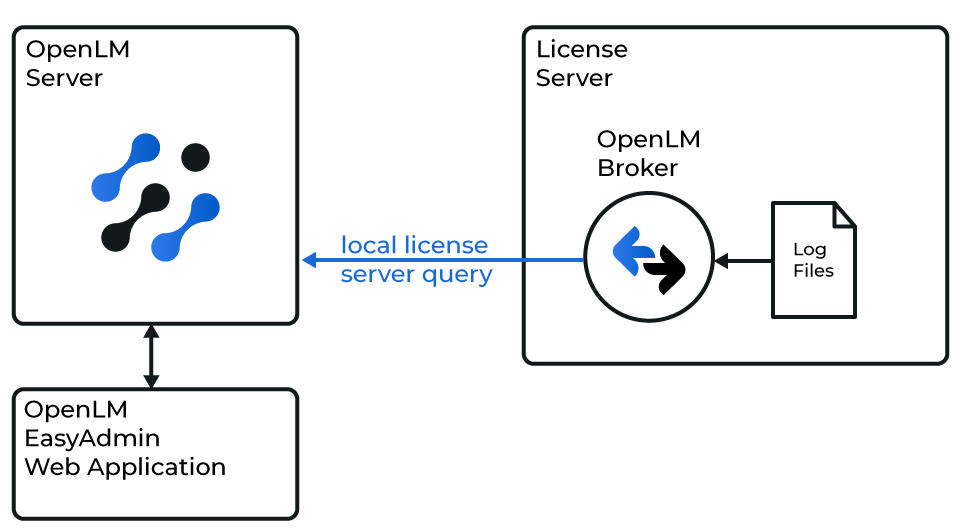 Diagram of how OpenLM interfaces with the pure::variants License Manager
OpenLM Broker must already be installed and configured to report to OpenLM before proceeding.
Add manually
-
Open Broker UI at http://localhost:5090/.
-
Go to License Managers → Add License Manager.
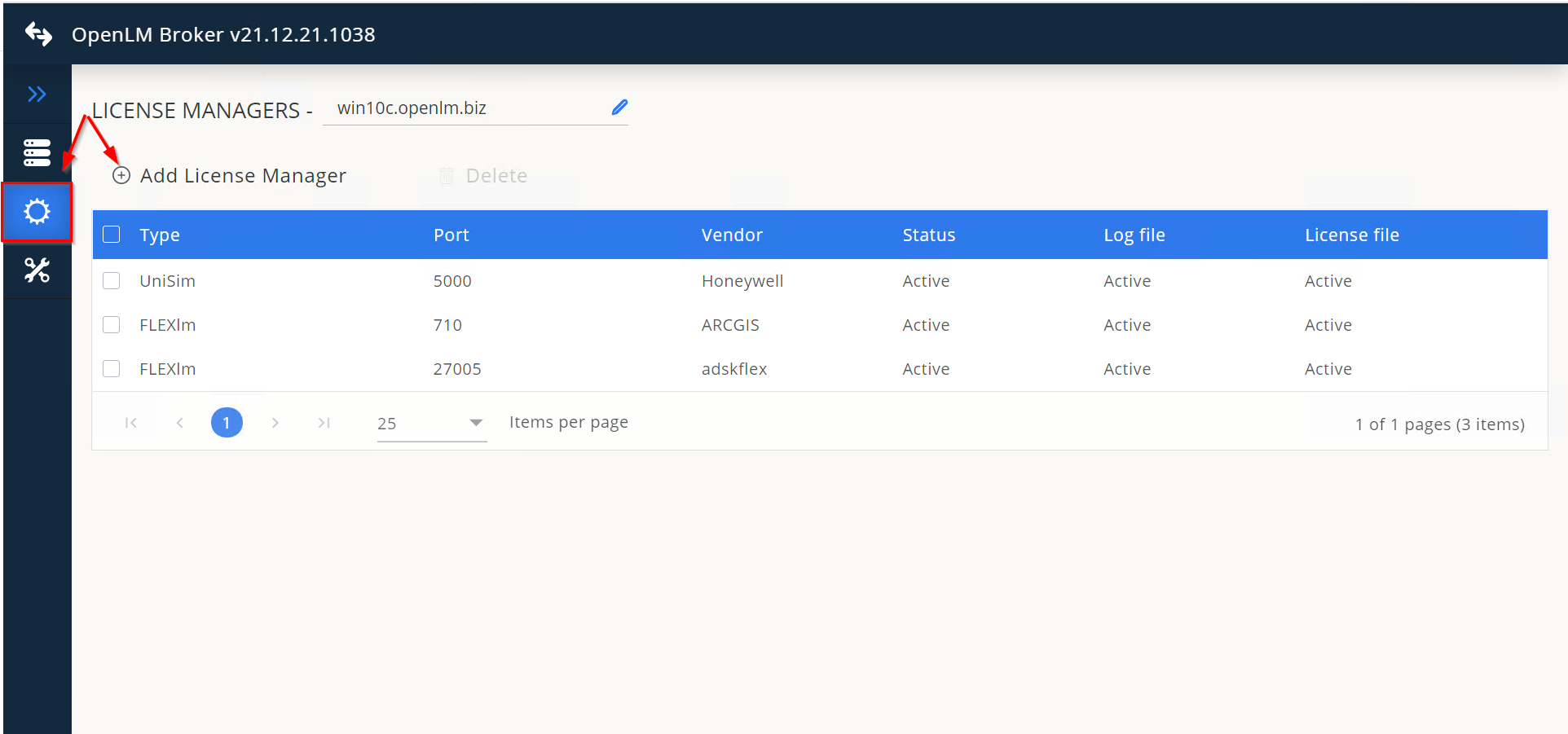 From the drop-down, select Pure Variants and enter the port number (for example, 888). Click Add.
 -
In the Settings tab, make sure Watch License File is off.
-
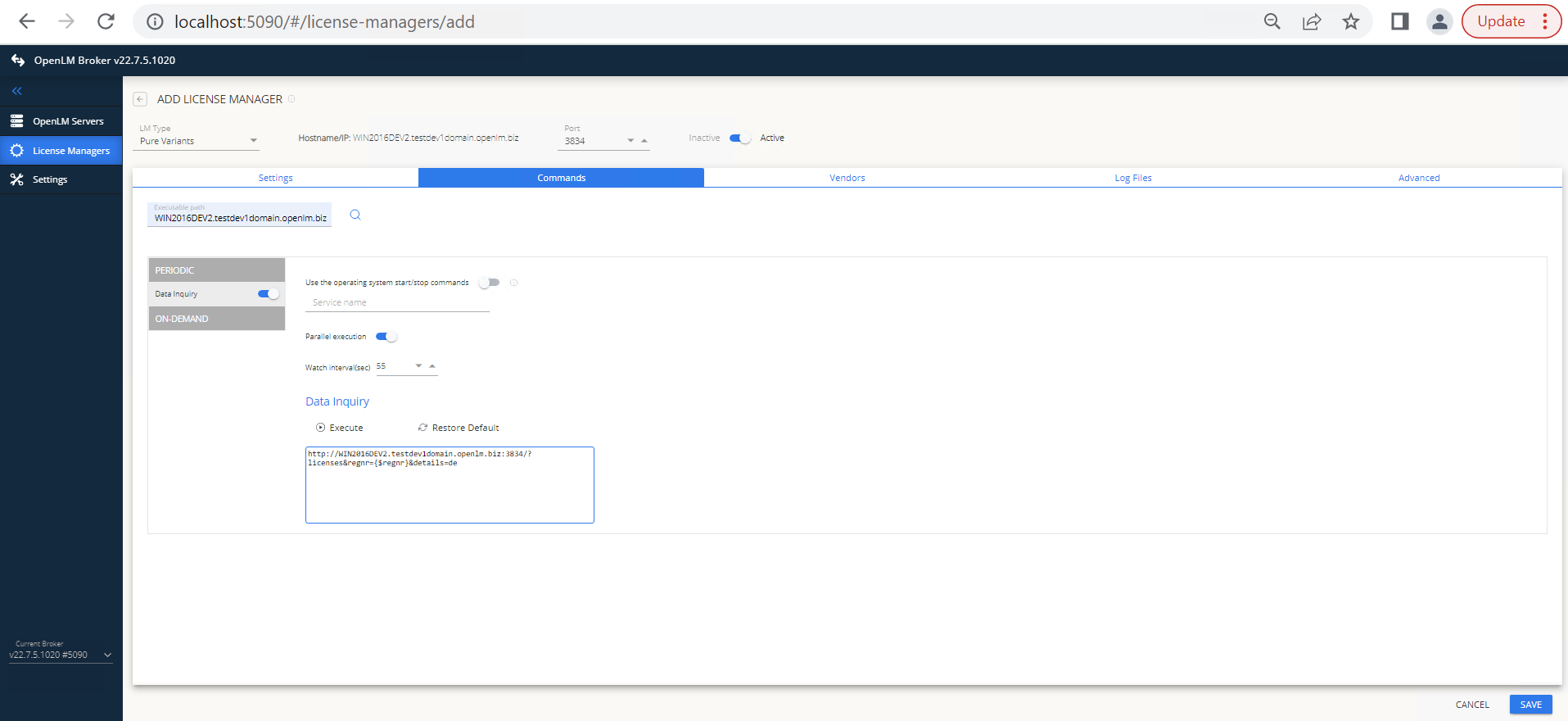
Go to the Commands tab and enter the executable path for pure::variants.
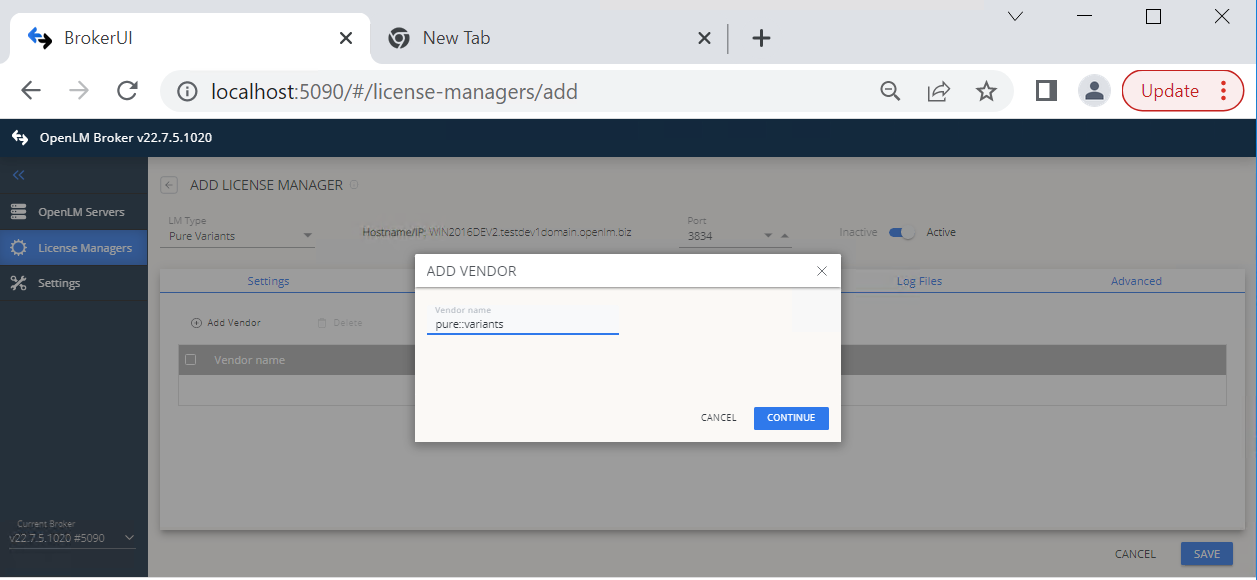
 Go to the Vendors tab → Add Vendor, enter pure::variants, and click Continue.
 Go to the Advanced tab and enter the pure::variants login and password.
 -
Click Save.
Approve pure::variants in OpenLM Platform
- Sign in to OpenLM Platform.
- From the menu, go to License Servers → Pending Server.
- Select the pure::variants license manager, then select Approve and Merge.
Verify the integration
- In OpenLM Platform, go to License Servers Live → Server Statistics.
- Confirm pure::variants appears with a green status indicator.
It can take up to 3 minutes for the status to update for a new connection.