Siemens SIMATIC
This document describes how to interface OpenLM with Siemens SIMATIC to monitor license usage and obtain statistics.
Before you begin
To query Siemens SIMATIC, install:
- OpenLM Platform
- OpenLM Broker v25.x or higher installed on the same machine as SIMATIC, and approve it in Broker Hub.
Monitoring capabilities
Current monitoring capabilities through OpenLM Broker:
| Report resolution | License totals | License usage | Denials reporting | Borrowed license reporting | Expiration date reporting | Multiple server redundancy |
|---|---|---|---|---|---|---|
| By minute | Yes | Yes | No | No | No | No |
Configure OpenLM Broker
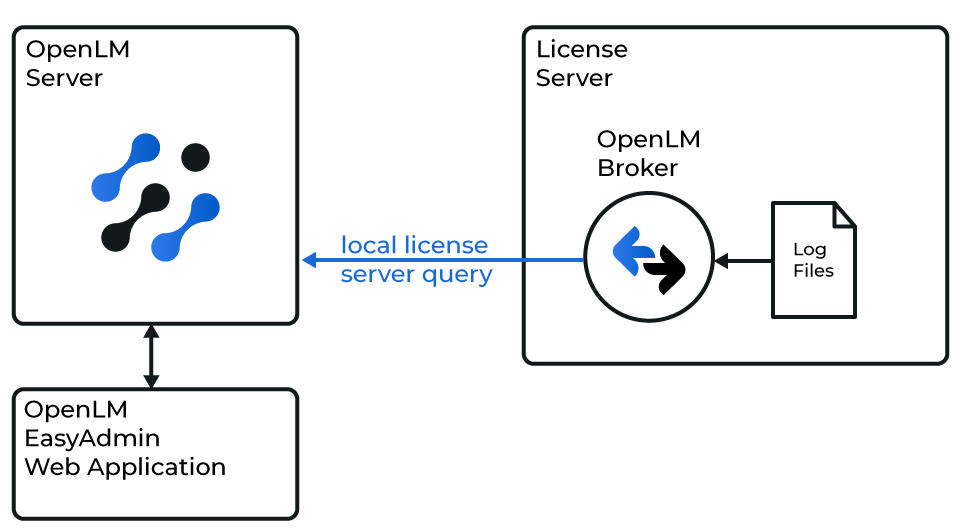 Diagram of OpenLM interface with Siemens SIMATIC
Broker reads the Siemens SIMATIC log file. Once read, data is compiled and sent to OpenLM Server.
Add manually
OpenLM Broker must be installed and configured to report to OpenLM Server before continuing:
-
Open a browser and go to http://localhost:5090/.
-
Select License Managers, then Add License Manager.
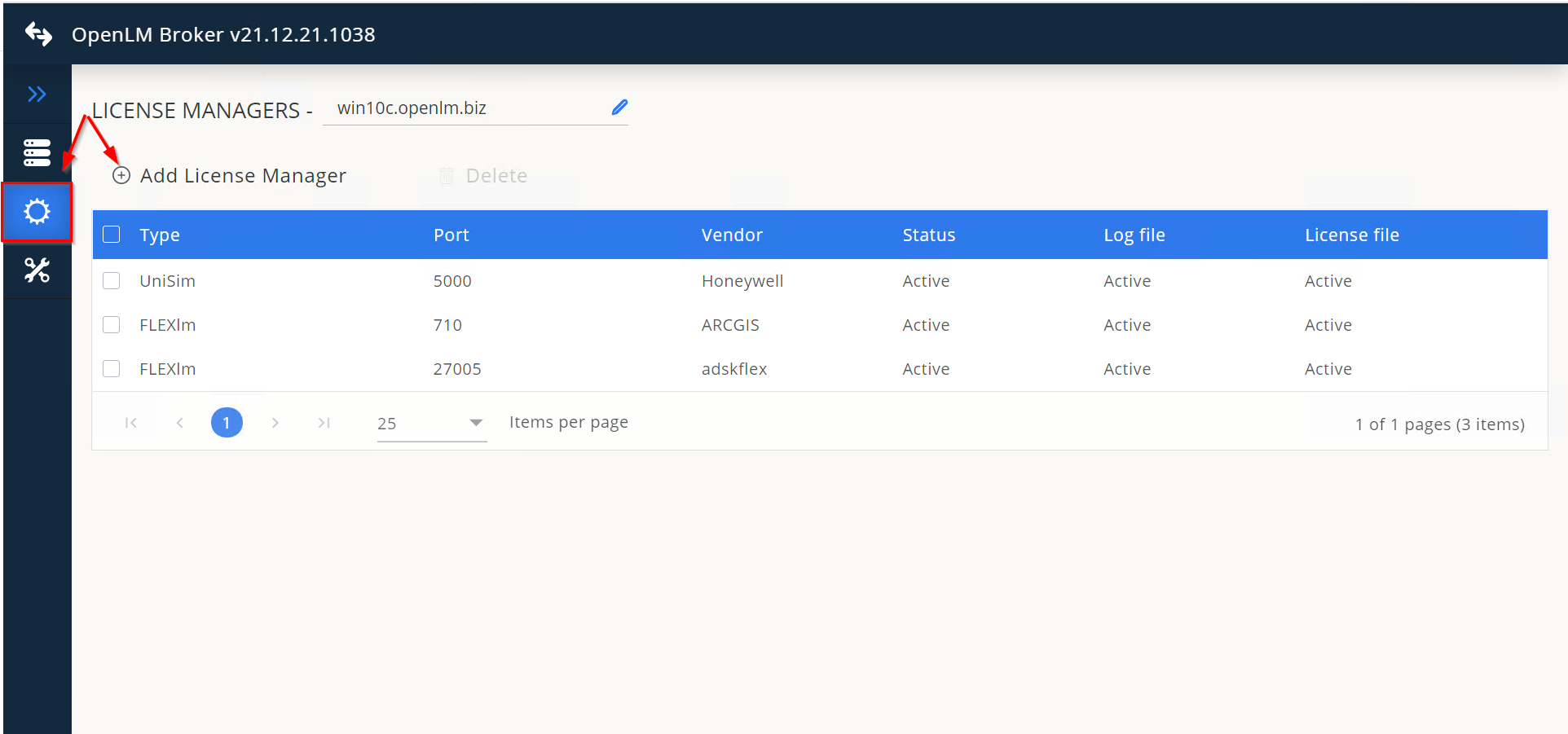 In the pop-up, select the license manager type, enter any port number (for example, 888), then select Add.
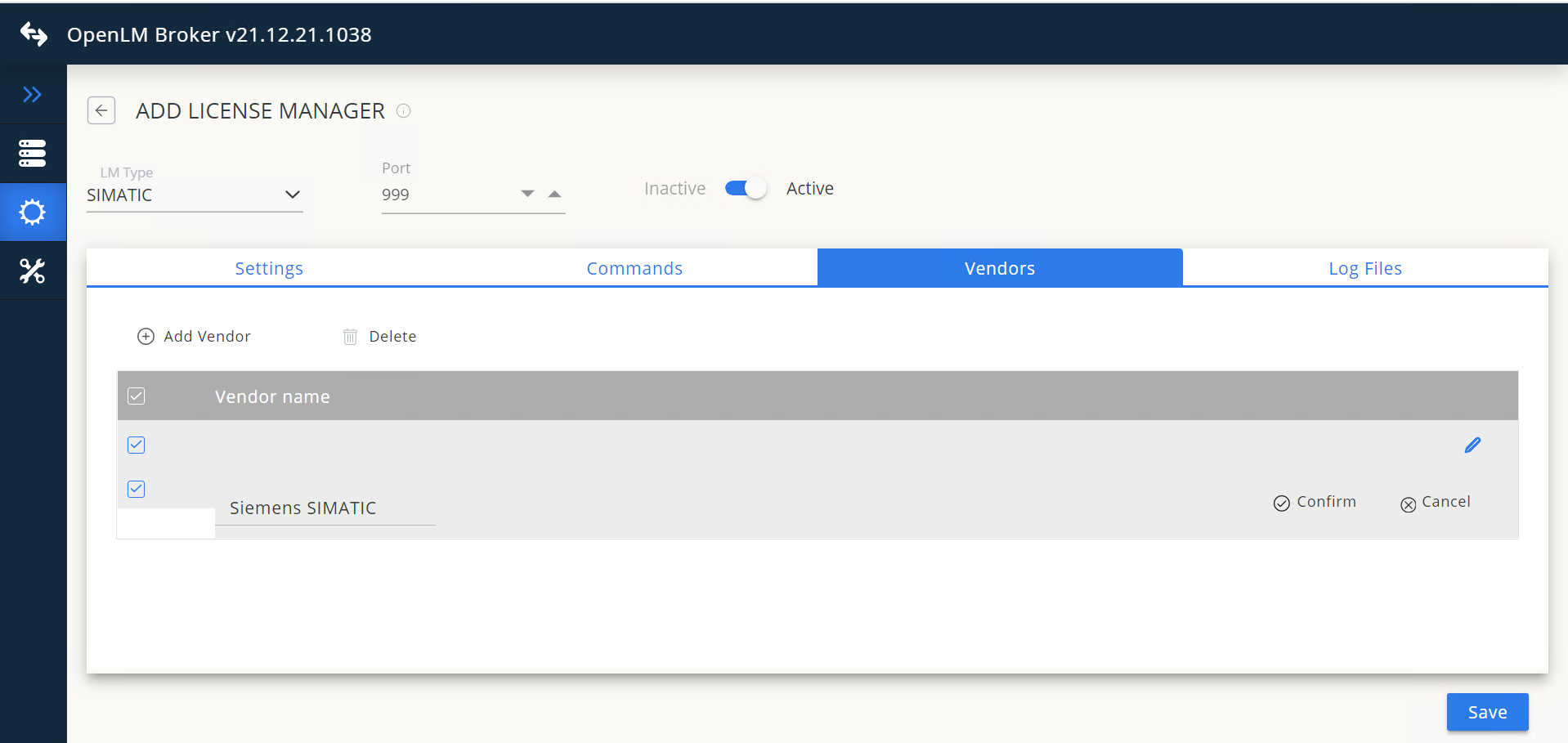
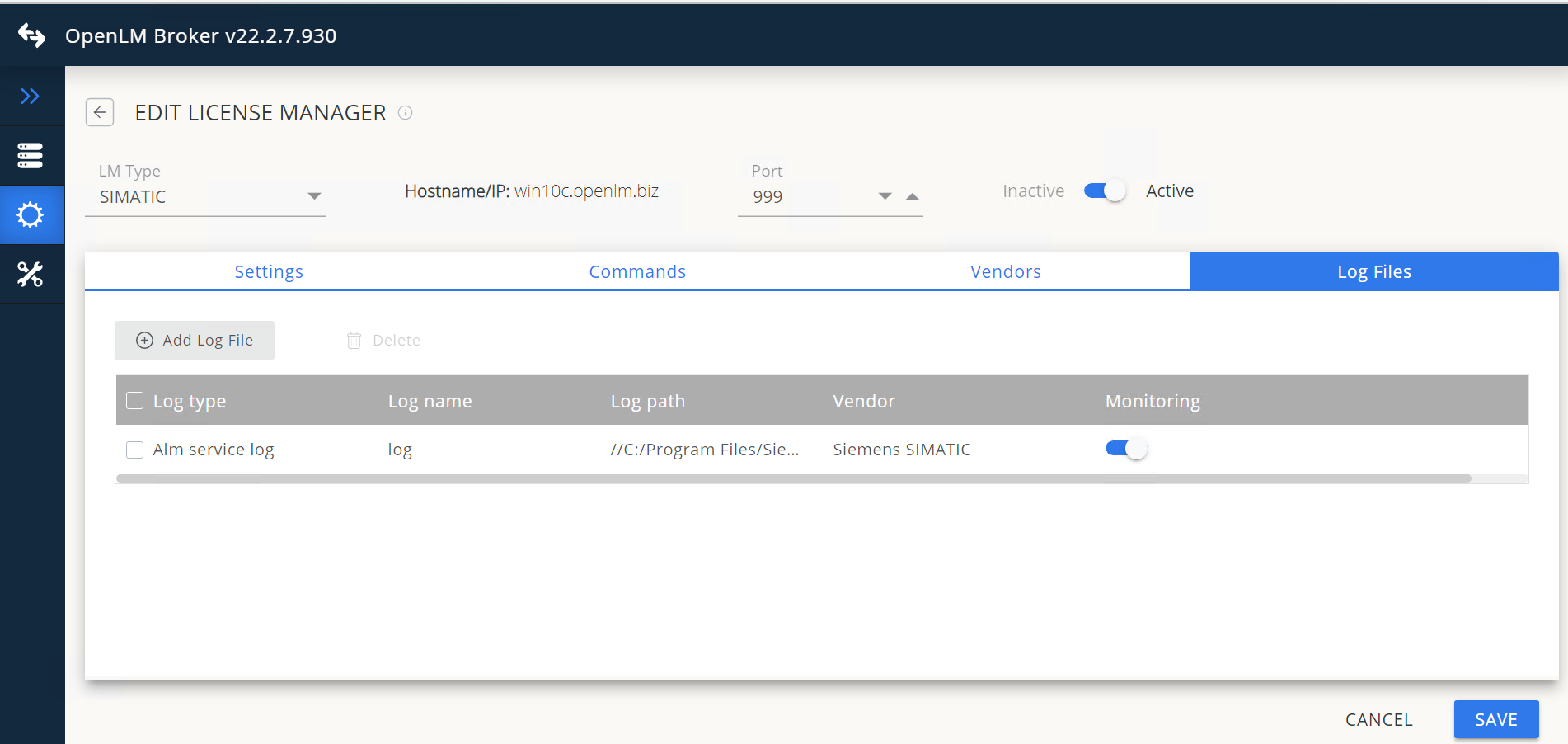
 Go to Vendors. Select Add Vendor, enter the name, then select Confirm.
 Go to Log Files.
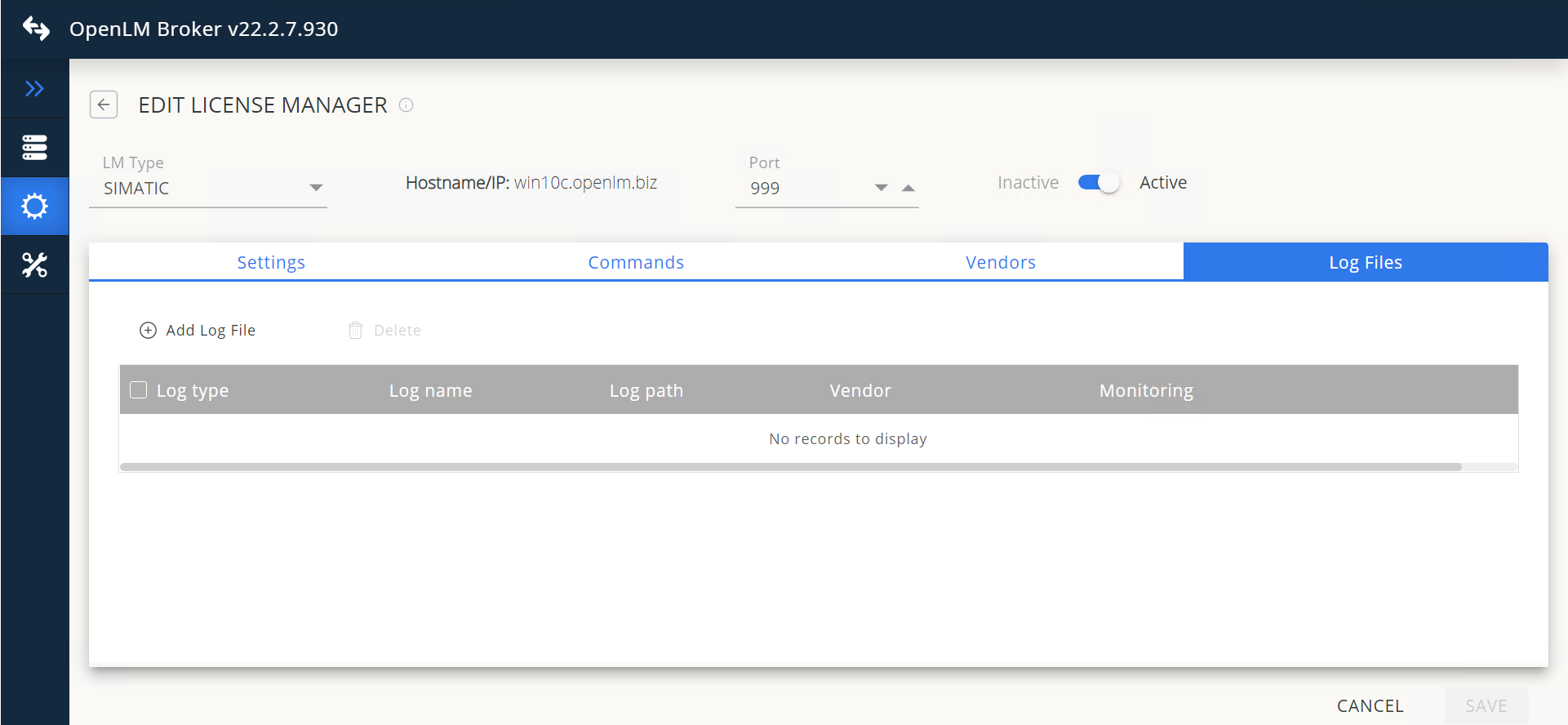 Select Add Log File, then either enter the path manually or browse for it using the magnifying glass icon.
 -
Select the log file, then select Open.
-
From the drop-down, select vendor Siemens SIMATIC.
-
Select Continue.
 Select Save.
 Configure OpenLM Platform
Approve Siemens SIMATIC in OpenLM Platform
- Sign in to OpenLM Platform.
- From the menu, go to License Servers → Pending Server.
- Select the Siemens SIMATIC license manager, then select Approve and Merge.
Verify the integration
- In OpenLM Platform, go to License Servers Live → Server Statistics.
- Confirm Siemens SIMATIC appears with a green status indicator.
It can take up to 3 minutes for the status to update for a new connection.