Float
Float is a resource management platform that helps teams plan projects, schedule resources, and manage workloads. It provides a visual overview of team availability and project timelines.
Before you begin
To begin monitoring Float, ensure you have the following components and permissions in place:
- OpenLM components: OpenLM Cloud Broker, approved in Broker Hub.
- Platform-specific Requirements: You'll need administrative access to your Float account to generate an API key with the necessary read permissions.
Configure data collection
- Activate API Access: In your Float account settings, navigate to Integration Menu then API Key. Create a new API Key.
- Add Credentials: In the OpenLM Cloud Broker dashboard, find the Float integration and enter the API key.
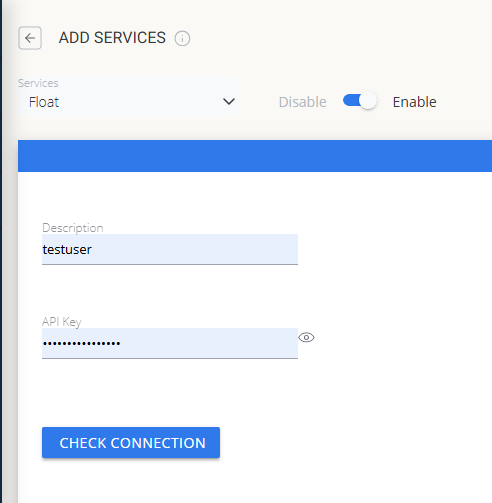 Float credential configuration in Cloud Broker
Approve Float in OpenLM Platform
- Sign in to OpenLM Platform.
- From the menu, go to License Servers → Pending Server.
- Select the Float data source, then select Approve and Merge.
Verify the integration
- In OpenLM Platform, go to Allocation.
- Confirm Float usage data appears.
note
It can take up to 3 minutes for data to appear after approval.
Viewing reports
- User activity trends — see which users are most active in the platform; reallocate seats accordingly.
- Expired or unused licenses — identify inactive users and reclaim their seats.