Odoo
Odoo is an open-source suite of business management software, including tools for CRM, e-commerce, accounting, and project management. It's used by businesses of all sizes to manage their operations.
Before you begin
To begin monitoring Odoo, ensure you have the following components and permissions in place:
- OpenLM components: OpenLM Cloud Broker, approved in Broker Hub.
- Platform-specific Requirements: You'll need administrative access to your Odoo instance to generate an API key with the necessary read permissions.
Configure data collection
- Activate API Access: In your Odoo admin panel, create a new API key with read access to user and subscription data.
- Add Credentials: In the OpenLM Cloud Broker dashboard, find the Odoo integration and enter the company URL, database name, user name and password.
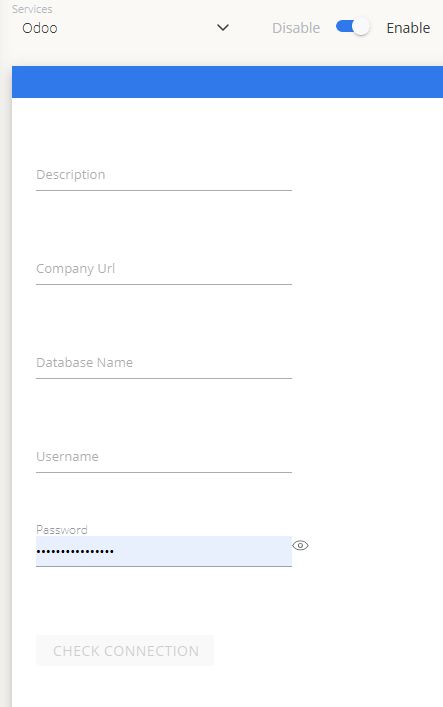 Odoo credential configuration in Cloud Broker
Approve Odoo in OpenLM Platform
- Sign in to OpenLM Platform.
- From the menu, go to License Servers → Pending Server.
- Select the Odoo data source, then select Approve and Merge.
Verify the integration
- In OpenLM Platform, go to Allocation.
- Confirm Odoo usage data appears.
note
It can take up to 3 minutes for data to appear after approval.
Viewing reports
- User activity trends — see which users are most active in the platform; reallocate seats accordingly.
- Expired or unused licenses — identify inactive users and reclaim their seats.