License Parser
License Parser converts a FlexLM license file into a structured, readable report. Use License Parser to inspect a license file before it reaches a license server, confirm it contains the features you expect, and share the parsed output with procurement, finance, or other readers who don't read raw license text.
What you can do with License Parser
- Upload a FlexLM license file by drag and drop or by selecting it from your computer.
- View parsed features in a sortable, searchable data grid.
- Filter results by vendor, license type, or feature name.
- View file-level summary fields, including format, primary vendor, server, MAC address, and port.
- Export the current view to CSV.
Prerequisites
- An active OpenLM Platform account with License Parser activated in Products.
- One of the following roles assigned to your account:
sys_admin_role— System Administratoraccount_admin_role— Account AdministratorLicenseParser_Admin— License Parser Admin
- Access to the FlexLM license file you want to inspect.
If your account doesn't have one of the roles above, License Parser opens a Not Enough Permissions page. Contact your OpenLM administrator to request access.
Supported file formats
License Parser currently supports FlexLM (FLEXnet) license files only. Uploading a file in any other format produces an error.
Open License Parser
Open the OpenLM Platform app launcher, then select Licenses and Features → License Parser.
The Parsing page opens with the file upload area shown.
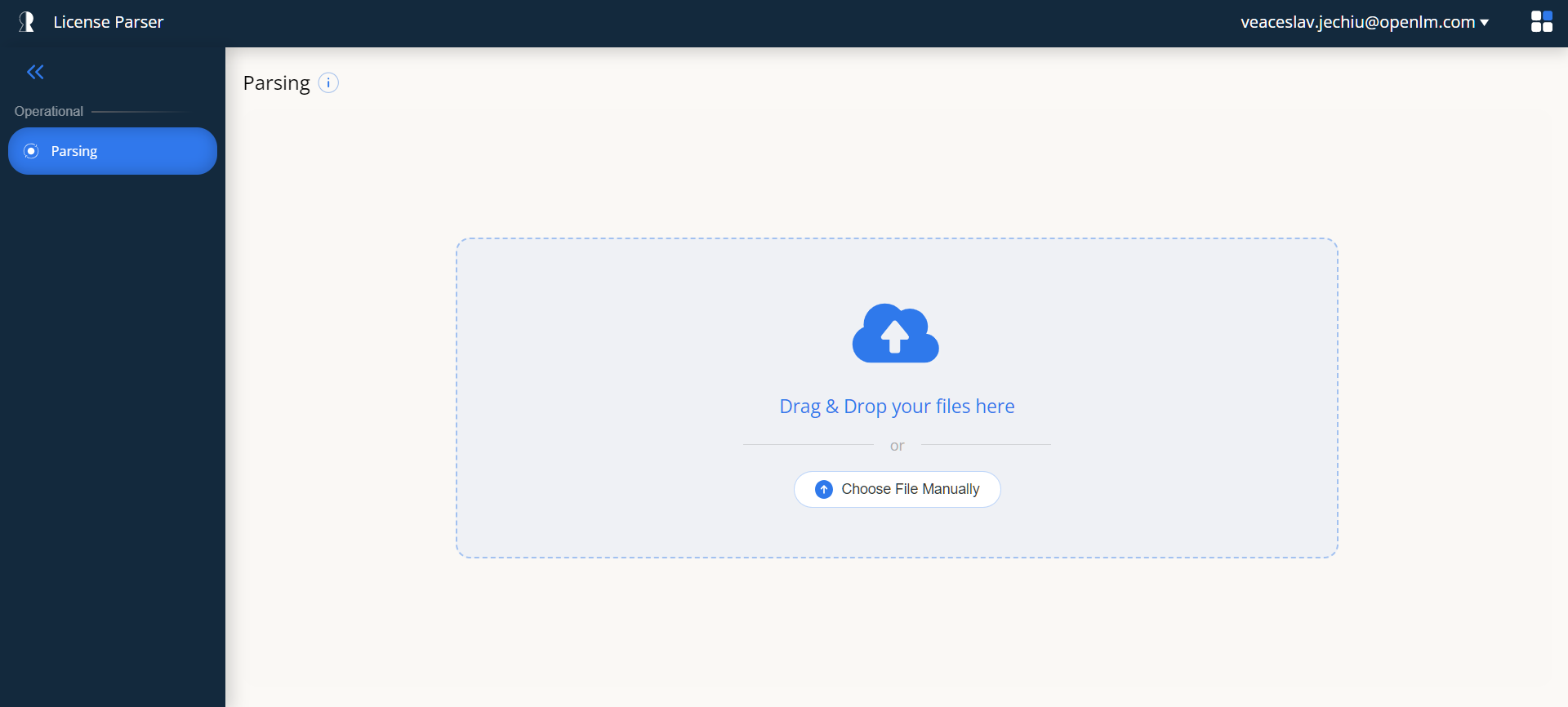 Parsing page with the drag-and-drop upload area
Upload a license file
You can upload a license file in two ways: by drag and drop, or by browsing for the file.
Drag and drop
- Locate the license file on your computer.
- Drag the file onto the dashed upload area labeled Drag & Drop your files here.
The upload starts automatically.
Select a file manually
- Select Select File Manually below the drag-and-drop area.
- Select the license file in the file browser dialog.
The upload starts automatically after you select the file.
What happens after upload
- The file uploads to the server. A progress bar shows progress during the transfer.
- The server parses the file using the FlexLM parser.
- After parsing succeeds, License Parser opens the Report page with the results.
If the file isn't a valid FlexLM license file, an error notification appears in the bottom-right corner. You can upload a different file.
View parsed features
The Report page opens on the Features tab, which lists every license feature found in the uploaded file.
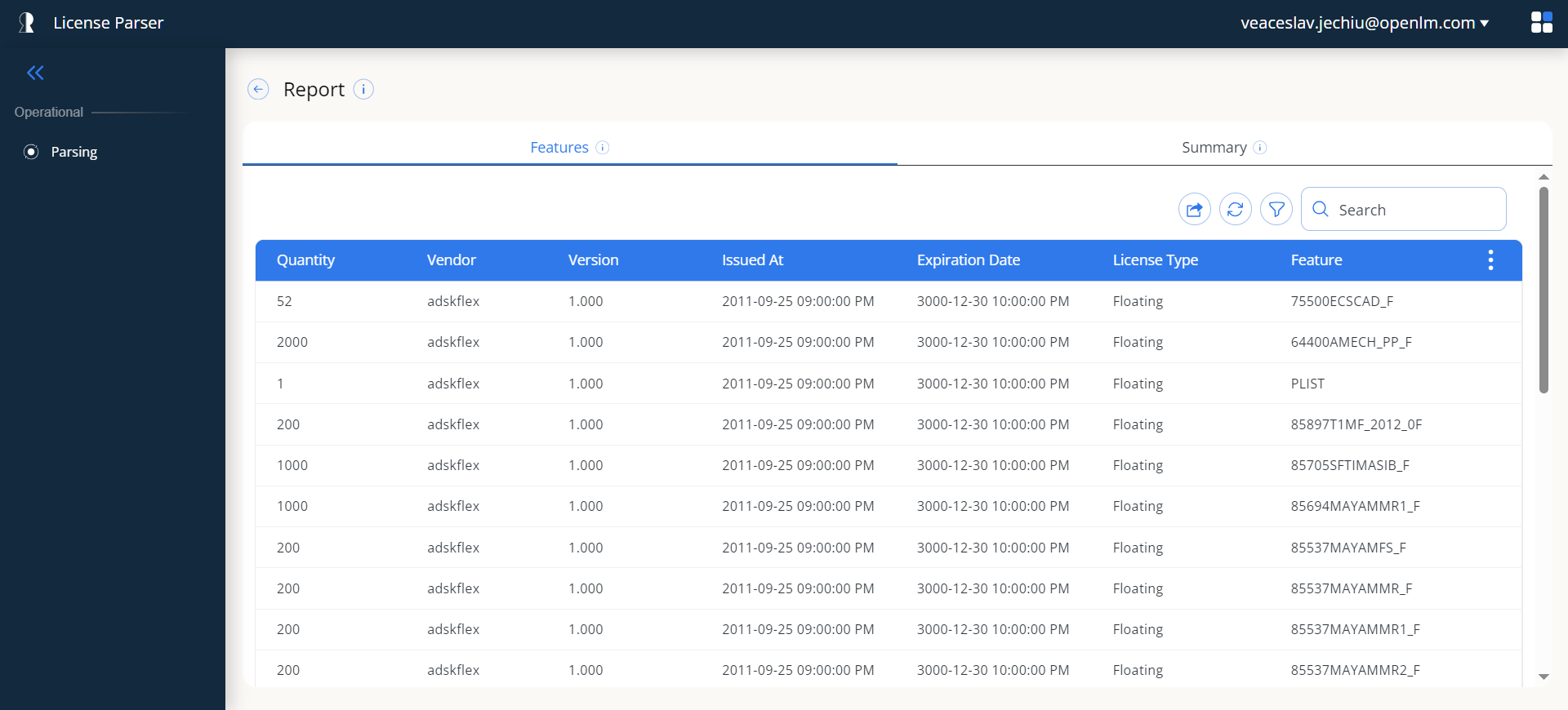 Report page showing parsed license features in the Features tab
Features grid columns
The features grid contains the following columns:
| Column | Description |
|---|---|
| Quantity | Number of license seats available for the feature. |
| Vendor | Software vendor that issued the license, for example adskflex. |
| Version | Version of the licensed feature. |
| Issued At | Date the license was issued. |
| Expiration Date | Date the license expires. Reads Permanent if the license has no expiration. |
| License Type | Type of license, for example Floating, Node-Locked, or Named User. |
| Feature | Name of the licensed software feature. |
Grid actions
The toolbar in the upper-right corner of the Features tab provides the following actions:
- Export — Downloads the current view as a CSV file.
- Refresh — Re-fetches and re-parses the license file from the server.
- Filter Toggle — Shows or hides the filter row.
- Search — Filters the grid by keyword across all columns. Matching text is highlighted.
Sort, resize, and select columns
Select any column header to sort the grid by that column. Select the header again to reverse the sort order. Drag column edges to resize columns. Use the three-dot menu (⋮) in the grid header to show or hide individual columns.
Pagination
If the parsed file contains many features, the grid splits the results across multiple pages. Use the pagination controls at the bottom of the grid to switch pages or change the number of items per page.
Filter results
To narrow what the features grid displays, use the filter dropdowns.
-
Select the filter toggle (funnel icon) in the actions toolbar.
The filter row appears below the toolbar.
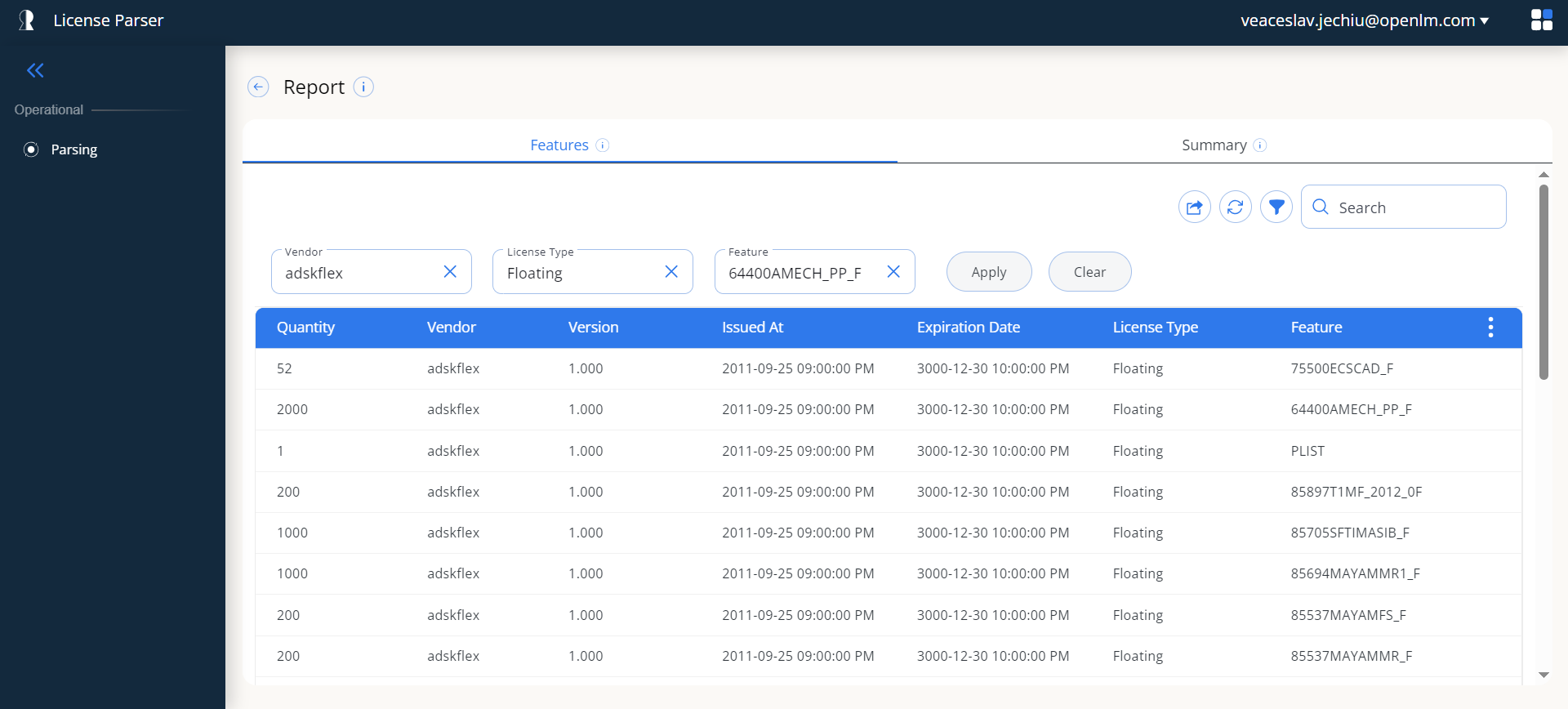 Filter row displayed with Vendor, License Type, and Feature dropdowns
 -
Select values in any of the three dropdowns:
- Vendor — One or more software vendors, for example
adskflex. - License Type — One or more license types, for example Floating or Node-Locked.
- Feature — One or more feature names.
Each dropdown supports multiple selection and includes a search box for finding specific values.
- Vendor — One or more software vendors, for example
-
Select Apply to filter the grid.
To remove all filters, select Clear.
Result of applying filters
After you select Apply, the grid shows only the features that match your filter criteria. The active filter values remain visible in the filter row, so you can see what is currently applied.
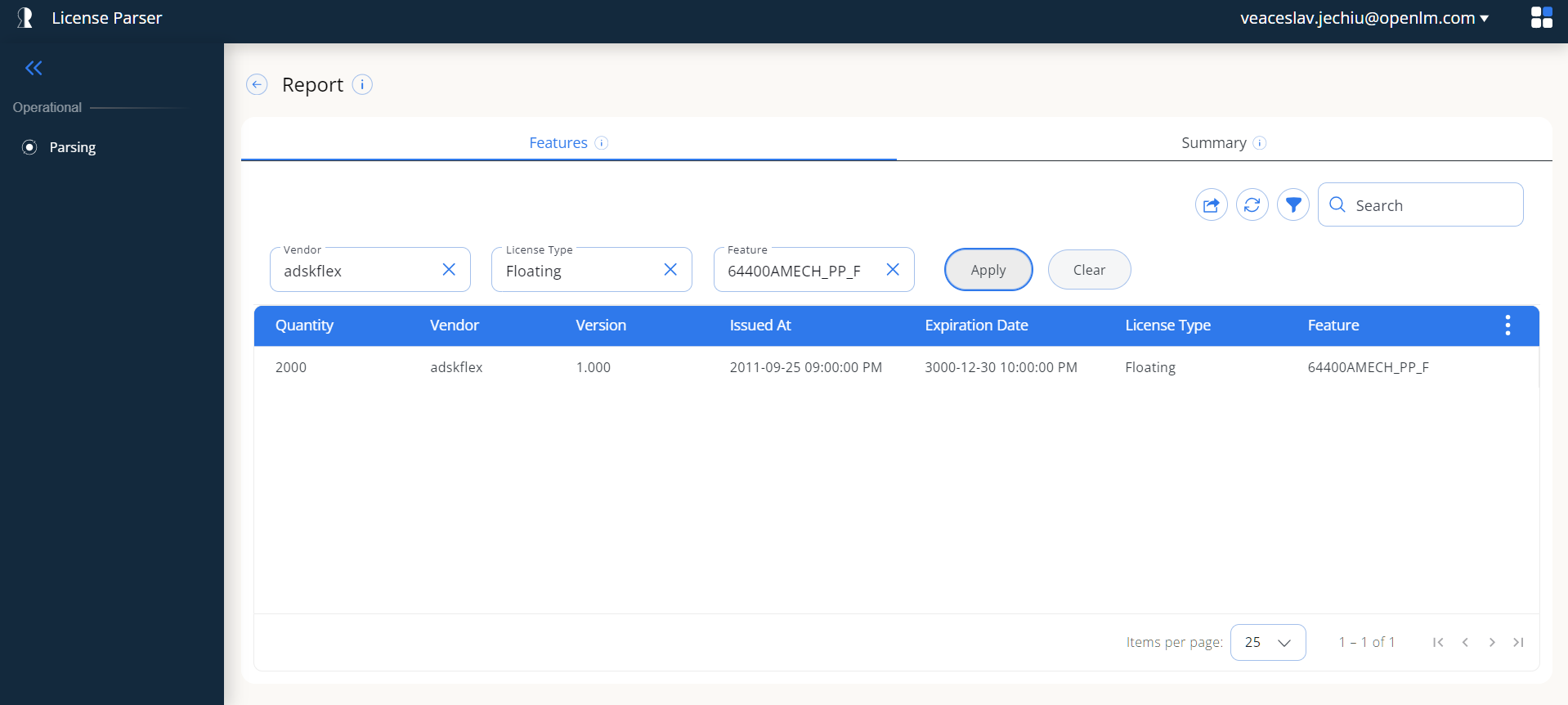 Filtered results showing only features matching selected criteria
In the example above, a vendor and a feature name are selected, reducing the results to a single matching license feature. The pagination at the bottom reflects the filtered count (1-1 of 1).
- Combine filters across columns, for example by vendor and license type at the same time.
- Search works on the filtered set, so you can search within filtered results.
- Exporting to CSV while filters are active exports only the filtered data.
- Changing filters resets the grid to the first page.
View the file summary
In addition to the feature list, License Parser shows a summary of the parsed license file. To view it, select the Summary tab next to the Features tab.
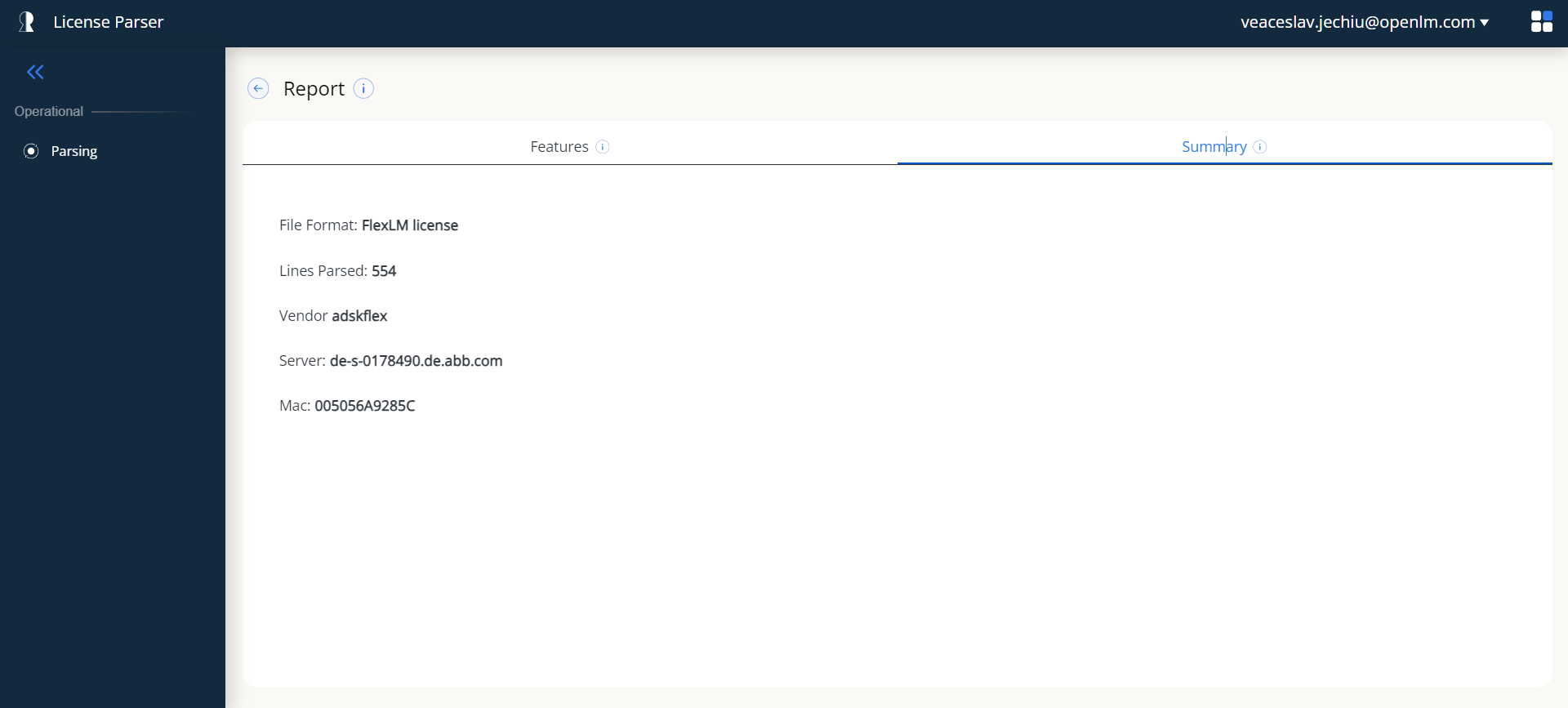 Summary tab showing license file metadata
The Summary tab displays the following fields:
| Field | Description |
|---|---|
| File Format | Detected license file format, for example FlexLM license. |
| Lines Parsed | Total number of lines processed from the uploaded file. |
| Vendor | Primary vendor identified in the license file. |
| Server | License server hostname. |
| Mac | MAC address of the license server. |
| Port | Port number used by the license server. |
The Server, Mac, and Port fields appear only when this information is present in the license file header. Not every license file contains these details.
Other tasks
Return to the upload page
To parse a different license file, select the back arrow (←) to the left of the Report title. License Parser returns to the Parsing page.
Export data to CSV
- Open the Features tab on the Report page.
- Optionally apply filters or a search keyword to narrow the data.
- Select the export button (download icon) in the actions toolbar.
License Parser downloads license-features.csv to your browser's default download location.
Refresh results
To re-parse the currently uploaded license file, select the refresh button (circular arrow icon) in the actions toolbar. Use this if the file may have changed on the server.
Configure columns
To show or hide columns in the grid, select the three-dot menu (⋮) in the grid header. The column chooser opens.
Search with highlighting
Type a keyword in the Search box to filter the grid across all columns. Matching text within cells appears highlighted in yellow.
Troubleshooting
A "Not Enough Permissions" page appears.
Your account doesn't have the required role. Contact your OpenLM administrator to assign one of the following: sys_admin_role, account_admin_role, or LicenseParser_Admin.
An error notification appears after a file upload. The file may not be a valid FlexLM license file. Confirm you are uploading a plain text FlexLM file. Other license formats are not currently supported.
The upload appears stuck or slow. Larger files take longer to upload and parse. Check your network connection and wait for the progress bar to complete. If the upload hangs, refresh the page and try again.
No features appear after parsing. The file may be empty or contain no recognizable features. Confirm the file contents are correct and in FlexLM format.
Filter dropdowns are empty. Filter dropdowns are populated from the parsed data. If no features were found, or every feature shares the same value for a field, the dropdown may appear empty or have limited options.