AMP
OpenLM は OpenLM Broker を通じて AMP を監視します。AMP は定期的に XML ファイルを生成し、OpenLM がそれを解析して OpenLM Platform に表示します。
はじめに
- OpenLM Platform。
- AMP と同じマシンにインストールされ、Broker Hub で承認された OpenLM Broker v25.x 以降。
AMP_OpenLM.exeへのパス(ベンダーから提供されるか、AMP のインストールフォルダーにあります)。
OpenLM Broker の設定
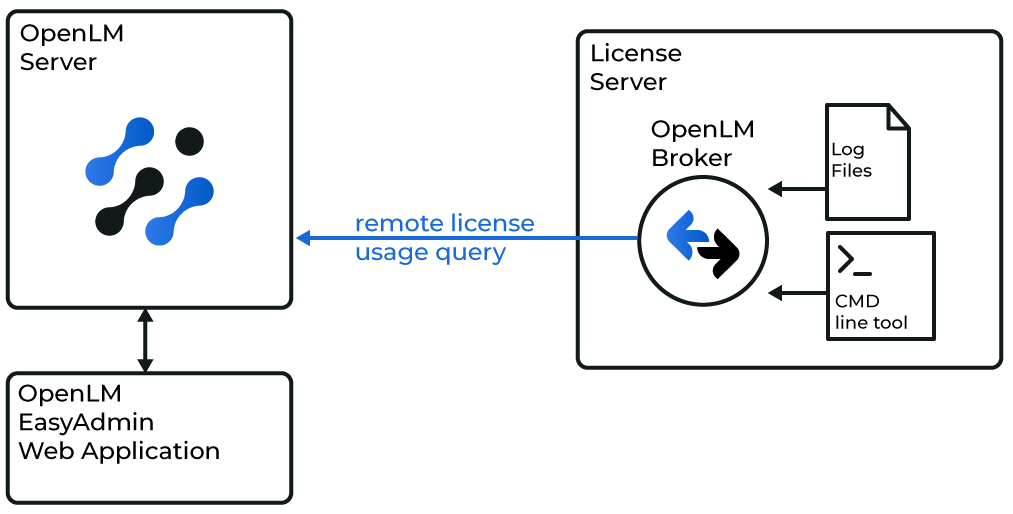 OpenLM Broker が AMP をクエリし、OpenLM Server にデータを転送する仕組み
-
Broker UI を
http://localhost:5090/で開きます。 -
License Managers → Add License Manager を開きます。
-
AMP を選択し、ポート番号(例:
2306)を指定します。 -
License Manager Type から OpenLM Generic を選択します。
-
Commands で、
AMP_OpenLM.exeへのパスを設定します。例:C:\Program Files (x86)\AMPORTAKAMP\AMP_OpenLM.exe -
Update を選択し、続いて Apply を選択します。
-
Execute を選択し、データの取得が機能することを確認します。
-
Status コマンドについても同様に繰り返します。
-
Vendors で
AMP YAZILIM(大文字と小文字を区別)と入力します。 -
Apply を選択し、続いて Restart Broker を選択します。
OpenLM Platform で AMP を承認
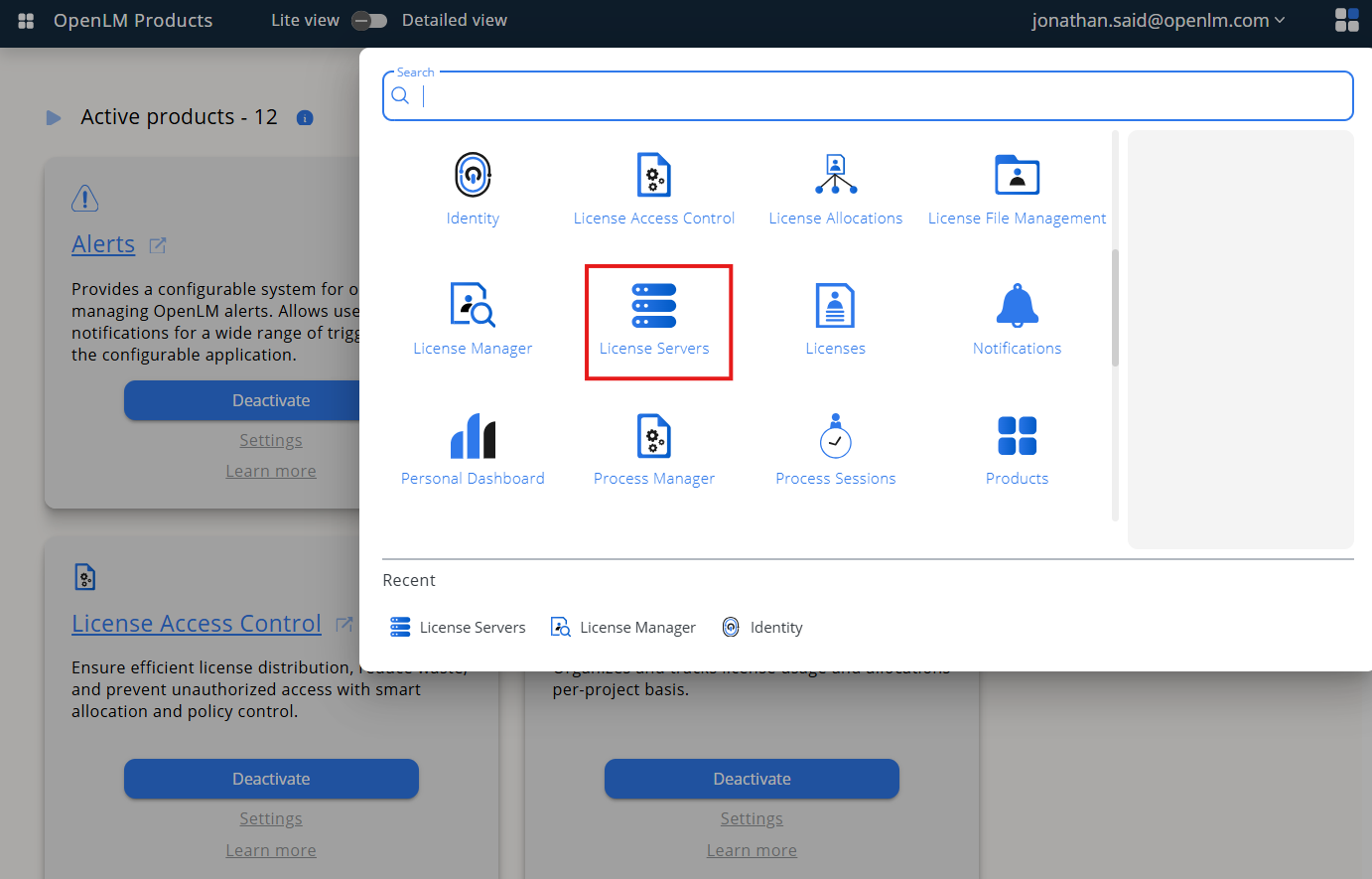 Pending Server で AMP を承認
- OpenLM Platform にサインインします。
- メニューから License Servers → Pending Server を開きます。
- AMP ライセンスマネージャーを選択し、Approve and Merge をクリックします。
連携の検証
- OpenLM Platform で License Servers Live → Server Statistics を開きます。
- AMP が緑のステータスで表示されることを確認します。
注意
新規接続の場合、ステータスの反映まで最大 3 分かかります。