CADENAS
OpenLM で CADENAS Server のライセンス使用状況および統計を収集するための設定手順は以下のとおりです。
はじめに
- OpenLM Platform。
- CADENAS と同じマシンにインストールされ、Broker Hub で承認された OpenLM Broker v25.x 以降。
監視機能
| LM Type in the Broker | Commands | Logs | Quantity | Expiration date | Denied | Borrowing | Allocations | Report resolution |
|---|---|---|---|---|---|---|---|---|
| CADENAS | No | Yes | Yes | No | No | No | No | Seconds |
OpenLM Broker の設定
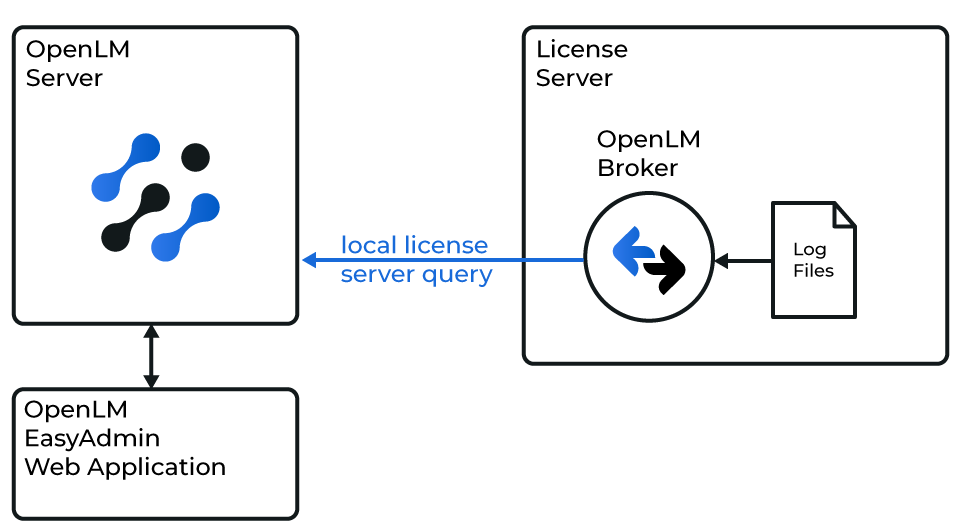 OpenLM が CADENAS Server License Manager と連携する仕組みの図
注意
続行する前に、OpenLM Broker をインストールし、OpenLM へレポートするように設定しておく必要があります。
-
Broker UI を
http://localhost:5090/で開きます。 -
License Managers → Add License Manager を開きます。
-
CADENAS を選択し、ポート番号を入力して、Add をクリックします。
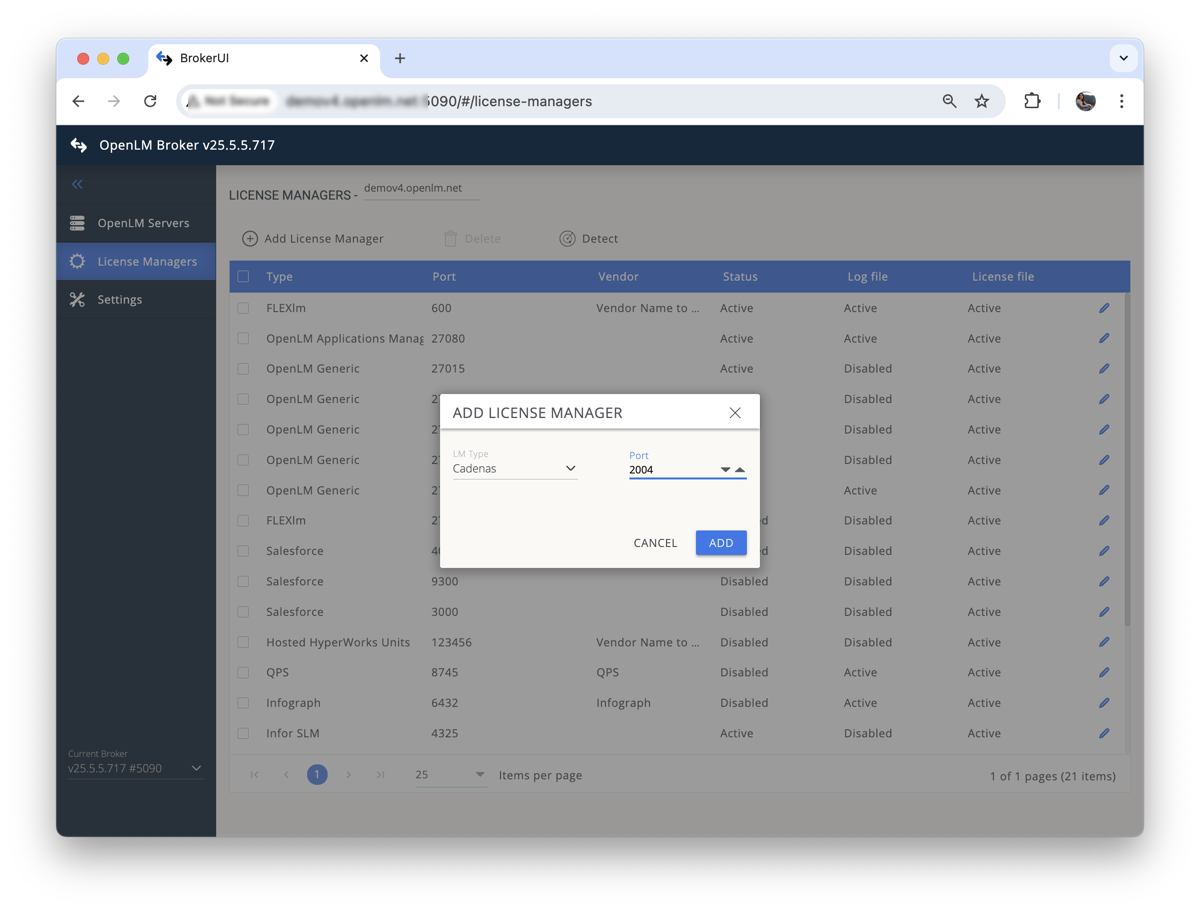 OpenLM Broker での CADENAS Server ライセンスマネージャーの追加
OpenLM Broker での CADENAS Server ライセンスマネージャーの追加
-
Vendors タブを開きます。Add Vendor をクリックし、CADENAS Server と入力して、Continue をクリックします。
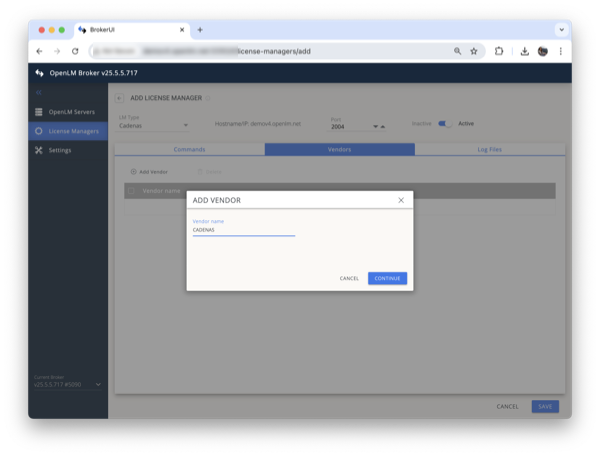 OpenLM Broker での CADENAS Server ベンダーの追加
 -
Log Files タブを開きます。Add Log File をクリックします。Watch file by pattern をオフにします。ログのパスを追加してから、Continue をクリックします。OpenLM Broker での CADENAS Server のログファイルの追加
-
Save をクリックします。
OpenLM Platform を設定する
OpenLM Platform で CADENAS を承認
- OpenLM Platform にサインインします。
- メニューから License Servers → Pending Server を開きます。
- CADENAS ライセンスマネージャーを選択し、Approve and Merge をクリックします。
連携の検証
- OpenLM Platform で License Servers Live → Server Statistics を開きます。
- CADENAS が緑のステータスで表示されることを確認します。
注意
新規接続の場合、ステータスの反映まで最大 3 分かかります。