Chaos V-Ray
Chaos V-Ray License Manager からライセンス使用状況の監視と統計の収集を行うように OpenLM を設定するには、次の手順に従います。
はじめに
- OpenLM Platform。
- Chaos と同じマシンにインストールされ、Broker Hub で承認された OpenLM Broker v25.x 以降。
監視機能
Broker は Chaos V-Ray License Manager のログファイルを読み取り、データを集約して、処理のために OpenLM に送信します。
| Report resolution | License totals | License usage | Denials | Borrowing | Expiration date | Redundancy |
|---|---|---|---|---|---|---|
| By second | Yes | No | No | No | No | No |
OpenLM Broker の設定
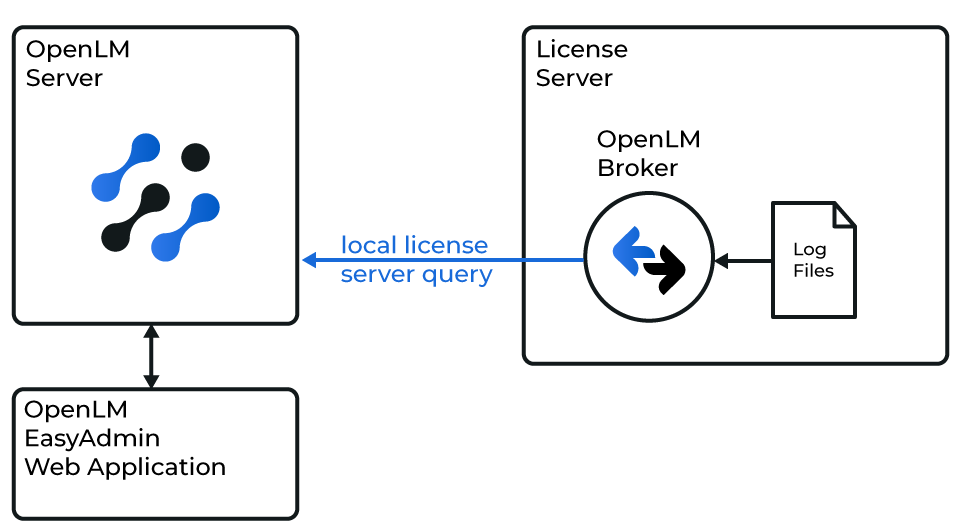 OpenLM と Chaos V-Ray License Manager の連携の概要図
-
Broker Web UI を開きます:
http://localhost:5090(デフォルトのポートが使用中の場合は 5091 または 5092)。 -
License Managers → Add License Manager に移動します。
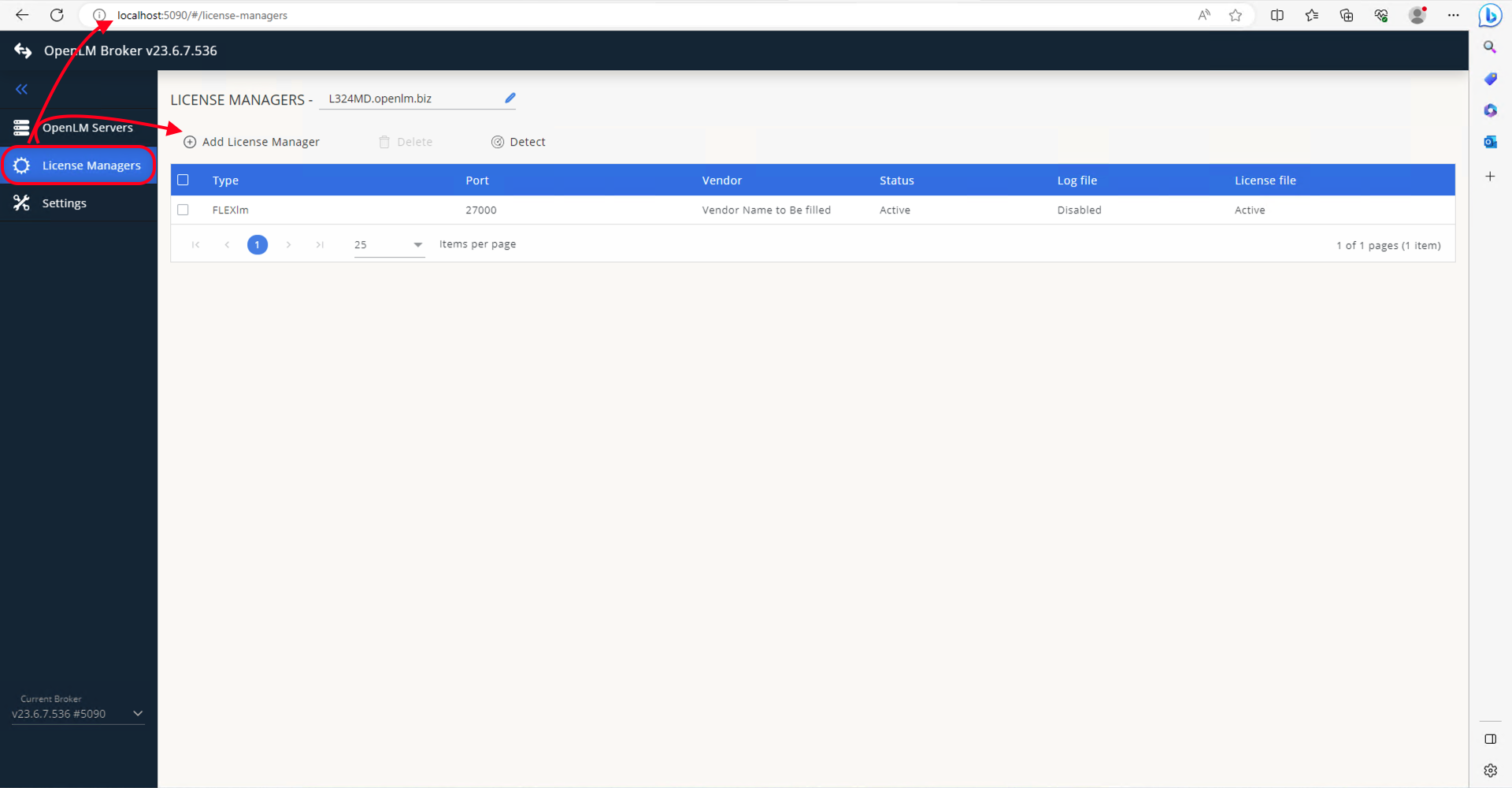 ドロップダウンリストから Chaos を選択し、ポート (例: 35033) を入力します。
 -
Add をクリックします。
 Vendors → Add Vendor に移動し、Chaos V-Ray という名前を入力します。Continue をクリックします。
 -
Log Files → Add Log File に移動します。
-
ログファイルのパスを手動で指定するか、虫眼鏡アイコンを使用して参照します。
-
ベンダーとして Chaos V-Ray を選択し、Save をクリックします。
OpenLM Platform で Chaos V-Ray を承認
- OpenLM Platform にサインインします。
- メニューから License Servers → Pending Server を開きます。
- Chaos V-Ray ライセンスマネージャーを選択し、Approve and Merge をクリックします。
連携の検証
- OpenLM Platform で License Servers Live → Server Statistics を開きます。
- Chaos V-Ray が緑のステータスで表示されることを確認します。
注意
新規接続の場合、ステータスの反映まで最大 3 分かかります。