DSLS
OpenLM は多くのライセンスマネージャーの監視をサポートしています。本ガイドでは、OpenLM を Dassault Systèmes License Server (DSLS) と連携させ、使用状況を監視し、ライセンス統計を収集する方法を説明します。
はじめに
- OpenLM Platform。
- DSLS と同じマシンにインストールされた OpenLM Broker v25.x 以降。Broker Hub で承認します。
OpenLM Broker の設定
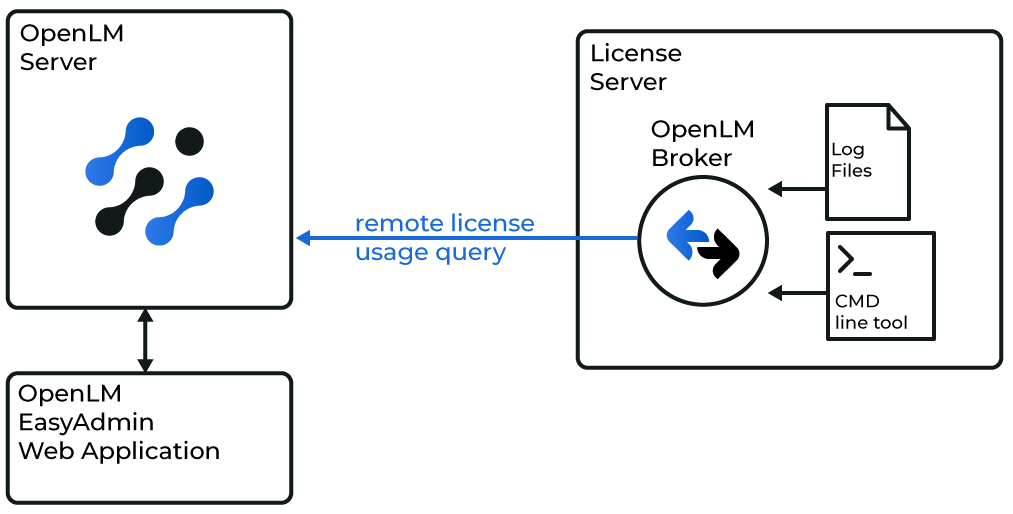 Broker と DSLS の連携
-
Broker Web UI を
http://localhost:5090/で開きます。 -
License Managers タブに移動します。
-
Detect を使用して DSLS を自動的に検出します。検出されない場合は、Add License Manager をクリックし、DSLS を選択してポートを入力し、ADD をクリックします。
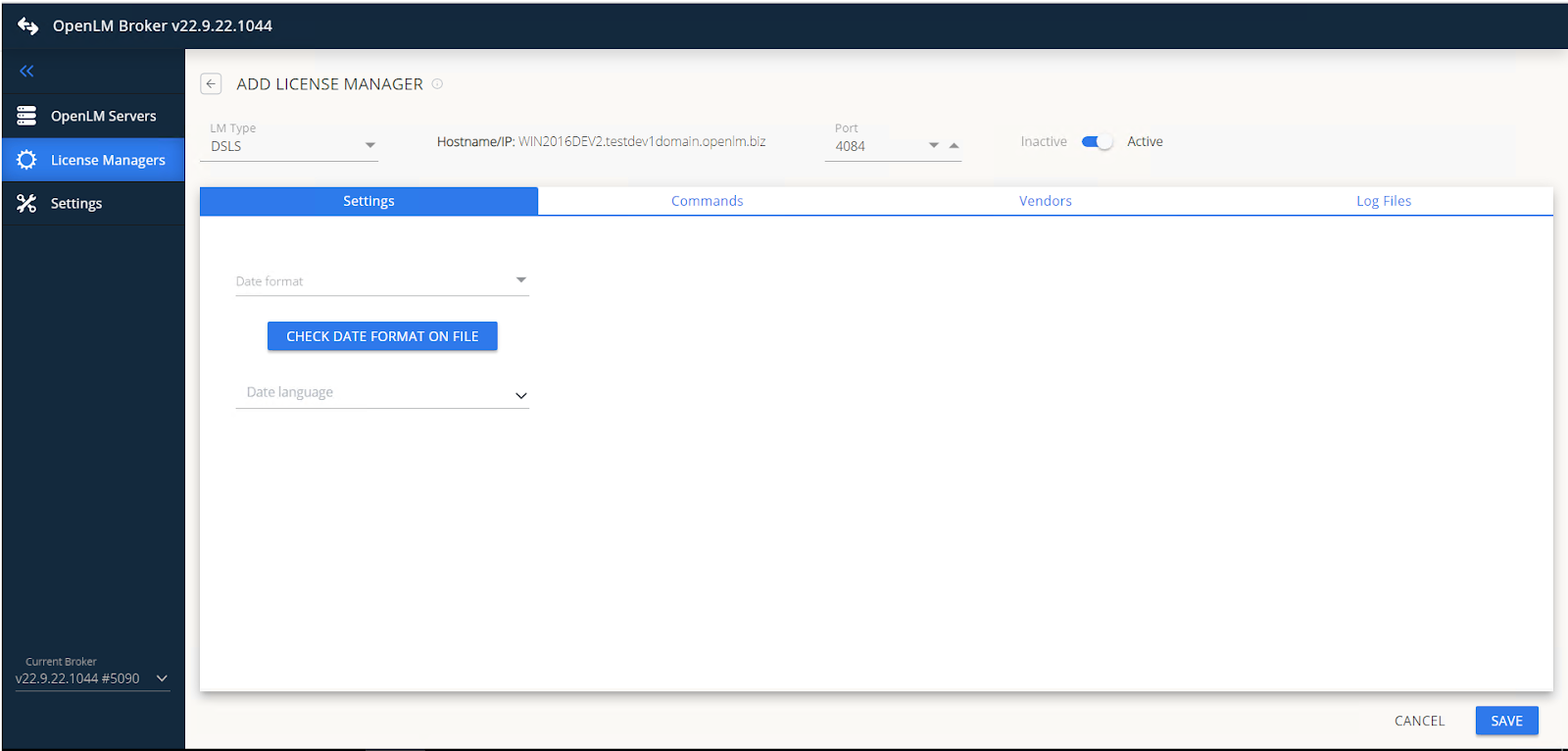 Broker で DSLS を追加
 -
Date format と Language をライセンスファイルに合わせます。
-
Commands タブに移動し、DSLicSrv.exe へのパスを入力します。Execute を実行してテストします。DSLS でパスワードを使用している場合は、コマンド構文に追加します。各セミコロンの前に必ずスペースを入れてください。
-
Vendors タブ → Add Vendor → Dassault Systemes に移動します。
-
複数サーバー構成の場合は、各 DSLS マシンに Broker をインストールします。
-
status、data_inquiry、denial の各コマンドがロケール en_US を使用していることを確認します。
DSLS ログファイルの設定
-
Log files タブに移動し、Add Log File をクリックします。
-
種類として Other を選択します。
-
ファイルに名前を付けます(例: DSLS log file)。
-
ファイルパスを入力するか参照します(例: C:\my_dsls_log.log)。
-
ベンダーとして Dassault Systemes を選択します。
-
ログがローテーションする場合は、Watch files by pattern をオンにします。
OpenLM Platform で DSLS を承認
- OpenLM Platform にサインインします。
- メニューから License Servers → Pending Server を開きます。
- DSLS ライセンスマネージャーを選択し、Approve and Merge をクリックします。
連携の検証
- OpenLM Platform で License Servers Live → Server Statistics を開きます。
- DSLS が緑のステータスで表示されることを確認します。
新規接続の場合、ステータスの反映まで最大 3 分かかります。