EasyCopy
OpenLM は、Flexera FLEXnet Publisher (FLEXlm) や Sentinel RMS など、多種多様なネットワークライセンスタイプに対応したライセンス管理および監視システムです。
EasyCopy は、エンジニアリング、地球科学、ライフサイエンス向けのグラフィックソリューションを提供します。OpenLM は EasyCopy のビジネスパートナーです。
本記事では、OpenLM を設定して EasyCopy License Manager を監視し、ライセンス使用状況レポートを生成する方法を説明します。この機能は EasyCopy バージョン 8.7.12 以降で利用できます。
はじめに
-
OpenLM Platform
-
EasyCopy と同じマシンにインストールされた OpenLM Broker v25.x 以降。Broker Hub で承認します。
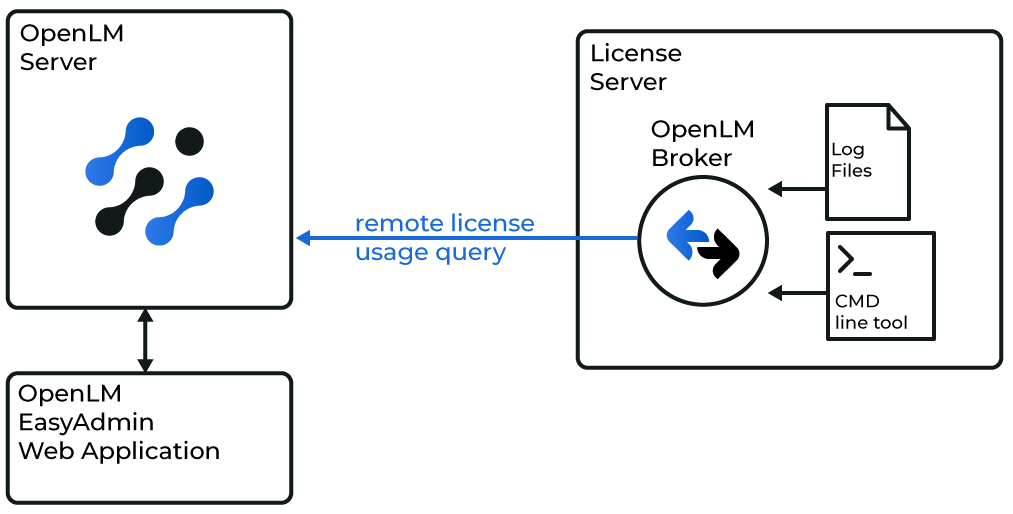 OpenLM と EasyCopy の連携を設定
OpenLM Broker の設定
-
Broker UI を
http://localhost:5090/で開きます。 -
License Managers → Add License Manager に移動します。
-
Add License Manager をクリックします。LM type リストから OpenLM Generic を選択します。ポート(例: 123)を入力し、Add をクリックします。
-
Commands タブで、eclic.exe openlm へのパスを入力します。Execute をクリックして出力を確認します。
-
Vendors タブで、Add Vendor をクリックし、EasyCopy と入力します。
-
Save をクリックします。
OpenLM Platform で EasyCopy を承認
- OpenLM Platform にサインインします。
- メニューから License Servers → Pending Server を開きます。
- EasyCopy ライセンスマネージャーを選択し、Approve and Merge をクリックします。
連携の検証
- OpenLM Platform で License Servers Live → Server Statistics を開きます。
- EasyCopy が緑のステータスで表示されることを確認します。
注意
新規接続の場合、ステータスの反映まで最大 3 分かかります。