ESPRIT
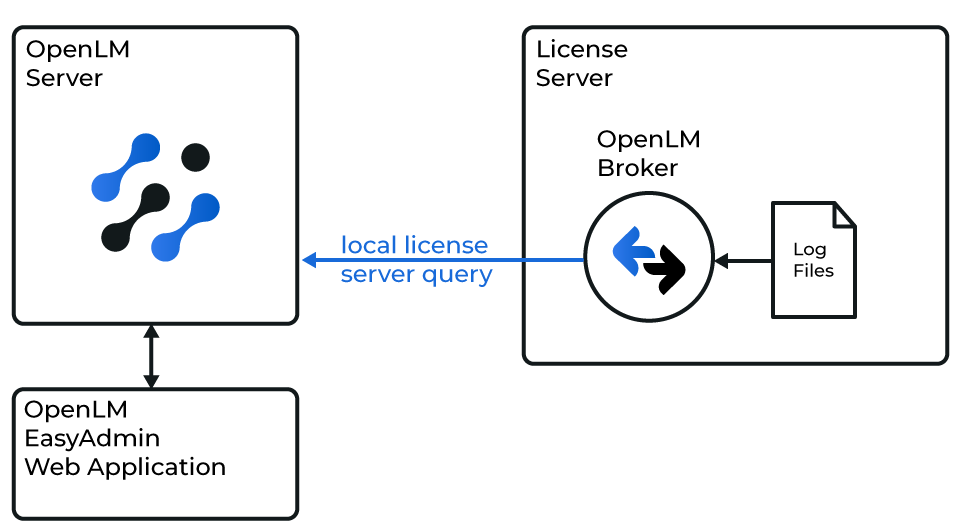 OpenLM Broker が ESPRIT License Manager および OpenLM Server と連携する仕組みの概要図
はじめに
- OpenLM Platform。
- ESPRIT と同じマシンにインストールされ、Broker Hub で承認された OpenLM Broker v25.x 以降。
OpenLM Broker の設定
-
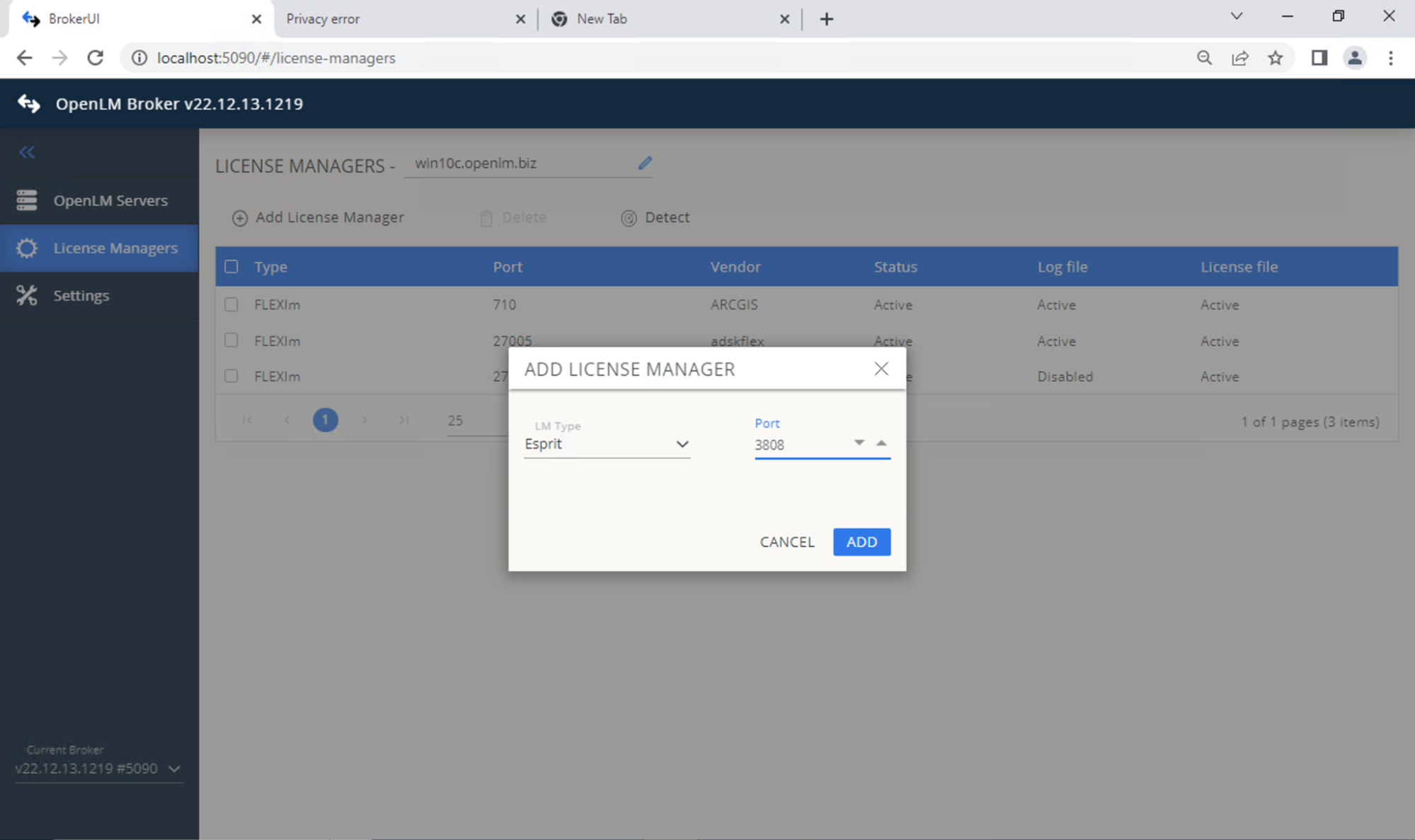
OpenLM Broker Web UI → License Managers タブ (http://localhost:5090/#/license-managers) を開きます。
-
Add License Manager をクリックします。
-
任意のポート番号を入力し、ライセンスマネージャーのタイプとして ESPRIT を選択します。
 Settings タブで、ライセンスファイルのパスを設定します。
- 自動検出
- または手動で設定 → Continue
-
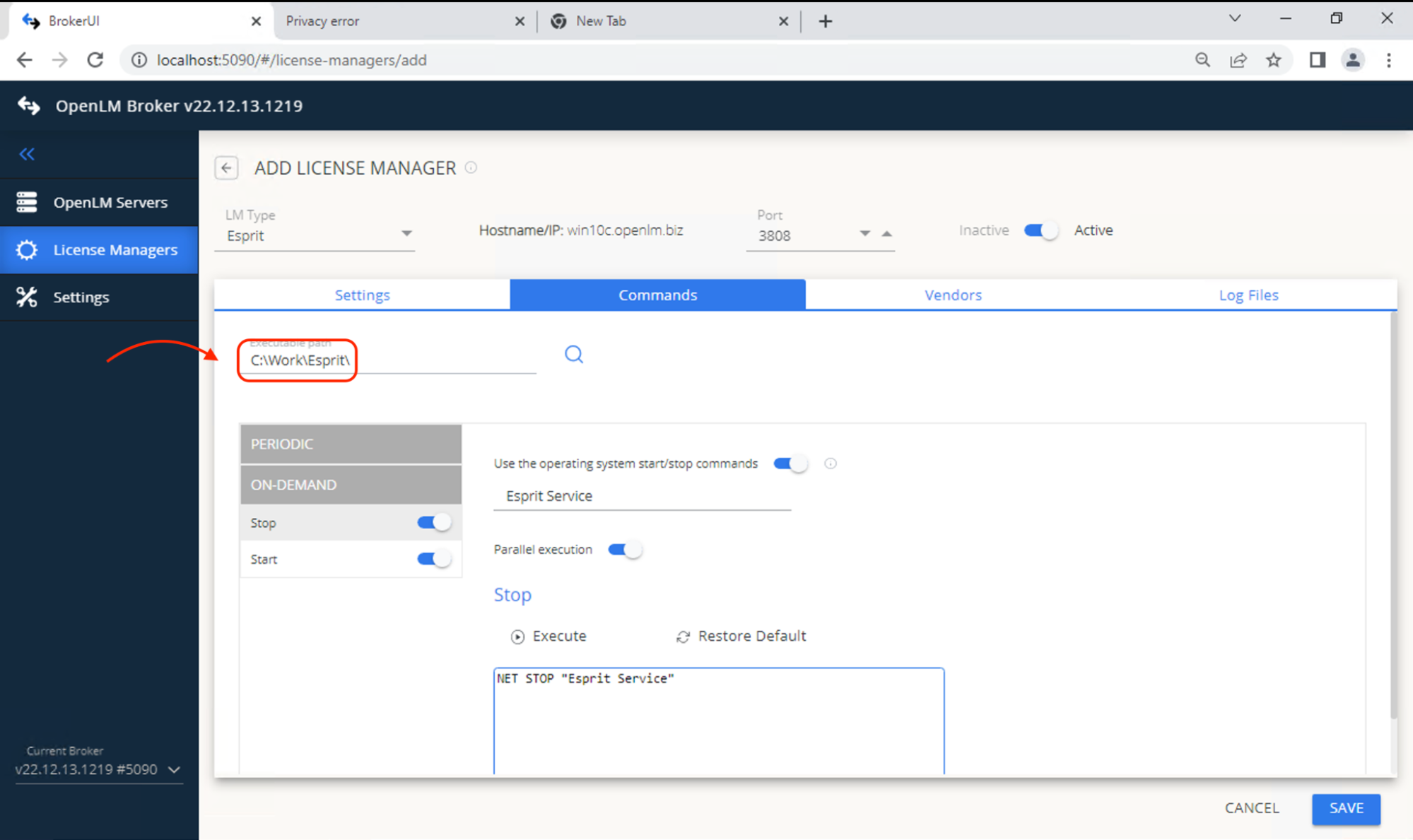
Commands タブに移動し、ESPRIT の実行ファイルのパスを設定します。
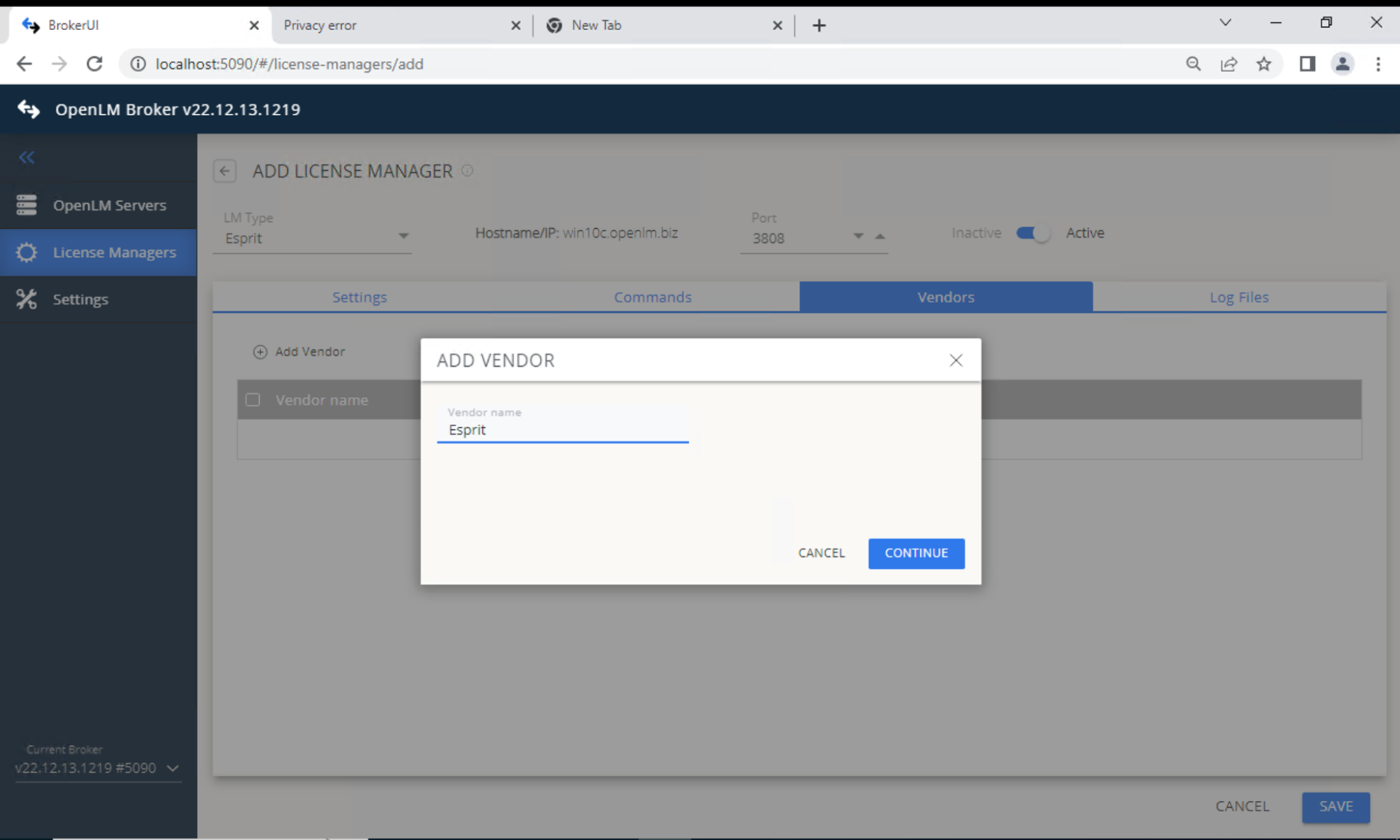
 Vendors タブ → Add Vendor に移動します。わかりやすい名前を入力します。
 Log File タブ → Add Log File に移動します。次を設定します。
- Type: ESPRIT Server Usage
- Log (Descriptive): ログを識別するための名前
- Path: DptSecLogServerUsage.txt (ESPRIT のログフォルダー内)
Vendor: 前の手順で作成したベンダーを選択します
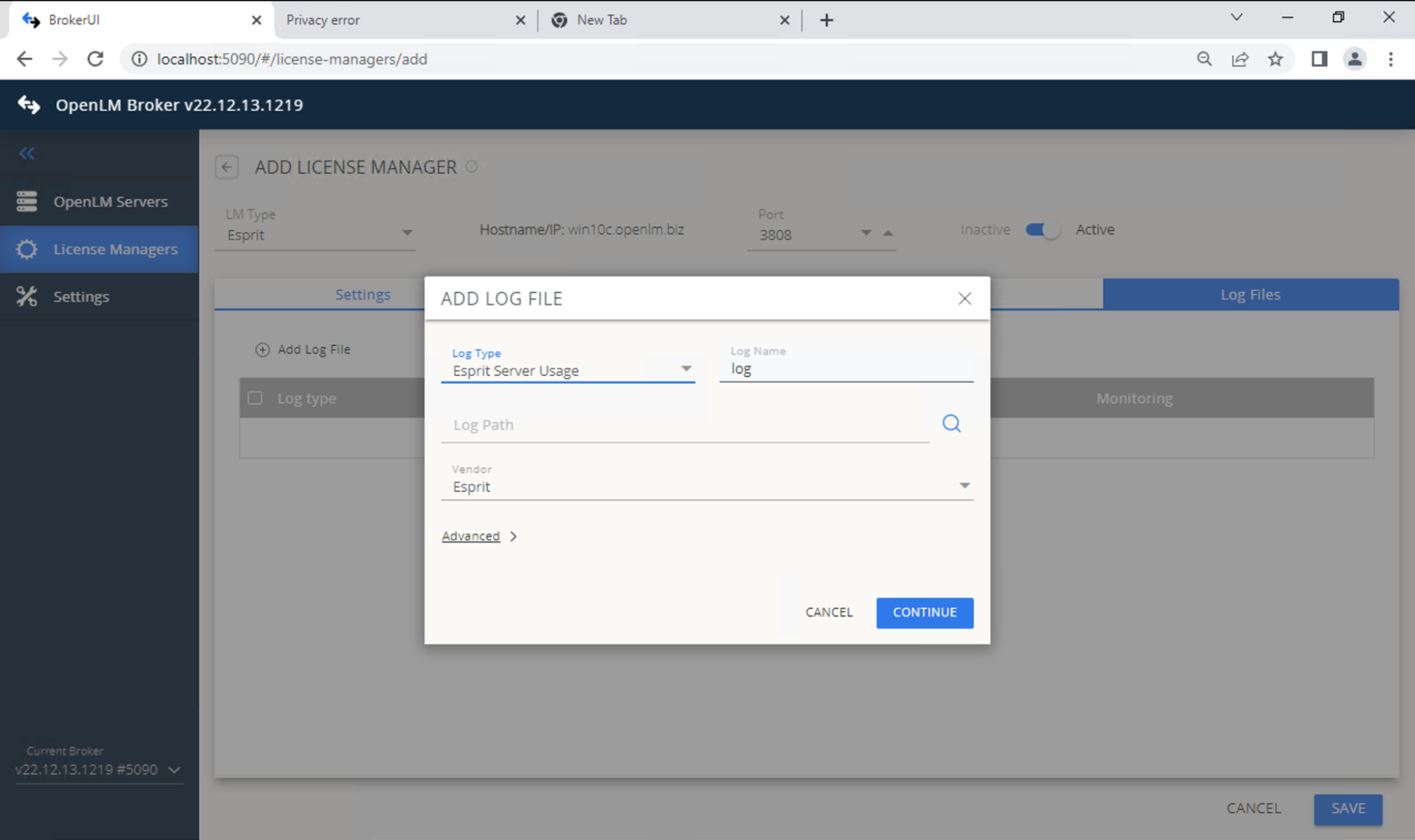 設定を保存します。
 -
OpenLM Web Interface を開きます (http://SERVER_IP:5015)。
-
License Managers Pending Approval で、ESPRIT License Manager のエントリを承認します。
OpenLM Platform で ESPRIT を承認
- OpenLM Platform にサインインします。
- メニューから License Servers → Pending Server を開きます。
- ESPRIT ライセンスマネージャーを選択し、Approve and Merge をクリックします。
連携の検証
- OpenLM Platform で License Servers Live → Server Statistics を開きます。
- ESPRIT が緑のステータスで表示されることを確認します。
注意
新規接続の場合、ステータスの反映まで最大 3 分かかります。