Flexera FlexNet (FLEXlm)
OpenLM は、OpenLM Broker を介して Flexera FlexNet (FLEXlm および FlexNet Publisher としても知られています) を監視します。この連携は、ライセンスの使用状況、拒否、有効期限、オプションファイルの変更、TokenFlex のトークン消費を対象とします。
はじめに
- OpenLM Platform。
- FlexNet ライセンスサーバーと同じマシンにインストールされ、Broker Hub で承認された OpenLM Broker v25.x 以降。
- ベンダーの
lmutil.exeへのパス。 - ベンダーデーモン名 (例:
adskflex、ptc_d、MLM、ugslmd)。 - (任意) 拒否や詳細なイベントレポートが必要な場合は、FlexLM デバッグログファイルへのパス。
OpenLM Broker の設定
Broker に FlexNet を自動検出させるか、手動で追加できます。自動検出はほとんどのインストールに対応します。標準以外のパスやカスタムサービス名を使用している場合は、手動設定に切り替えてください。
オプション 1 — FlexNet を自動検出
-
Broker UI を
http://localhost:5090/で開きます。 -
License Managers を開き、Detect を選択します。
-
FlexLM が一覧に表示されることを確認します。
-
Validate を選択し、次に Save を選択します。
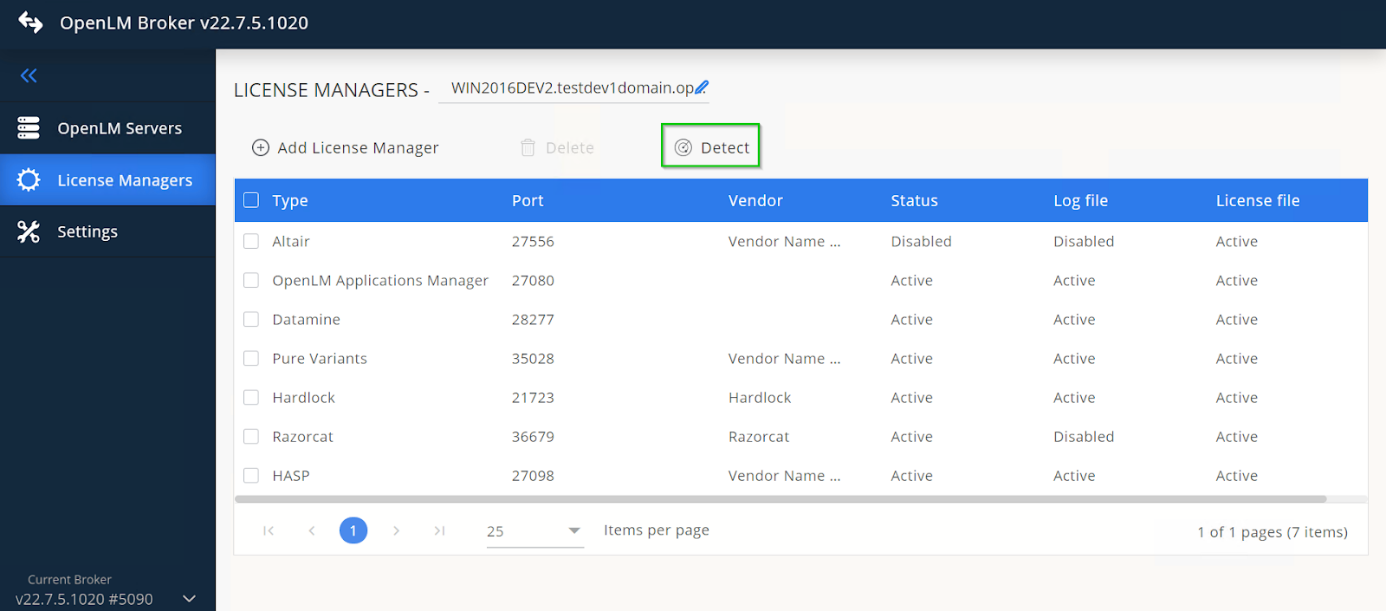 FlexLM の Broker による自動検出
FlexLM サービスが実行中の場合、Broker はポートとユーティリティのパスを自動的に設定します。検出によってすべてが正しく設定されない場合は、オプション 2 に進んでください。
オプション 2 — FlexNet を手動で追加
-
Broker UI で、License Managers → Add License Manager を開きます。
-
License Manager Type から FlexLM を選択します。
-
FlexLM のポート番号を入力し、次に Add を選択します。
-
Settings で、ライセンスファイルのパスを追加します。ライセンスファイルが一覧に表示されない場合は、Set Path Manually → Add を選択してから、ファイルを選択します。Watch License File を有効にします。
-
Commands で、ベンダーの
lmutil.exeへの実行ファイルのパスを設定し、Update を選択してから Apply を選択します。Execute を選択して、有効な出力が得られることを確認します。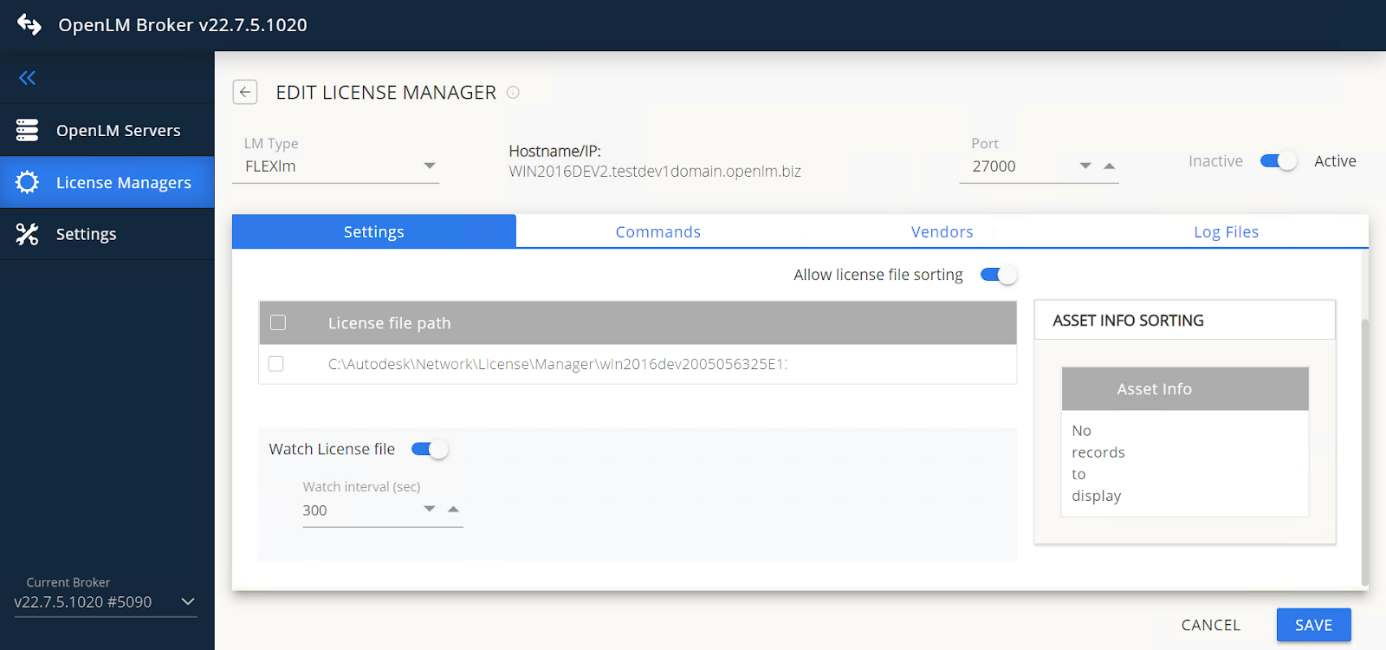 lmutil のパスを確認して実行するヒント
一部のインストールでは、
lsmonが別のフォルダーにあります。その場合は、data_inquiryノードを手動で更新してください。 -
(Windows のみ) FlexLM がサービスとして実行されている場合は、Use OS start/stop commands を有効にして、
FlexLM License Managerと入力します。 -
Vendors で、Add Vendor を選択し、ベンダーが提供するとおりに正確にベンダーデーモン名 (例:
adskflex、ptc_d、MLM、ugslmd) を入力します。 -
(任意) Options File Details を展開して、オプションファイルのパスとバックアップを設定し、Watch Options File を有効にします。
-
(任意) Log Files で、Add Log File を選択し、FlexLM Debug Log File を選択して、パスを設定し、ベンダーを割り当ててから、Continue を選択します。
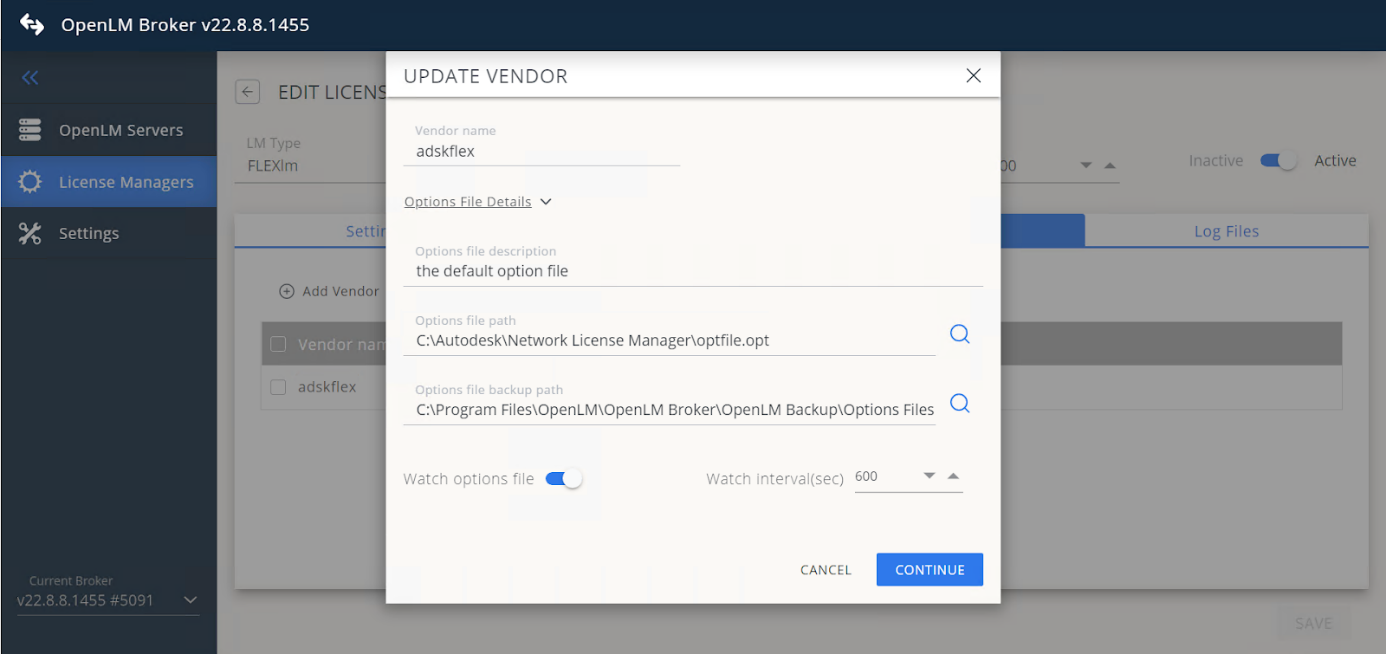 FlexLM デバッグログファイルを追加する
 -
Save を選択します。
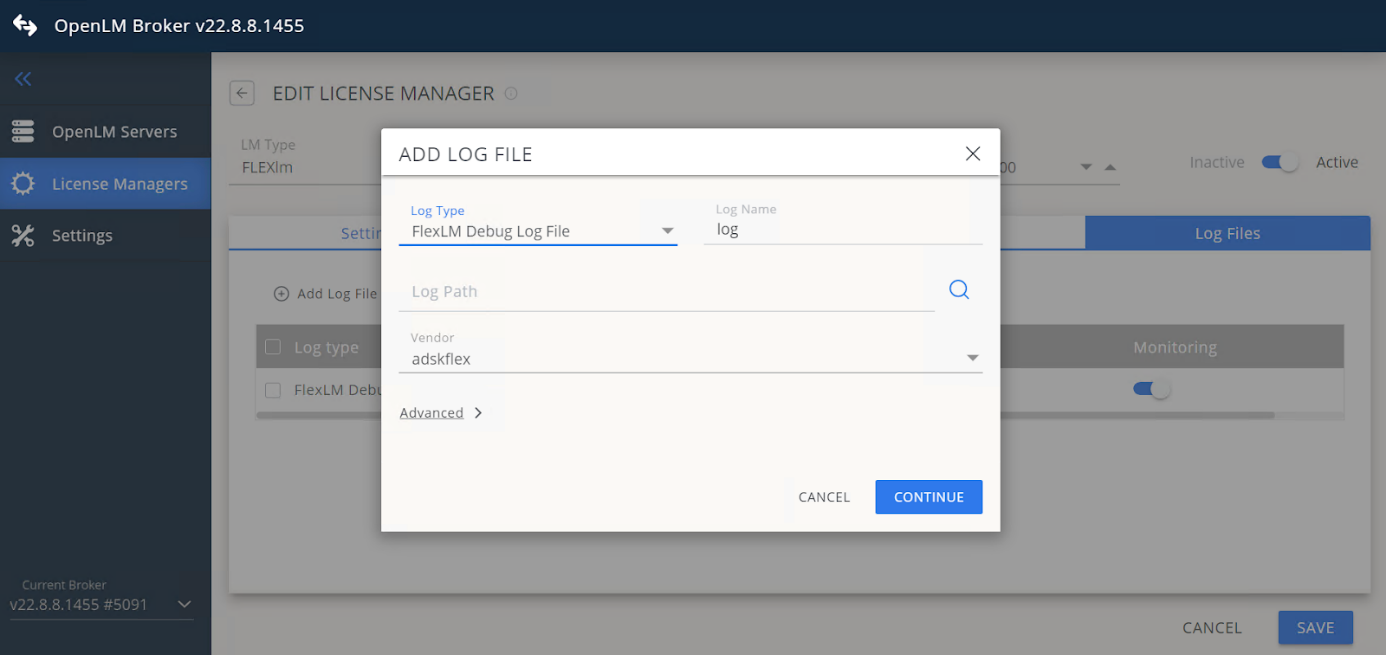 設定を保存する
Flexera FlexNet を OpenLM Platform で承認
-
OpenLM Platform にサインインします。
-
メニューから License Servers → Pending Server を開きます。
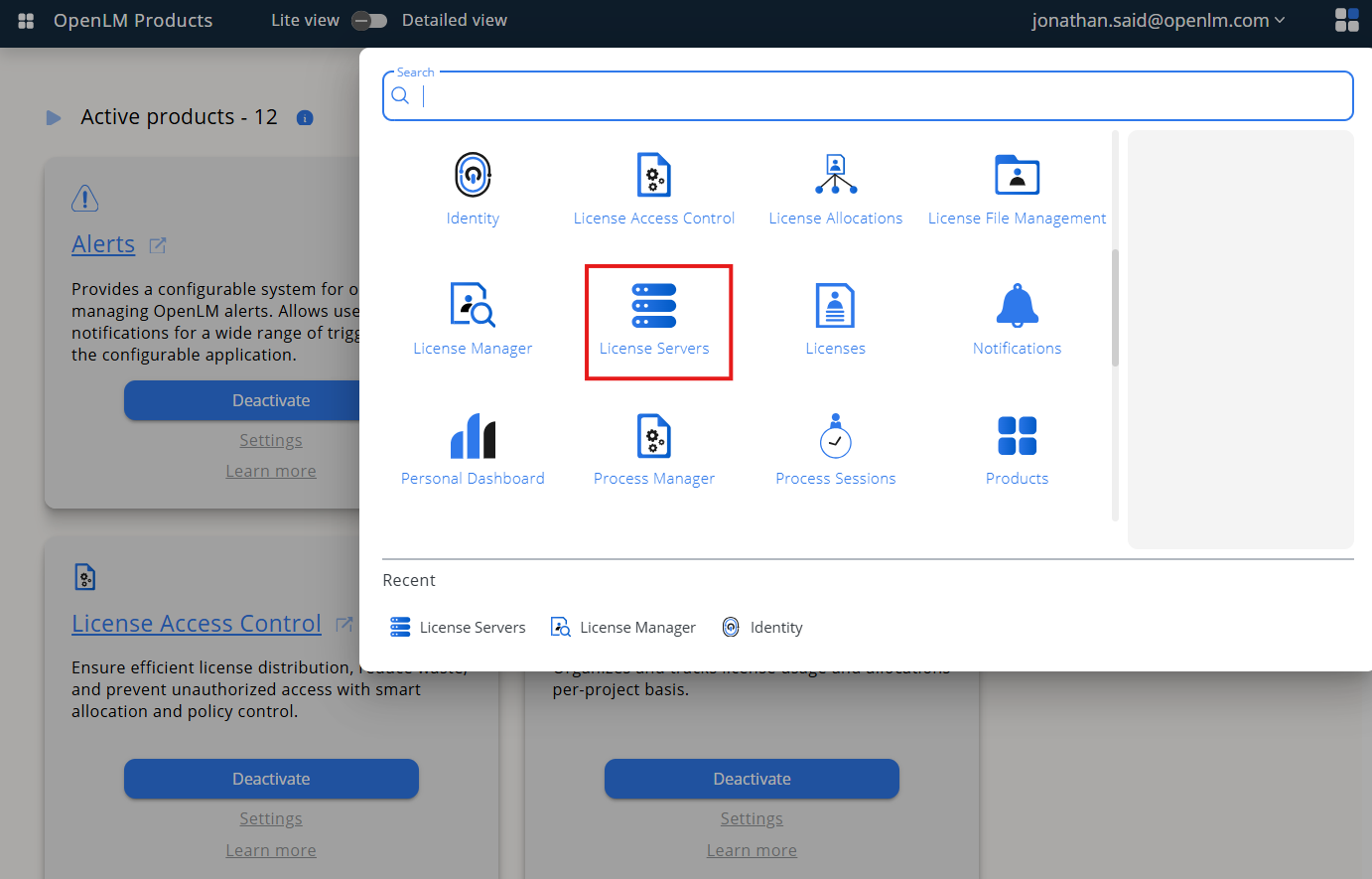 Pending Server を開く
 -
FlexNet ライセンスマネージャーを選択し、Approve and Merge を選択します。
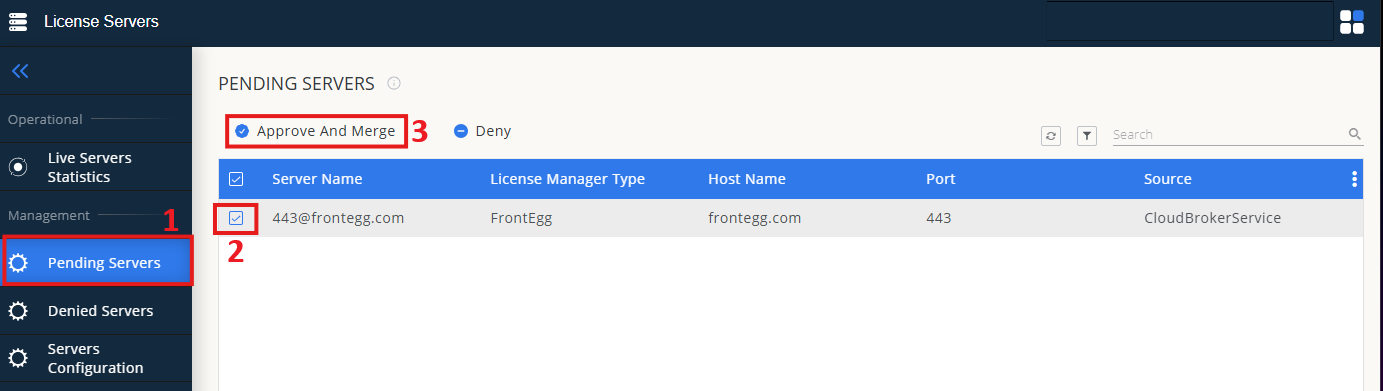 Approve and Merge
(任意) トークンサポートを有効にする
TokenFlex を使用している場合は、ライセンスマネージャーの承認後に、OpenLM Server の設定でそのライセンスサーバーの Token Support を有効にします。
連携の検証
- OpenLM Platform で License Servers Live → Server Statistics を開きます。
- FlexNet が緑のステータスで表示されることを確認します。
新規接続の場合、ステータスの反映まで最大 3 分かかります。