Flexnet Embedded (FNE)
本ガイドでは、FlexNet Embedded ライセンスマネージャーを監視して使用状況の統計を収集するための OpenLM の設定方法を説明します。
仕組み
OpenLM Server は、FlexNet Embedded サーバーの XML API にクエリを実行して、ライセンス使用状況と統計を取得します。データは集計され、OpenLM Web Interface のレポートに表示されます。詳細については、「What is FlexNet Embedded?」を参照してください。
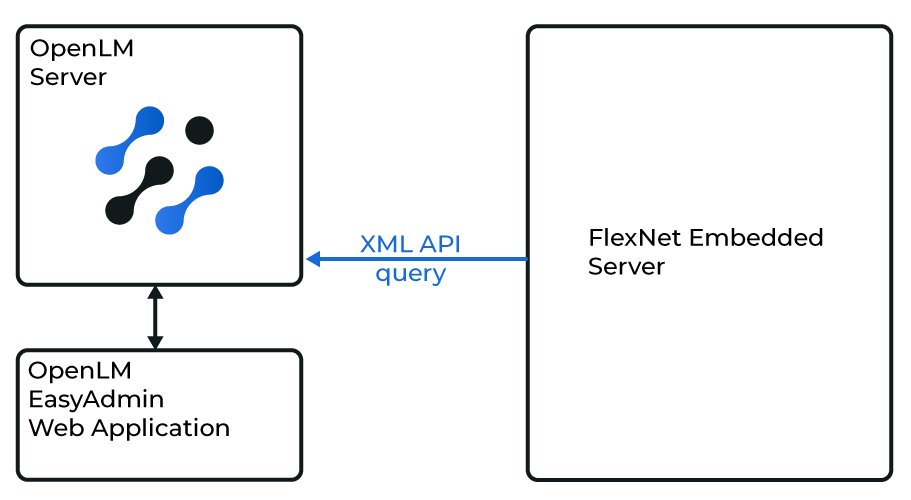 OpenLM Server と FlexNet Embedded サーバーの連携の概要
はじめに
- OpenLM Platform。
- Flexnet Embedded と同じマシンにインストールされ、Broker Hub で承認された OpenLM Broker v25.x 以降。
OpenLM Broker の設定
-
Broker UI を
http://localhost:5090/で開きます。 -
License Managers → Add License Manager を開きます。
-
Flexnet Embedded を選択し、ポート番号を入力して Add をクリックします。
-
各フィールドに入力します。
- Type: FlexNet Embedded
- Description: 識別しやすい名前(例: FlexNet Embedded server)
- Time zone: ライセンスサーバーの所在地に合わせる
- Hostname: サーバーのホスト名または IP
- Port: 次の手順を参照
- Vendor name: 例: Avid、NVIDIA
-
Test をクリックして確認します。
-
Apply をクリックし、続いて Save をクリックします。
OpenLM Platform で Flexnet Embedded (FNE) を承認
- OpenLM Platform にサインインします。
- メニューから License Servers → Pending Server を開きます。
- Flexnet Embedded (FNE) ライセンスマネージャーを選択し、Approve and Merge をクリックします。
連携の検証
- OpenLM Platform で License Servers Live → Server Statistics を開きます。
- Flexnet Embedded (FNE) が緑のステータスで表示されることを確認します。
注意
新規接続の場合、ステータスの反映まで最大 3 分かかります。