Greenhills
OpenLM は Green Hills ライセンスの使用状況を監視できます。ライセンスサーバーを照会する方法は 2 つあります。
-
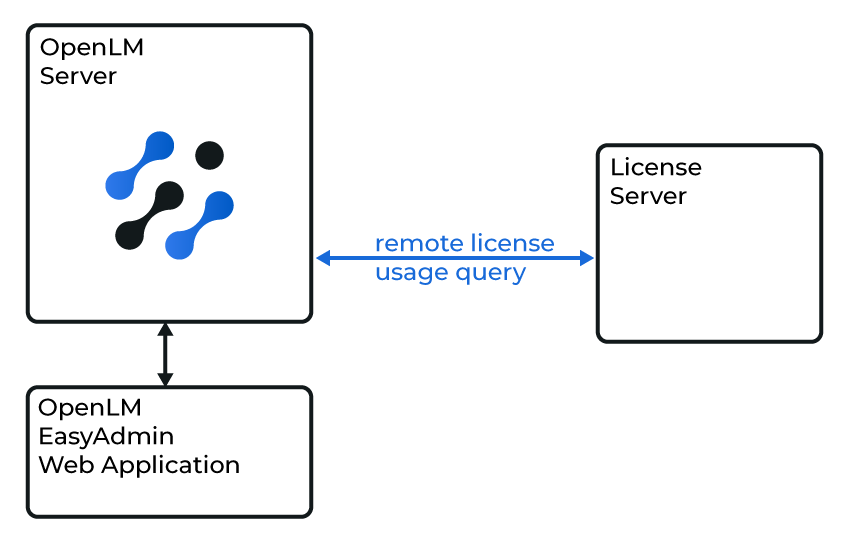
クイック方式: OpenLM Server がライセンスサーバーをリモートで照会します。
-
堅牢な方式: OpenLM Broker がサーバーをローカルで照会し、OpenLM Server にデータを送信します。この方式は通信障害に対する堅牢性を高め、ネットワークやセキュリティの制限を回避し、将来的にはログファイルの解析を有効にできる可能性があります。
はじめに
-
OpenLM Platform
-
Green Hills と同じマシンにインストールされた OpenLM Broker v25.x 以降。Broker Hub で承認します。
 Broker UI での設定
-
ブラウザーを開き、
http://localhost:5090/にアクセスします。 -
License Managers → Add License Manager に移動します。
-
ドロップダウンから Green Hills を選択し、任意のポート(例: 888)を入力します。Add をクリックします。
-
Vendors → Add Vendor に移動し、Green Hills と入力します。Confirm をクリックします。
-
Log Files → Add Log File に移動します。
- パスを参照するか、手動で入力します。
- それを Green Hills ベンダーに割り当てます。
-
Save をクリックします。
OpenLM Platform で Greenhills を承認
- OpenLM Platform にサインインします。
- メニューから License Servers → Pending Server を開きます。
- Greenhills ライセンスマネージャーを選択し、Approve and Merge をクリックします。
連携の検証
- OpenLM Platform で License Servers Live → Server Statistics を開きます。
- Greenhills が緑のステータスで表示されることを確認します。
注意
新規接続の場合、ステータスの反映まで最大 3 分かかります。