Hosted HyperWorks Units
OpenLM を設定して、Hosted HyperWorks Units (HHWU) License Manager のライセンス使用状況を監視し、統計を収集する手順は次のとおりです。
はじめに
- OpenLM Platform
- HHWU と同じマシンにインストールされた OpenLM Broker v25.x 以降。Broker Hub で承認します。
監視機能
| LM Type in the Broker | License totals | License usage | Denials | Borrowing | Expiration date | Redundancy | Report resolution |
|---|---|---|---|---|---|---|---|
| HHWU | Yes | Yes | No | No | Yes | No | Minutes |
Broker を使用すると、バッファリングされた通信が可能になり、ライセンスマネージャーサービスをリモートで開始および停止できます。
OpenLM Broker の設定
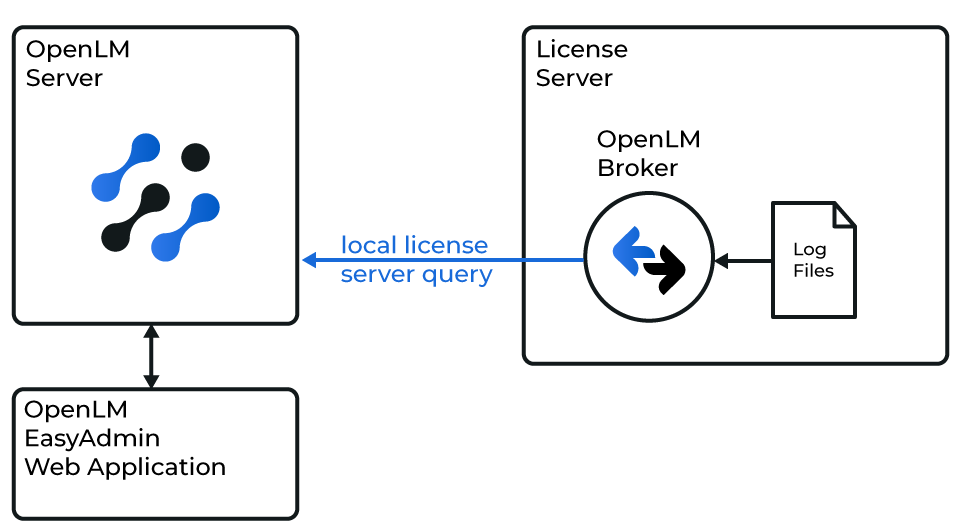 OpenLM と HHWU License Manager の連携の概要
注意
続行する前に、OpenLM Broker をインストールし、OpenLM Server にレポートするように設定しておく必要があります。
手動で追加
-
Broker Web UI を
http://localhost:5090で開きます。既定のポートが使用中の場合は、5091 または 5092 を試します。 -
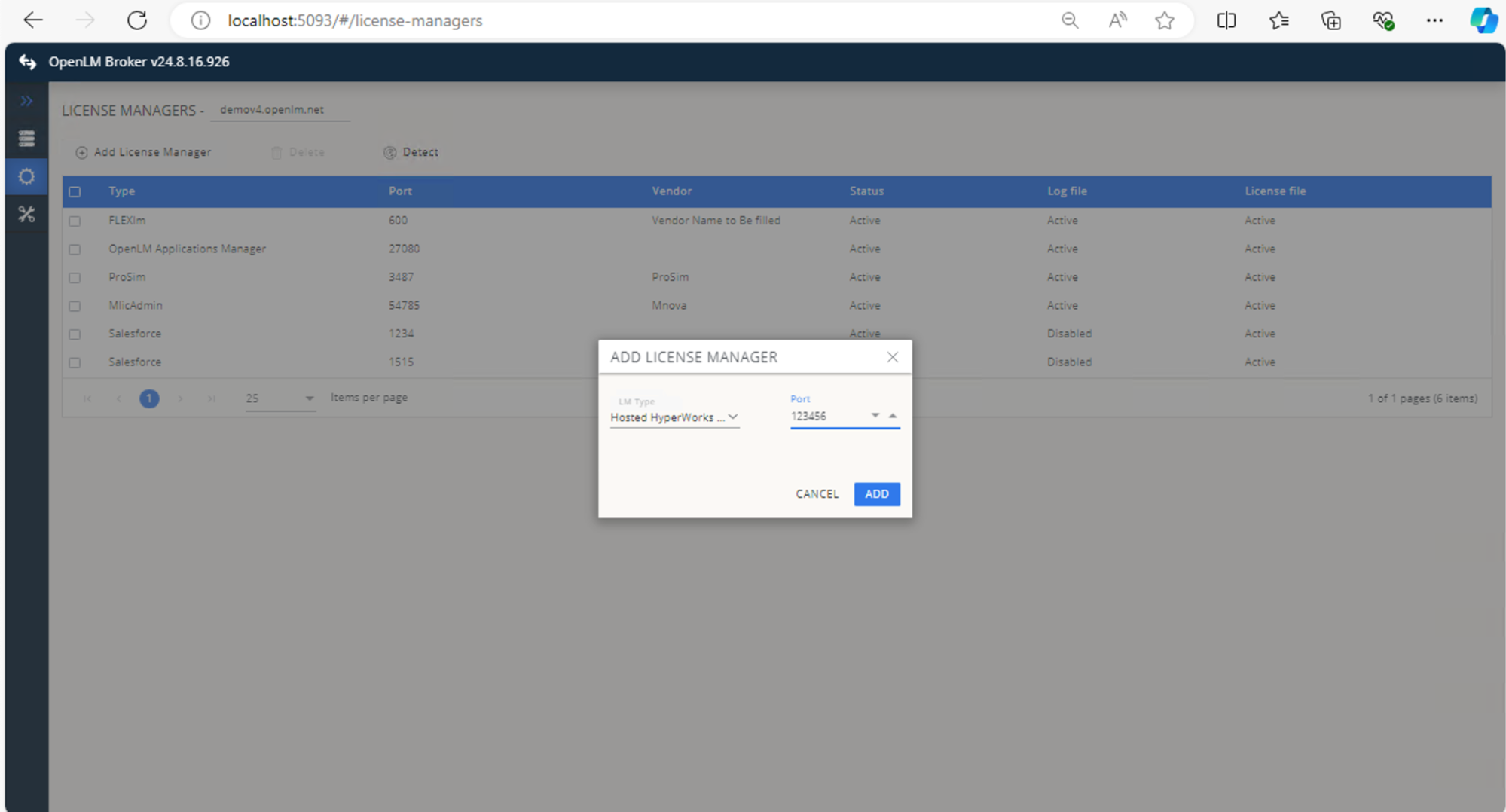
License Managers → Add License Manager に移動します。
-
ドロップダウンリストから Hosted HyperWorks Units (HHWU) を選択し、ポート番号を入力して Add をクリックします。
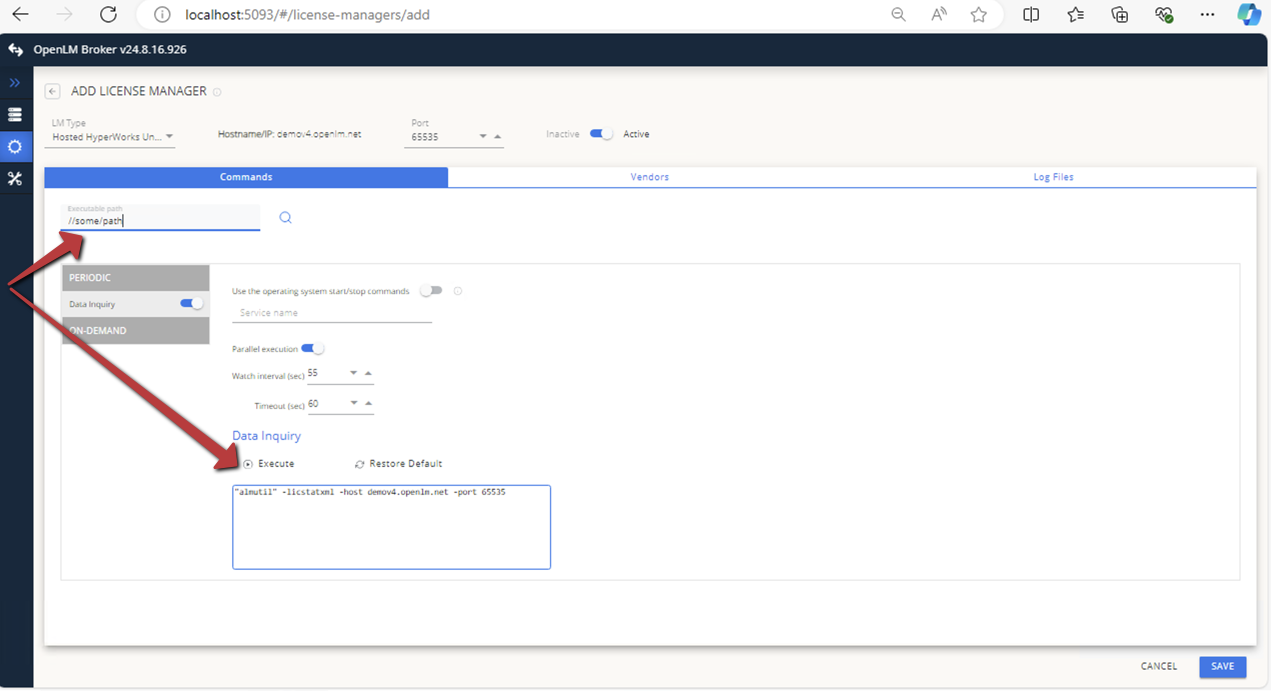
 Commands で、HHWU のコマンドラインユーティリティが格納されているフォルダーに実行ファイルのパスを設定し、Execute をクリックします。
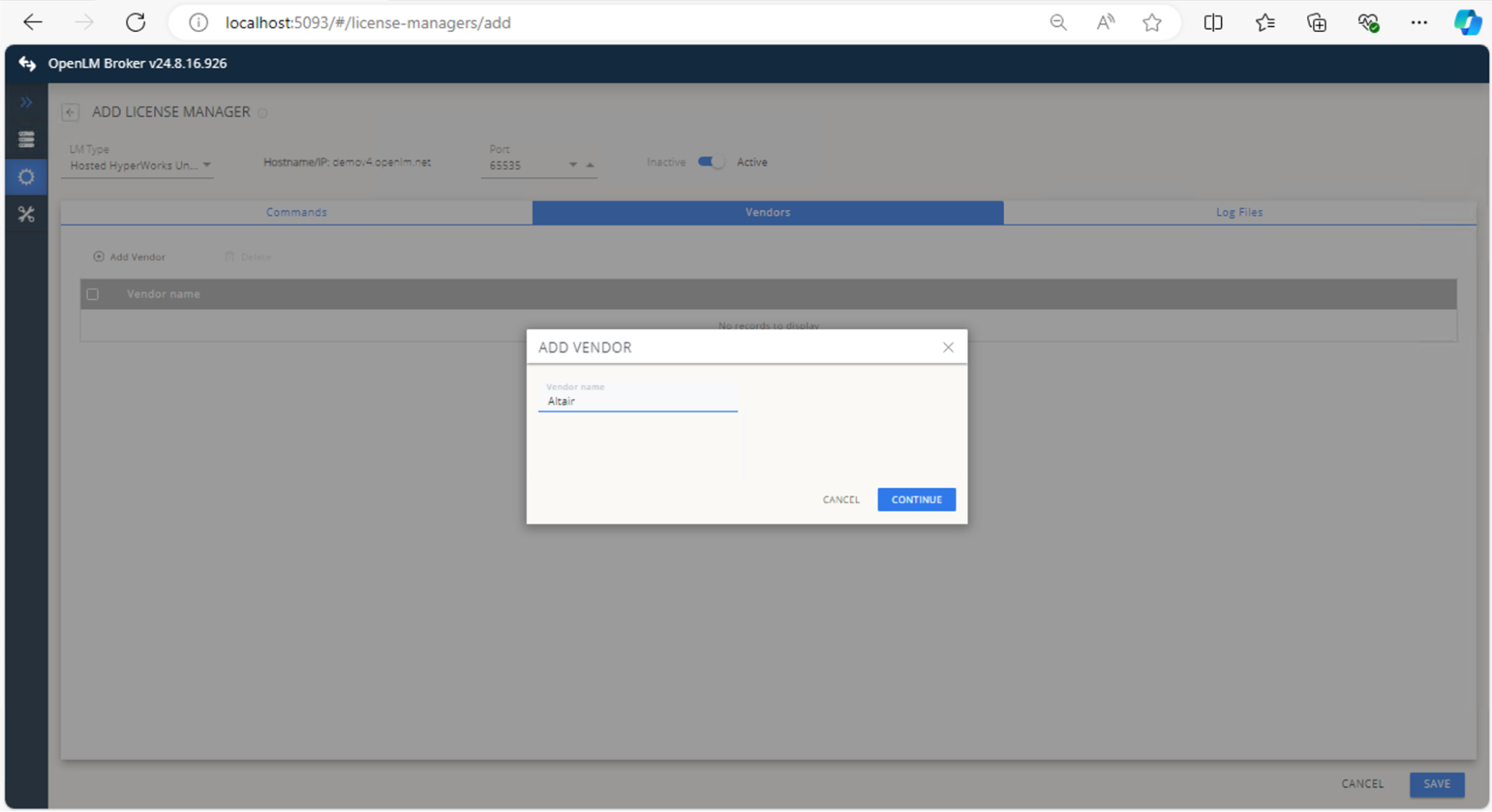
 Vendors で Add Vendor をクリックし、Altair と入力して Continue をクリックします。
 Save をクリックします。
OpenLM Platform で Hosted HyperWorks Units を承認
- OpenLM Platform にサインインします。
- メニューから License Servers → Pending Server を開きます。
- Hosted HyperWorks Units ライセンスマネージャーを選択し、Approve and Merge をクリックします。
連携の検証
- OpenLM Platform で License Servers Live → Server Statistics を開きます。
- Hosted HyperWorks Units が緑のステータスで表示されることを確認します。
注意
新規接続の場合、ステータスの反映まで最大 3 分かかります。