Innovyze
本連携により、OpenLM で Innovyze のライセンス使用状況、拒否、借用ライセンスのレポートを監視できます。
はじめに
- OpenLM Platform。
- Innovyze と同じマシンにインストールされ、Broker Hub で承認された OpenLM Broker v25.x 以降。
監視機能
| Report resolution | License totals | License usage | Denials reporting | Borrowed license reporting | Expiration date reporting | Multiple server redundancy |
|---|---|---|---|---|---|---|
| By second | Yes | Yes | Yes | Yes | No | No |
さらに、OpenLM Broker を使用すると、バッファリングされた通信が可能になり、Innovyze サービスをリモートで開始または停止できます。
OpenLM Broker の設定
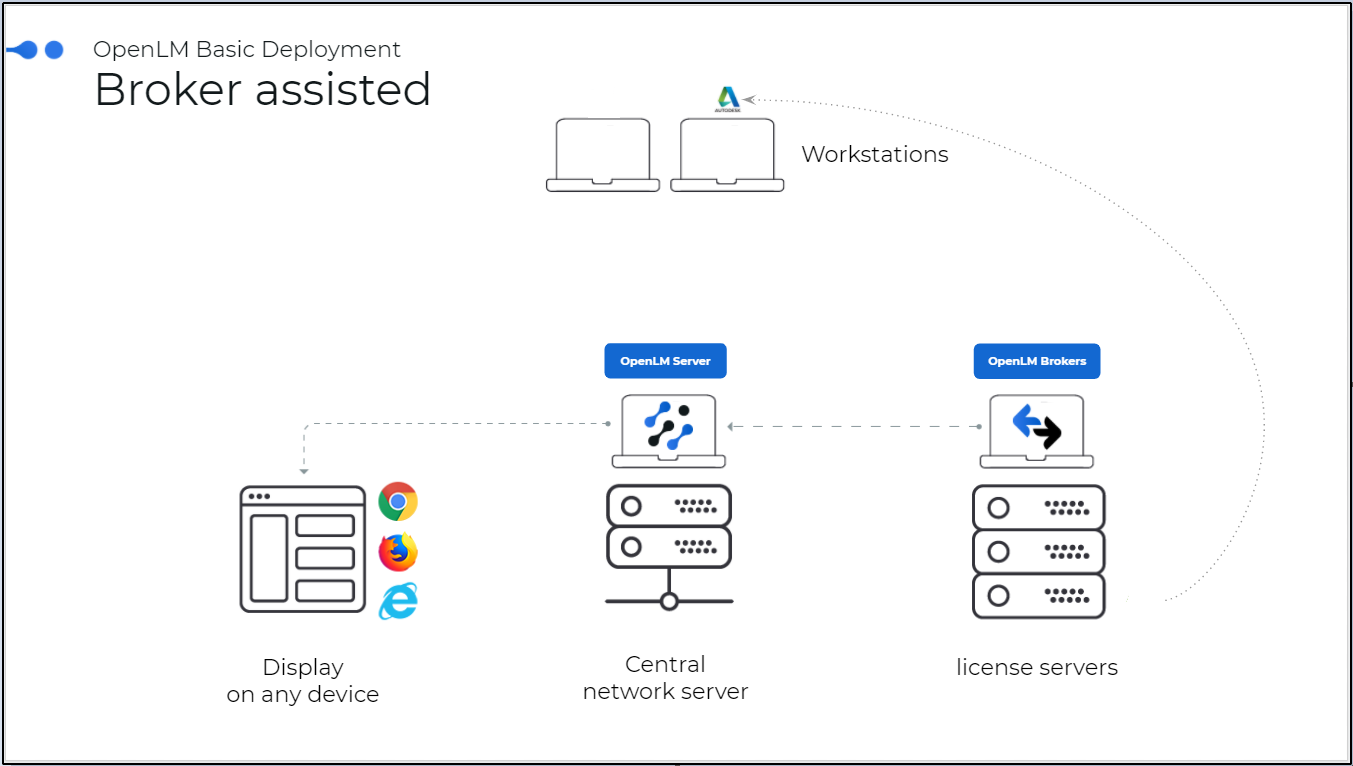 OpenLM が Innovyze と連携する仕組みの図。
OpenLM Broker は Innovyze LicenseMonitor のログファイルを読み取り、データをまとめて、処理のために OpenLM Server に送信します。
この設定を開始する前に、OpenLM Broker をインストールし、OpenLM Server へレポートするように設定しておく必要があります。
自動設定
-
Broker UI を
http://localhost:5090/で開きます。 -
License Managers → Detect を開きます。
-
Innovyze が表示されます。
-
内容を確認して保存します。
手動で追加
-
Broker UI を
http://localhost:5090/で開きます。 -
License Managers → Add License Manager を開きます。
-
License Manager Type を Innovyze に設定し、Apply をクリックします。
-
Vendors で「Vendor Name to Be Filled」を選択し、Innovyze と入力して、Apply をクリックします。
-
Log Files ノードを選択し、Add Log File をクリックします。
-
新しく作成したログノードを選択し、[…] をクリックして、CSV ログファイルの場所 (通常は C:\ProgramData\InnovyzeLM#.#\Usage。#.# はバージョン、例: 6.0) を参照します。
-
Advanced をクリックし、Watch Files by Pattern をオンにします。
-
Apply をクリックします。
-
Restart Broker をクリックします。
OpenLM Platform で Innovyze を承認
- OpenLM Platform にサインインします。
- メニューから License Servers → Pending Server を開きます。
- Innovyze ライセンスマネージャーを選択し、Approve and Merge をクリックします。
連携の検証
- OpenLM Platform で License Servers Live → Server Statistics を開きます。
- Innovyze が緑のステータスで表示されることを確認します。
新規接続の場合、ステータスの反映まで最大 3 分かかります。