Licman
OpenLM は Licman と連携して、ライセンスの使用状況を監視し、統計を取得できます。Licman サーバーは OpenLM Broker によってローカルでクエリされ、OpenLM Broker は監視とレポートのためにそのデータを OpenLM Server に送信します。
はじめに
- OpenLM Platform。
- Licman と同じマシンにインストールされ、Broker Hub で承認された OpenLM Broker v25.x 以降。
監視機能
| LM Type in the Broker | Commands | Logs | Quantity | Expiration date | Denied | Borrowing | Allocations | Report resolution |
|---|---|---|---|---|---|---|---|---|
| Licman | Yes | No | Yes | Yes | No | No | No | Seconds |
Broker を使用すると、バッファリングされた通信が可能になり、ライセンスマネージャーサービスをリモートで開始および停止できます。
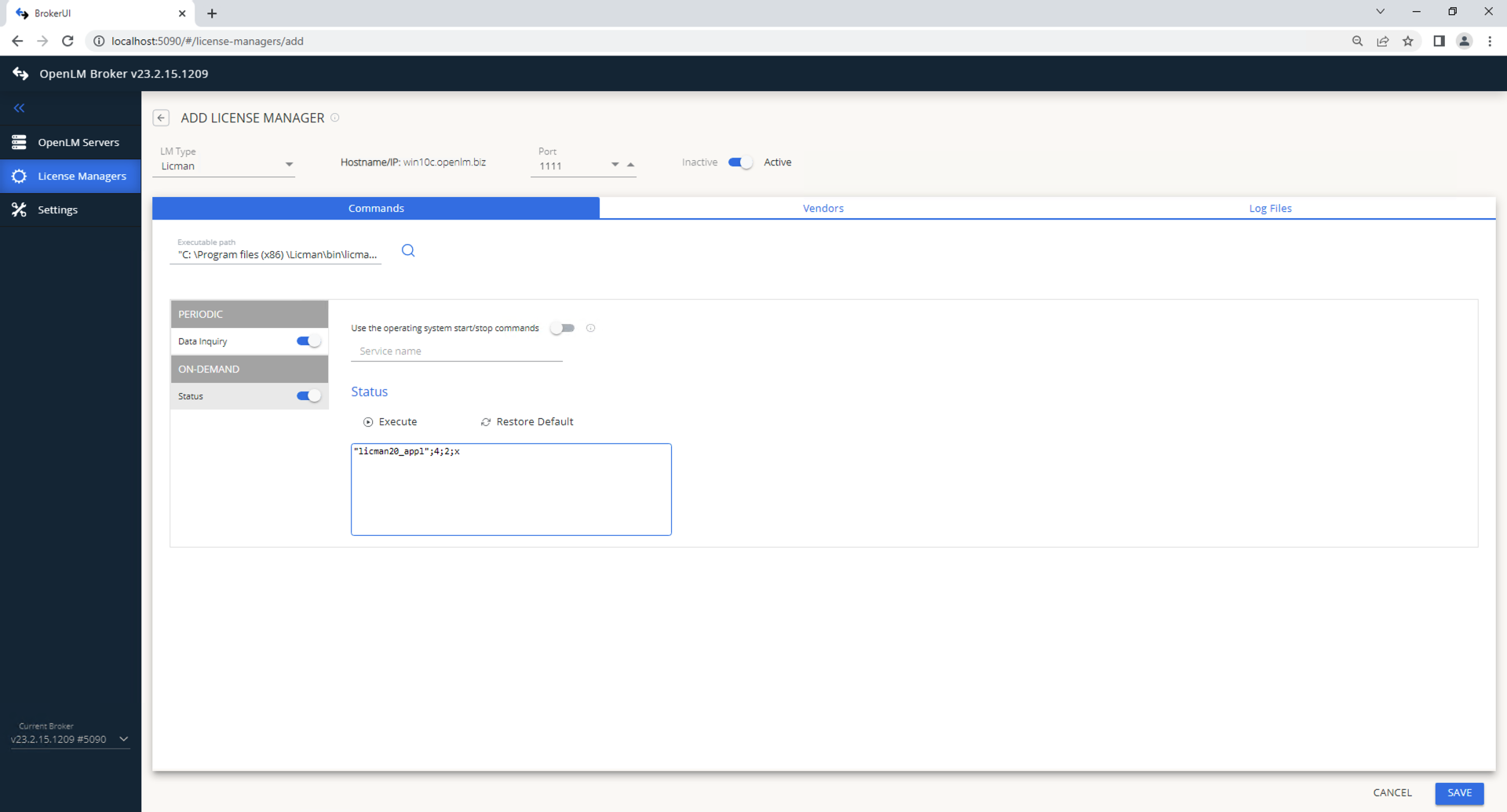
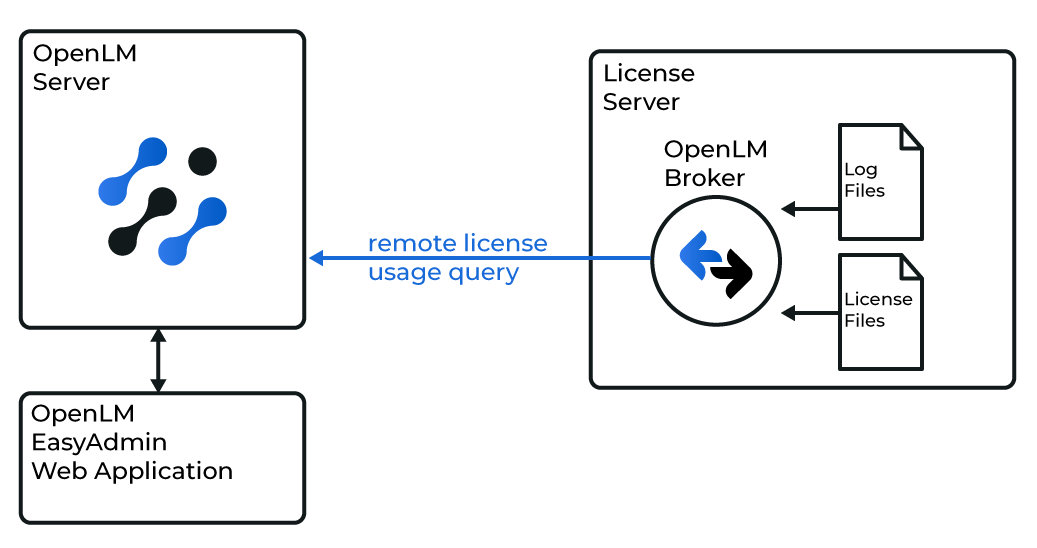 Broker UI での設定
-
ブラウザーを開いて
http://localhost:5090/にアクセスします。 -
License Managers → Add License Manager を開きます。
-
Licman を選択し、ポートを入力して、Add をクリックします。
-
Commands で、licman20_appl.exe へのパスを設定します。
-
Vendors で、Licman のベンダー名を入力します。
-
Save をクリックします。
 OpenLM Platform を設定する
OpenLM Platform で Licman を承認
- OpenLM Platform にサインインします。
- メニューから License Servers → Pending Server を開きます。
- Licman ライセンスマネージャーを選択し、Approve and Merge をクリックします。
連携の検証
- OpenLM Platform で License Servers Live → Server Statistics を開きます。
- Licman が緑のステータスで表示されることを確認します。
注意
新規接続の場合、ステータスの反映まで最大 3 分かかります。