LM-X
OpenLM は、増え続ける多種多様なライセンスマネージャーの監視をサポートしています。本ガイドでは、OpenLM を LM-X と連携させ、ライセンス使用状況を監視し、ライセンス統計を取得する方法を説明します。
ライセンス使用状況をローカルで照会し、データを OpenLM Server に転送するには、LM-X サーバーに OpenLM Broker をインストールします。
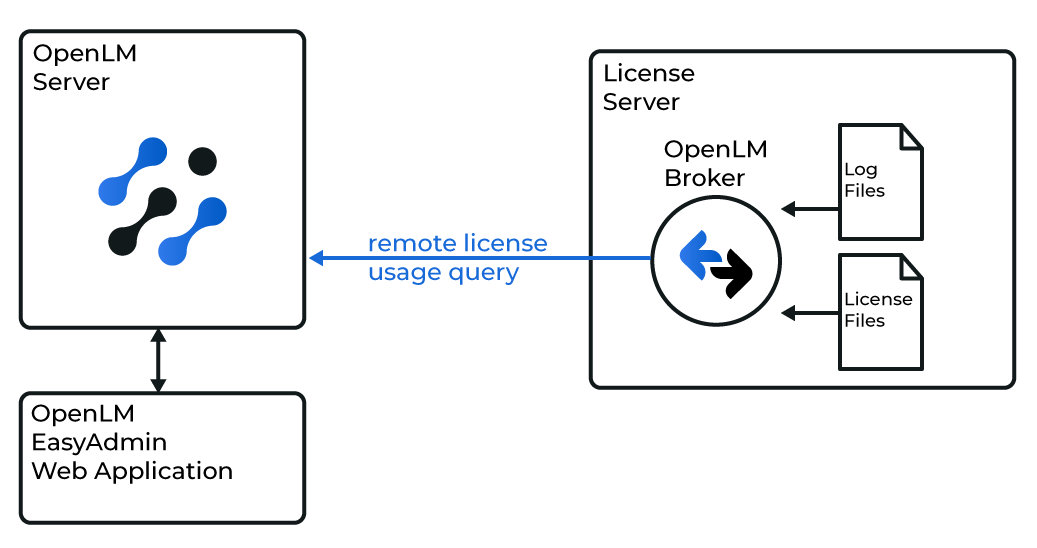 概要図: OpenLM Broker が LM-X をローカルで照会する様子
OpenLM Broker の使用は任意ですが、推奨されます。LM-X ホストにインストールすると、使用状況をローカルで照会し、OpenLM Server に転送します。Broker は、ネットワーク障害やセキュリティ制限が発生した場合でも、バッファリングされた通信を保証します。
さらに、Broker は LM-X に対してライセンス要求の拒否(denials)を照会でき、ライセンス効率に関する貴重な知見を提供します。
はじめに
- OpenLM Platform。
- LMX と同じマシンにインストールされた OpenLM Broker v25.x 以降。Broker Hub で承認します。
OpenLM Broker の設定
-
Broker Web UI を
http://localhost:5090/#/license-managers で開きます。 -
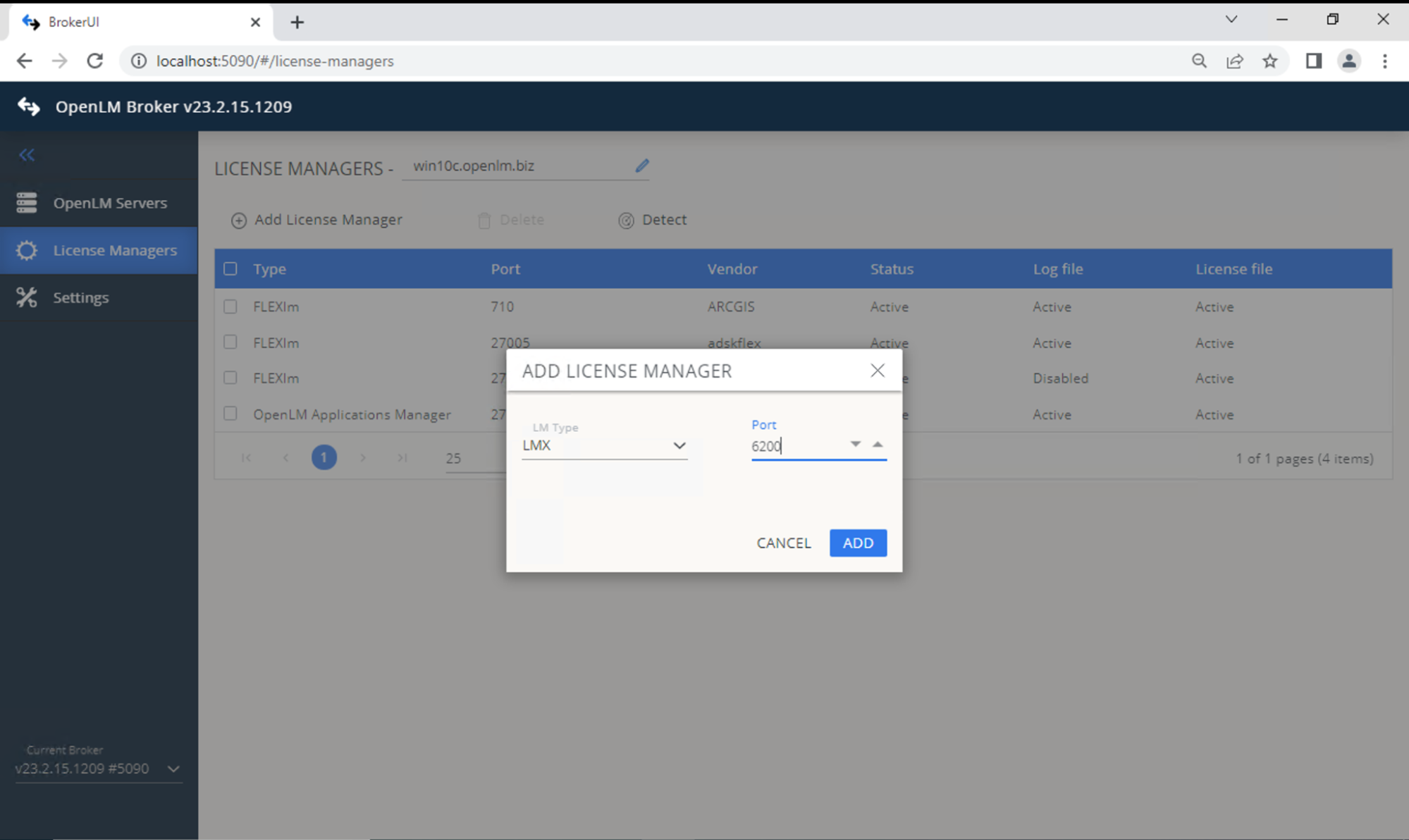
License Managers で、LM Type に LMX を選択し、ポートを入力します。Add をクリックします。
 ベンダーを追加します。Vendors タブに切り替え → Add Vendor → 名前を入力 → Continue。
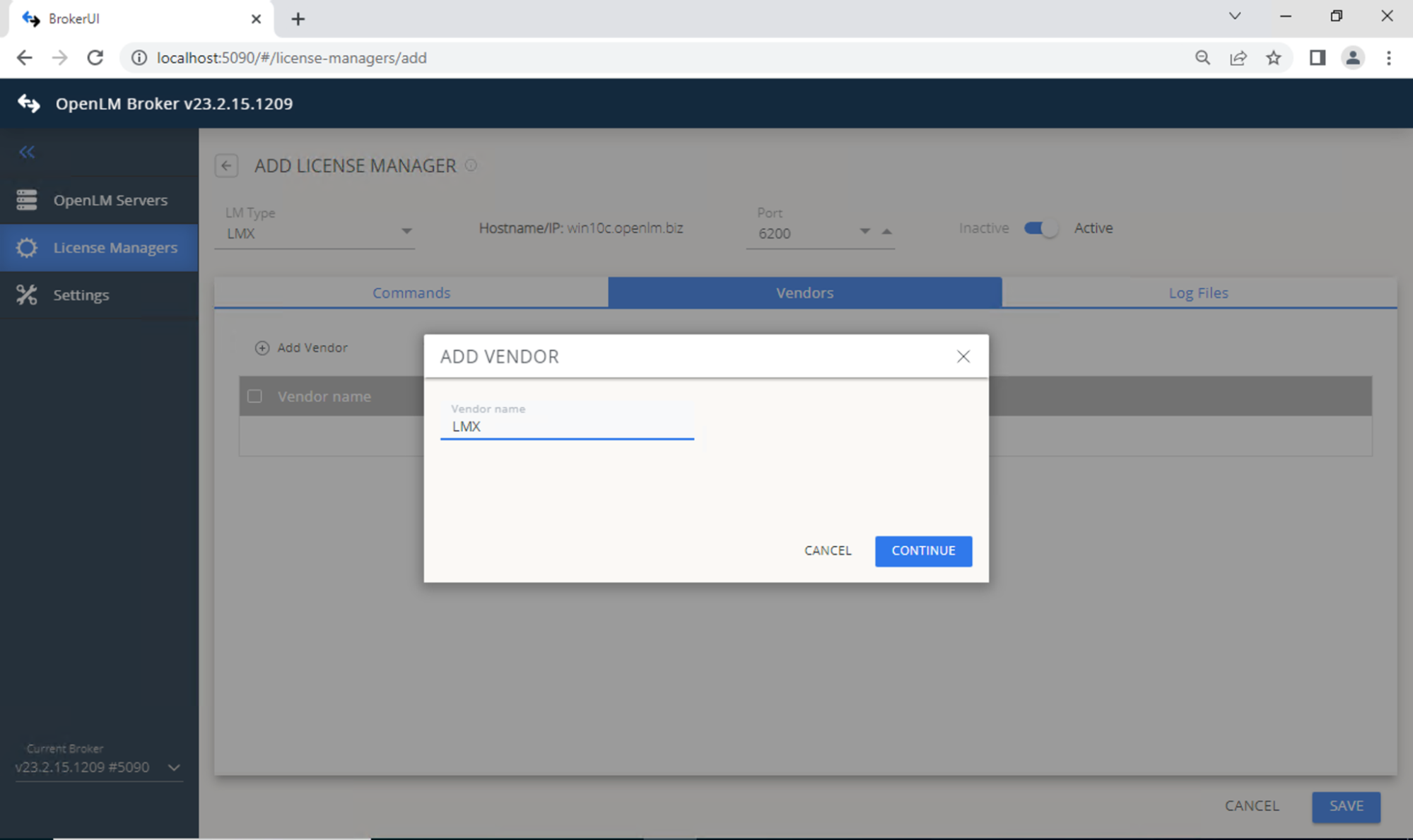 Save をクリックします。
OpenLM Platform で LM-X を承認
- OpenLM Platform にサインインします。
- メニューから License Servers → Pending Server を開きます。
- LM-X ライセンスマネージャーを選択し、Approve and Merge をクリックします。
連携の検証
- OpenLM Platform で License Servers Live → Server Statistics を開きます。
- LM-X が緑のステータスで表示されることを確認します。
注意
新規接続の場合、ステータスの反映まで最大 3 分かかります。