Moldex3D
本ガイドでは、OpenLM を使用して Moldex3D License Manager を監視し、ライセンス使用状況と統計を取得する方法を説明します。
はじめに
次をインストールしてください。
- OpenLM Platform。
- Moldex3D と同じマシンにインストールされ、Broker Hub で承認された OpenLM Broker v25.x 以降。
監視機能
次の表は、OpenLM Broker を通じて利用できる監視機能を示しています。
| Report resolution | License totals | License usage | Denials | Borrowed licenses | Expiration dates | Redundancy |
|---|---|---|---|---|---|---|
| By second | Yes | Yes | Yes | Yes | Yes | No |
Broker を使用すると、次のことも可能になります。
-
OpenLM Server とのバッファリングされた通信
-
ライセンスマネージャーサービスのリモートでの開始/停止
OpenLM Broker の設定
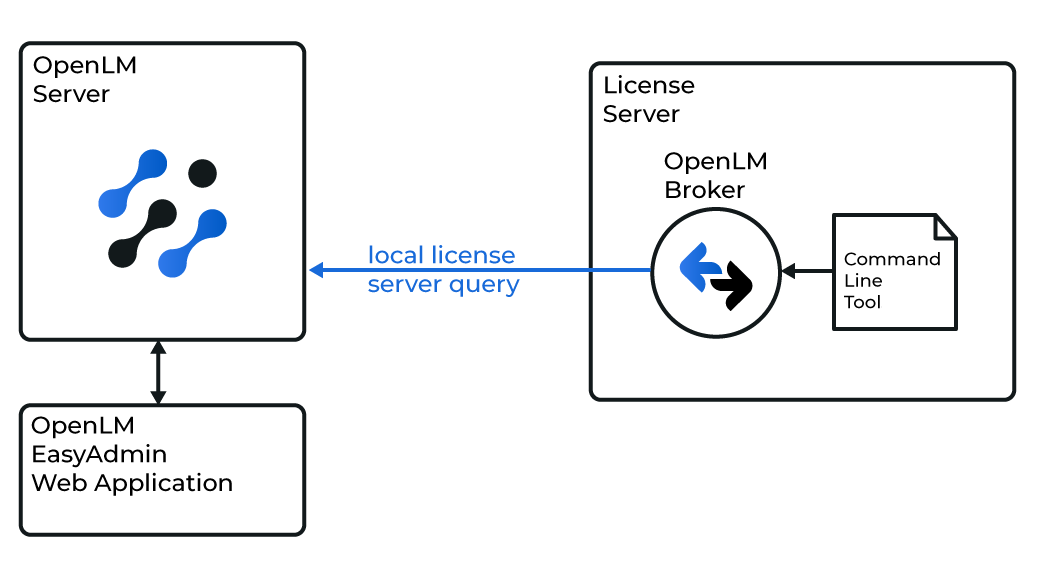 Broker は MDX3DLMUtil ユーティリティを使用してローカルで Moldex3D License Manager をクエリします。その後、データは処理のために OpenLM Server に送信されます。
続行する前に、Broker がインストールされ、OpenLM Server に報告するように設定されていることを確認してください。
オプション 1 — 自動検出
-
Broker で Detect をクリックします。
 Moldex3D サービス(例: Moldex3D-LM Service)が稼働している場合、Broker が自動的に検出・設定します。
 -
設定後、Restart Broker を選択します。
-
また、
data_inquiry→ Execute を実行して、有効な出力を確認します。
オプション 2 — 手動で追加
-
最新の Broker をインストールします。
-
http://localhost:5090/を開きます。 -
License Managers を開きます。
- Moldex3D サービスが稼働している場合は、Detect をクリックします。
- 自動検出に失敗した場合は、Add License Manager をクリックします。Type から Moldex3D を選択します。ポートを入力し、Add をクリックします。
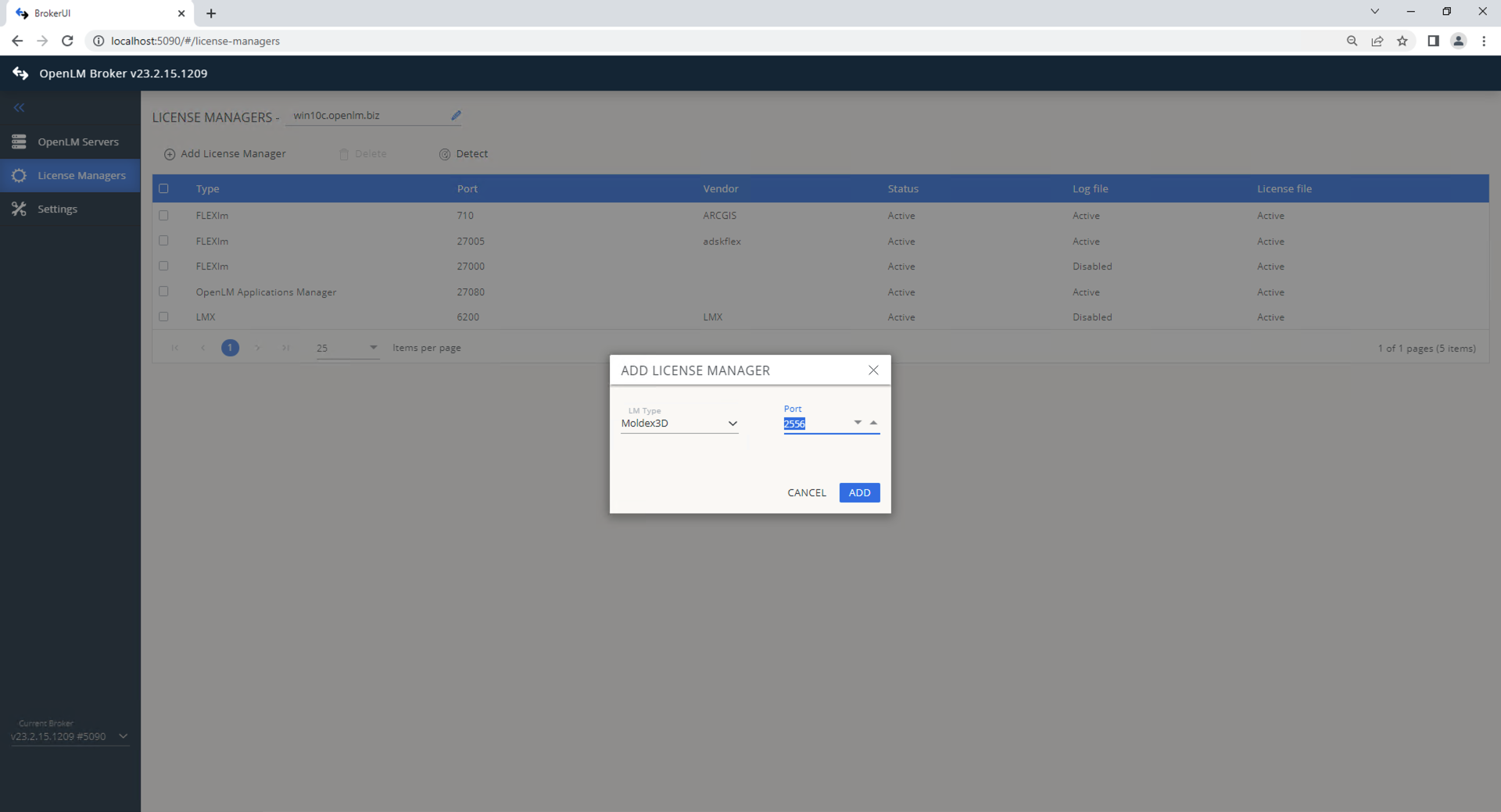 Commands で、MDX3DLMUtil.exe へのパスを設定します。Execute をクリックして確認します。
 -
Vendors で Add Vendor をクリックし、Moldex3D と入力して Continue をクリックします。
 Save をクリックします。
OpenLM Platform で Moldex3D を承認
- OpenLM Platform にサインインします。
- メニューから License Servers → Pending Server を開きます。
- Moldex3D ライセンスマネージャーを選択し、Approve and Merge をクリックします。
連携の検証
- OpenLM Platform で License Servers Live → Server Statistics を開きます。
- Moldex3D が緑のステータスで表示されることを確認します。
新規接続の場合、ステータスの反映まで最大 3 分かかります。