ProgeCAD
ProgeCAD は、CAD とコンセプトスケッチ向けの 2D および 3D 設計ソフトウェアです。AutoCAD と互換性があり、ネイティブの .dwg 形式での Direct Modeling をサポートしています。
OpenLM は、バージョン 13.0.18 以降の ProgeCAD Network License Manager (NLM) の監視をサポートしています。ライセンスサーバーは定期的に XML ファイルを生成し、OpenLM がそれを解析して、使用状況の結果を OpenLM Web Interface に表示します。
はじめに
ProgeCAD の監視には、次が必要です。
- OpenLM Platform。
- ProgeCAD と同じマシンにインストールされ、Broker Hub で承認された OpenLM Broker v25.x 以降。
OpenLM Broker の設定
または、Broker Web UI を使用します。
http://localhost:5090/を開きます。
-
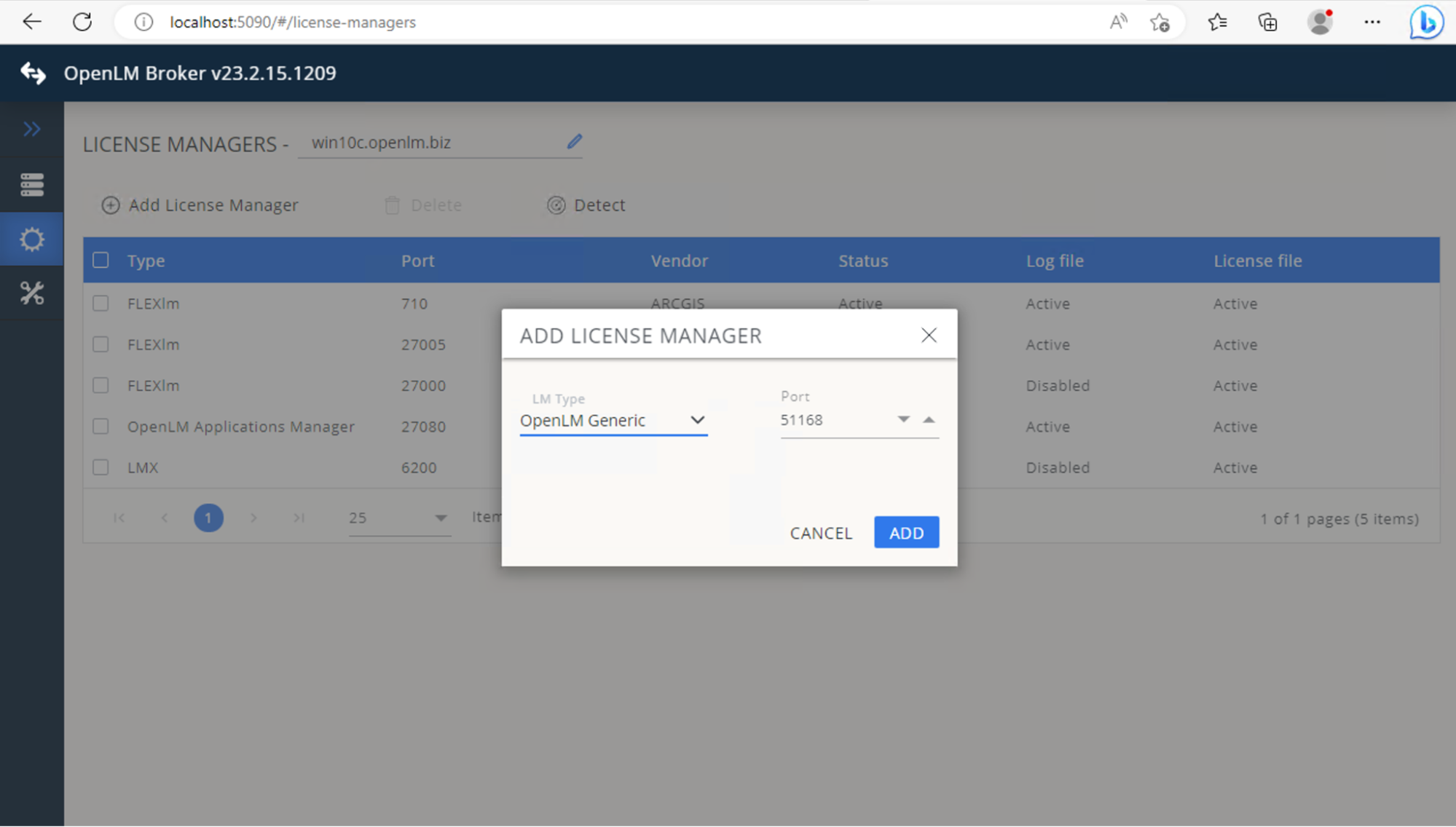
License Managers → Add License Manager に移動します。
-
Type から OpenLM Generic を選択します。ポート (例: 51168) を入力し、Add をクリックします。
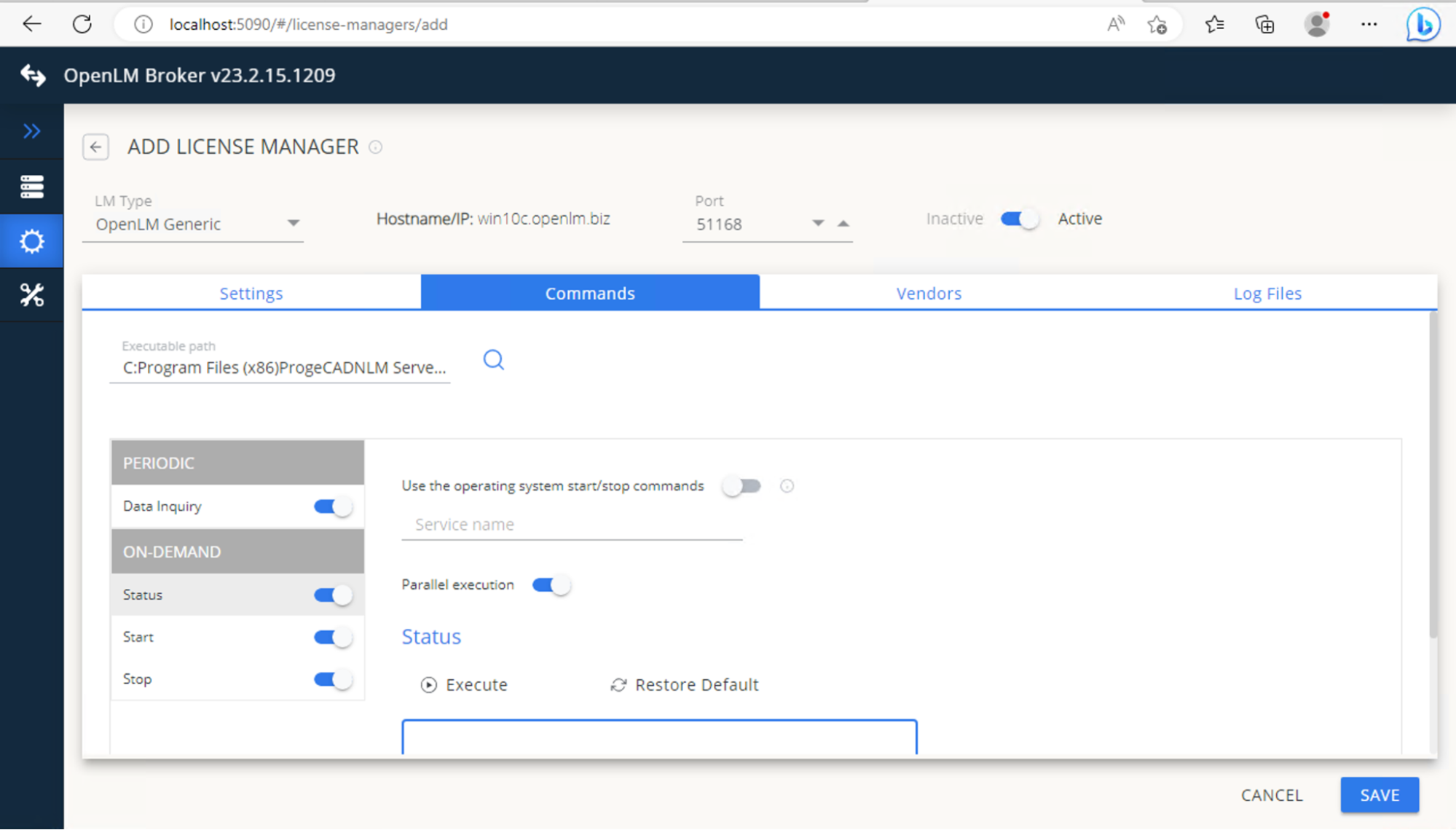
 Commands タブに移動し、Executable path に次を入力します"<Full path to NLMServerMonitor.exe>" /xml
 -
Save をクリックし、Execute をクリックして出力を検証します。
 Vendors タブに移動します。Add Vendor をクリックします。ProgeCAD (または任意の自由入力名) を入力します。Continue → Save をクリックします。
OpenLM Platform で ProgeCAD を承認
- OpenLM Platform にサインインします。
- メニューから License Servers → Pending Server を開きます。
- ProgeCAD ライセンスマネージャーを選択し、Approve and Merge をクリックします。
連携の検証
- OpenLM Platform で License Servers Live → Server Statistics を開きます。
- ProgeCAD が緑のステータスで表示されることを確認します。
注意
新規接続の場合、ステータスの反映まで最大 3 分かかります。