Reprise RLM
本ガイドでは、OpenLM を Reprise License Manager (RLM) と連携させ、ライセンス使用状況を監視してライセンス統計を取得するための設定方法を説明します。
はじめに
- OpenLM Platform。
- Reprise RLM と同じマシンにインストールされ、Broker Hub で承認された OpenLM Broker v25.x 以降。
監視機能
利用できる機能は、RLM ライセンスサーバーへのクエリ方法によって異なります。
-
OpenLM Server のみを使用する場合
- ライセンス総数
- ライセンス使用状況データ
-
OpenLM Broker を使用する場合
- 上記のすべてに加えて、次が利用できます。
- ネットワーク障害に対応するためのバッファリングされた通信
- ライセンスマネージャーサービスのリモートでの開始/停止
- ライセンス拒否情報
- 使用状況レポートの 1 秒単位の解像度
- RLM のライセンスファイルとログファイルの読み取り
- OpenLM Web Interface での RLM ライセンスファイルの内容の表示
OpenLM Broker の設定
Broker の自動設定
-
Broker UI を
http://localhost:5090/で開きます。 -
License Managers → Detect を開きます。
-
Reprise RLM が表示されます。
-
Validate して保存します。
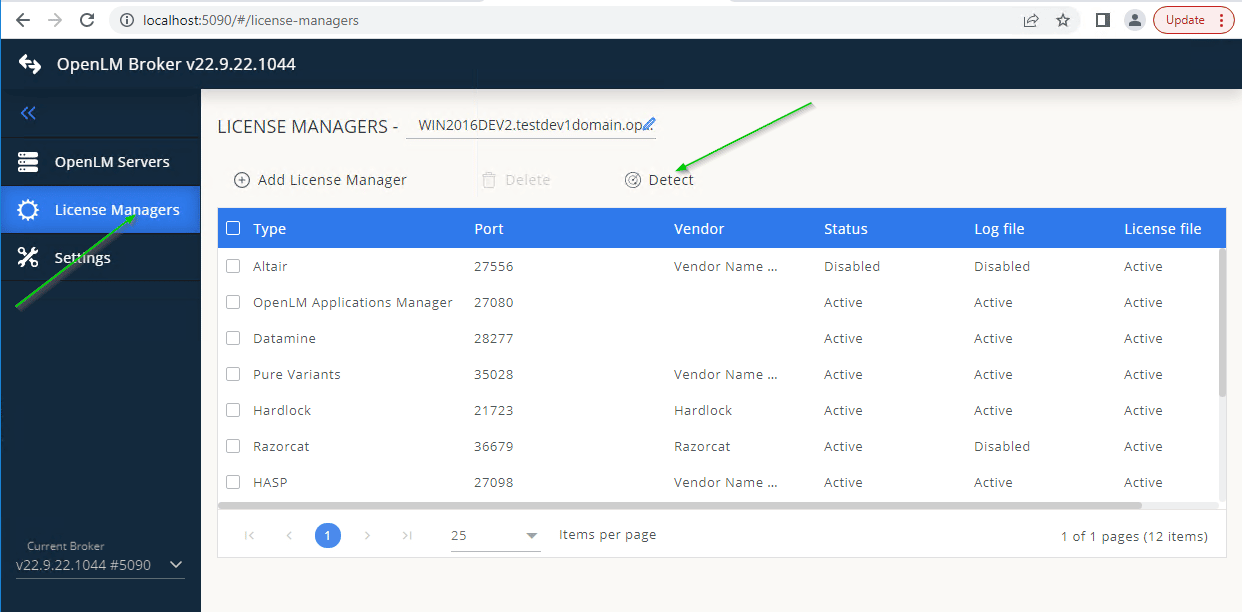 Broker UI での設定
検出が失敗した場合:
-
Broker UI を
http://localhost:5090/で開きます。 -
License Managers → Add License Manager を開きます。
-
RLM を選択し、ポート(例: 5054)を入力して Add をクリックします。
-
Settings タブを開きます。
-
Set Path Manually → Add License File Manually を有効にします。ライセンスファイルのパスを入力します。
-
Watch license file をオンに切り替えます。
-
Commands で、rlmutil.exe(通常は C:\RLMServer)へのパスを設定します。Execute をクリックしてテストします。RLM がパスワードを使用している場合は、status コマンドと data inquiry コマンドに
-z <password>パラメーターを追加します。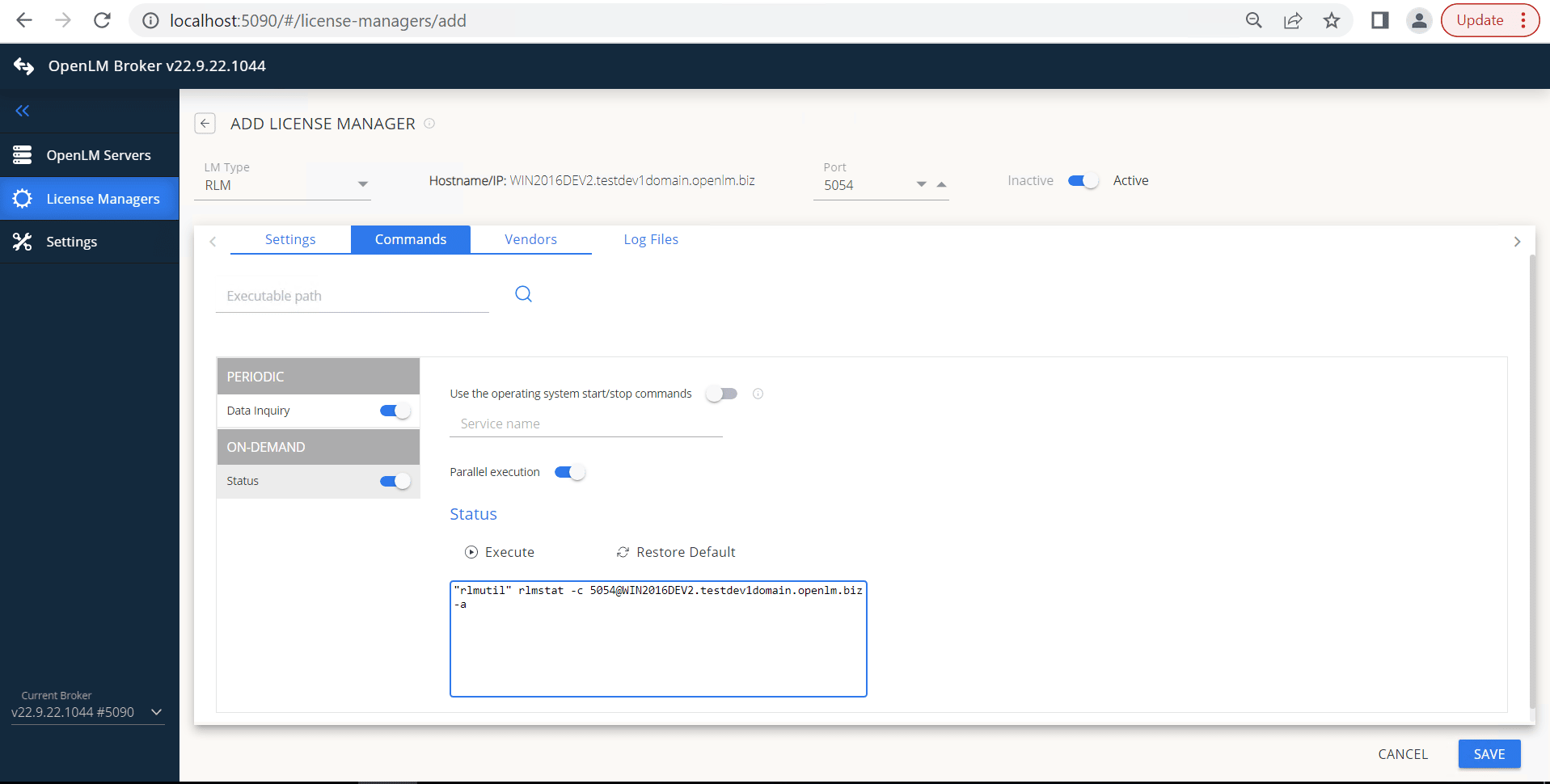 (任意)RLM がサービスとして実行されている場合は、Use operating system start/stop commands を有効にして Service Name を入力します。
 -
(任意)RLM がサービスとして実行されている場合は、Use operating system start/stop commands を有効にして Service Name を入力します。
-
Vendors で Add Vendor をクリックし、RLM のベンダー名を入力します。
-
Log Files で Add Log File をクリックし、パスを入力してベンダーにリンクします。
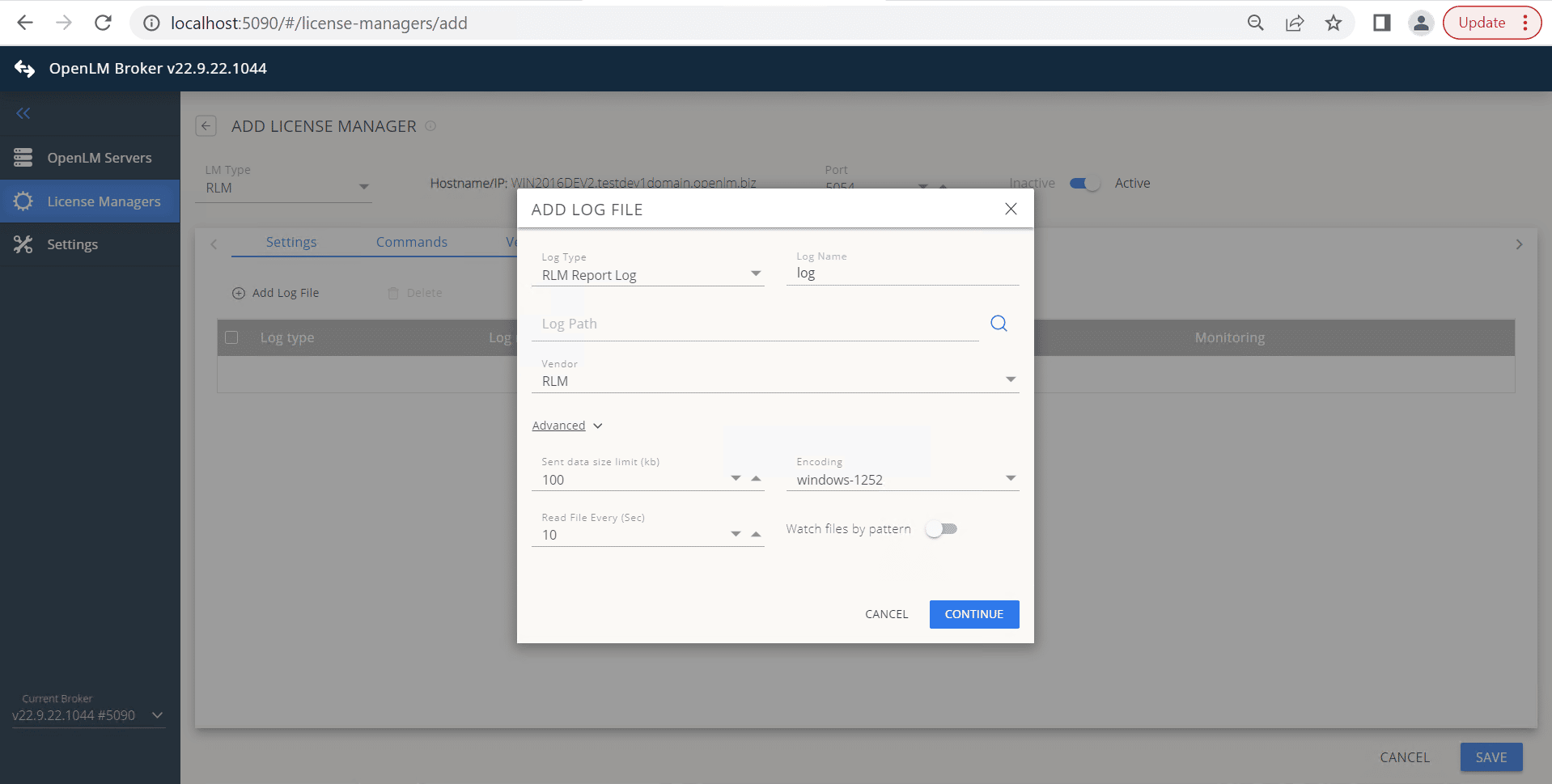 Save をクリックします。
OpenLM Platform で Reprise RLM を承認
- OpenLM Platform にサインインします。
- メニューから License Servers → Pending Server を開きます。
- Reprise RLM ライセンスマネージャーを選択し、Approve and Merge をクリックします。
連携の検証
- OpenLM Platform で License Servers Live → Server Statistics を開きます。
- Reprise RLM が緑のステータスで表示されることを確認します。
新規接続の場合、ステータスの反映まで最大 3 分かかります。