コンポーネントを認証する
オンプレミスコンポーネント (Broker、Workstation Agent、DSA) をインストールする前に、各コンポーネント用の認証ファイルを生成する必要があります。認証ファイルはクライアント ID とシークレットを含む JSON オブジェクトで、そのコンポーネントが信頼されており、OpenLM Platform への接続が許可されていることを証明します。
デプロイするコンポーネントごとに認証ファイルが 1 つ必要です。インストールを開始する前にこれらのファイルを生成してください。
認証ファイルを生成する
- OpenLM Platform で Identity Service > Authorization タブに移動します。
- Add Client を選択します。
- クライアントの種類 (Broker、Workstation Agent、または DSA) を選択し、説明を追加します (任意)。
- Save を選択します。
- 表示されたクライアント ID とシークレットをコピーして貼り付けるか、ファイル全体を
.jsonとしてダウンロードします。
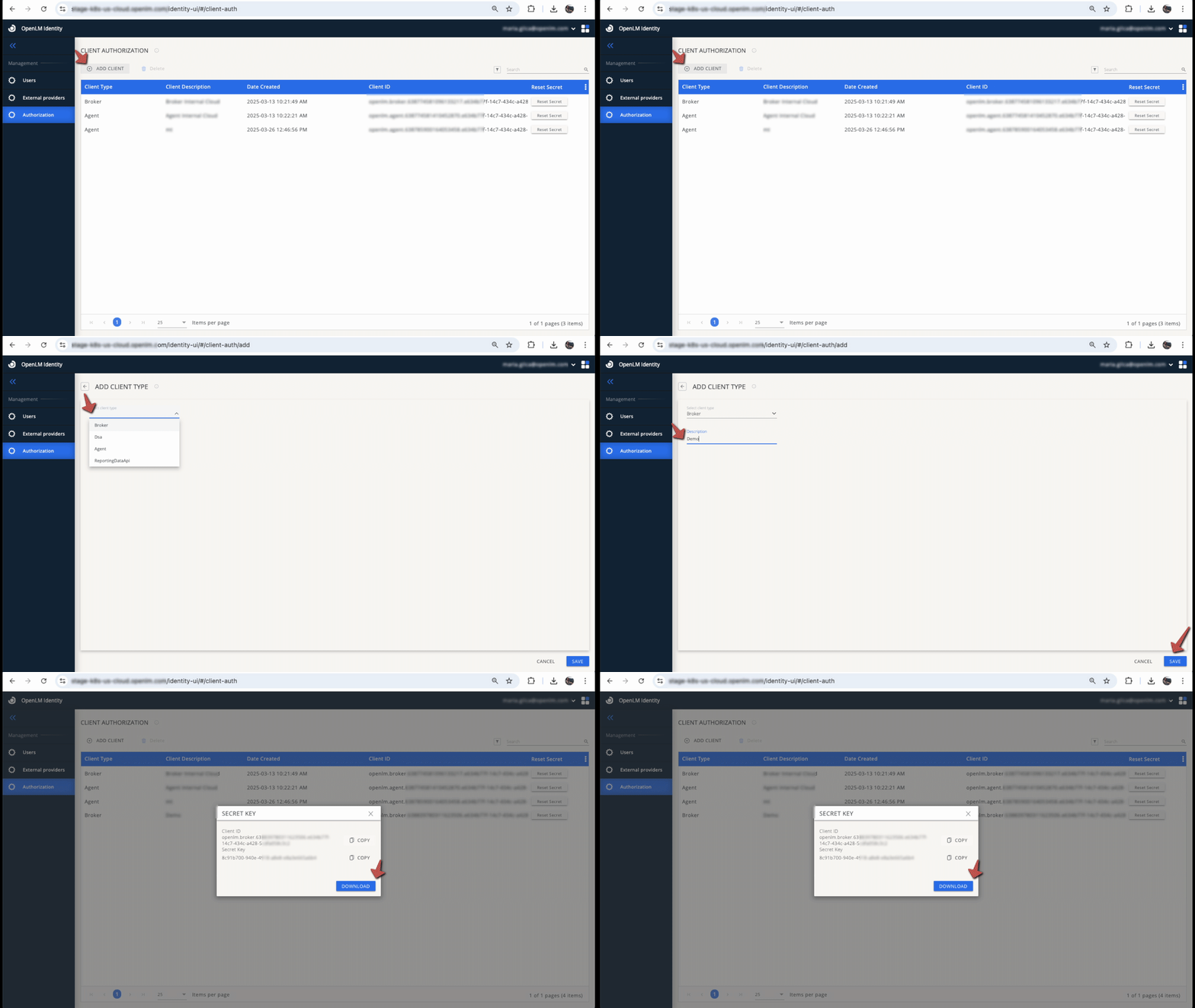 認証ファイルの生成
ダウンロードした .json ファイルは、各コンポーネントのインストール時にアップロードするため、アクセスできる場所に保管してください。
警告
認証ファイルを後から削除すると、そのファイルを使用しているコンポーネントはただちにシステムへのアクセスを失います。クライアントシークレットをリセットするには、認証エントリで Reset Secret を選択し、新しいファイルをダウンロードします。以前のシークレットは無効になります。
SSO、RBAC、ユーザー管理など、Identity Service の設定の詳細については、Identity Service を参照してください。
次のステップ
Broker のインストール に進み、最初のオンプレミスコンポーネントをデプロイしてください。