SEH-UTN
This integration allows OpenLM to monitor SEH-UTN license dongle servers for license usage and availability.
Requirements
- OpenLM Server installed on a central network server.
- OpenLM Broker installed on a machine that can access both the OpenLM Server and the SEH Control Center web interface.
SEH Control Center
The SEH Control Center is a web interface for configuring the SEH-UTN dongle server.
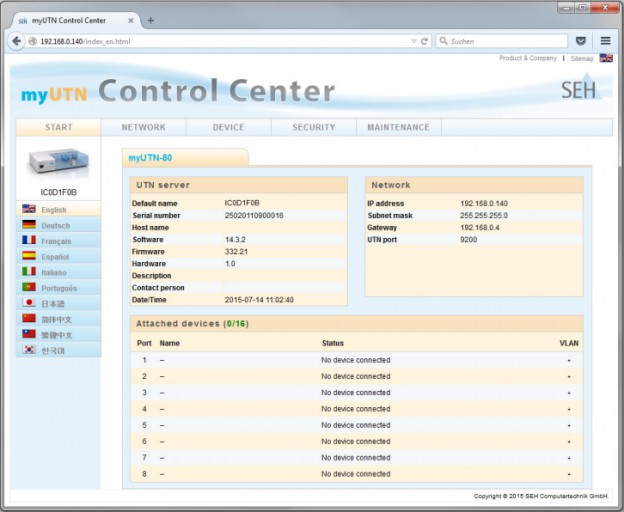
In the Control Center, note:
- License dongle server IP address (for example,
192.168.0.140) and server name. - UTN port number (for example,
9200). - Device names in the Attached devices window.
Use these details when configuring OpenLM.
OpenLM Broker configuration
note
Do not install OpenLM Broker on a workstation that consumes dongle licenses, as utnm.exe does not report host/user details on consuming machines.
- Install OpenLM Broker on a server or workstation with access to the SEH Control Center and the
utnm.exefile. - In OpenLM Broker Configuration:
- Select the license manager node.
- Select Add Port if Auto-Detect fails.
- Enter the UTN port number (for example,
9200). - Set License Manager Type to SEH-UTN.
- Select Apply → OK.
- Go to the Commands node and set the path to
utnm.exeon the SEH dongle host. - Ensure status and data_inquiry commands are configured.
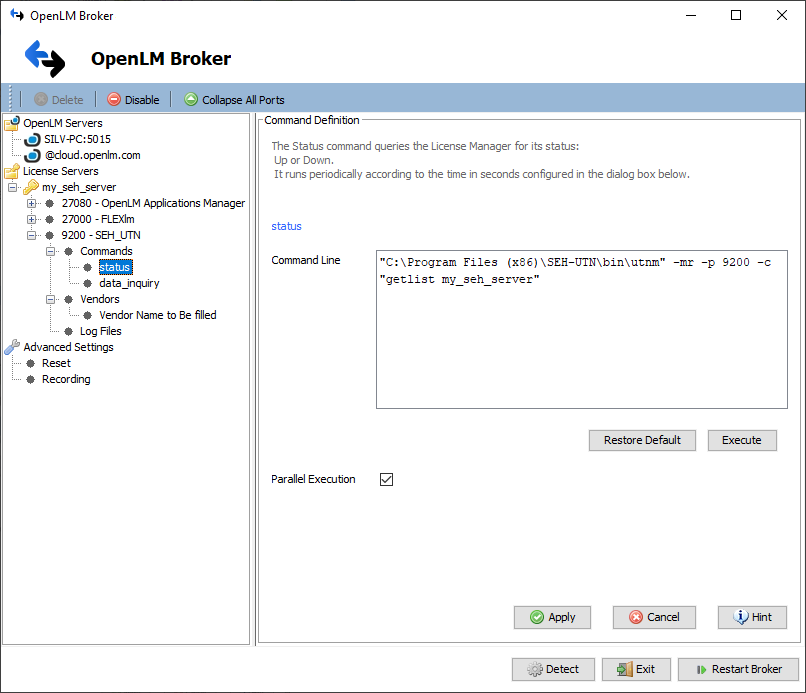
- In Vendors, enter the vendor name.
- Select Restart Broker.
- (Optional) Configure through the Broker web UI.
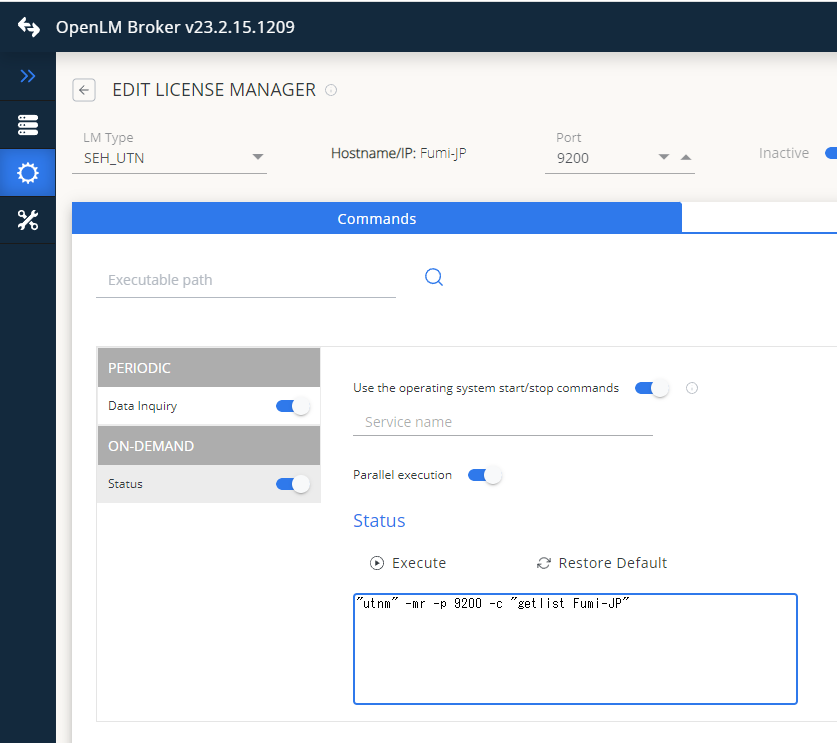
At this point, OpenLM should start collecting SEH licensing information.
OpenLM Server configuration
Manual configuration in EasyAdmin
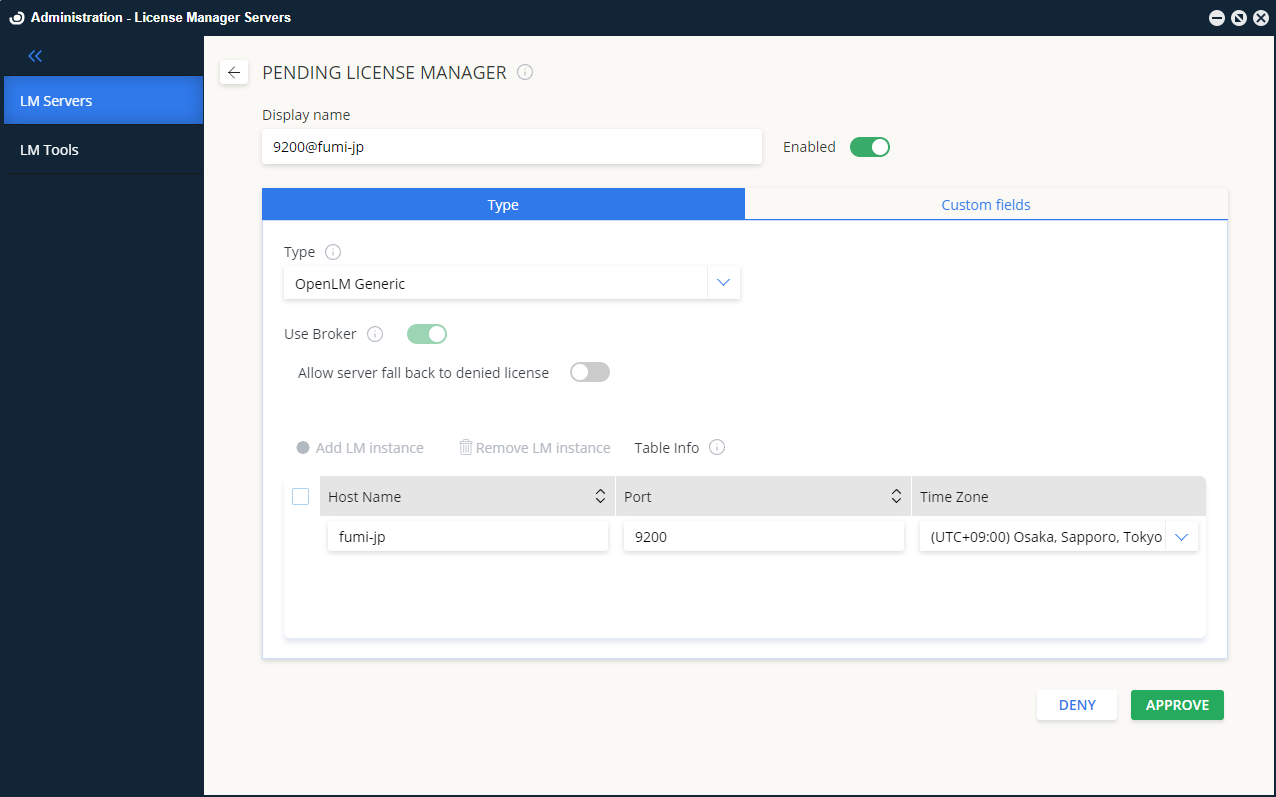
- In EasyAdmin, go to Start → Administration → License Manager Servers.
- Select the LM Servers tab and select Add.
- From Type, select OpenLM_Generic.
- Enter a display name (for example,
My SEH server). - Set the server's time zone.
- Enter the hostname and port (for example,
my_seh_server,9200). - Is Triad Configuration: off.
- Use Broker: checked.
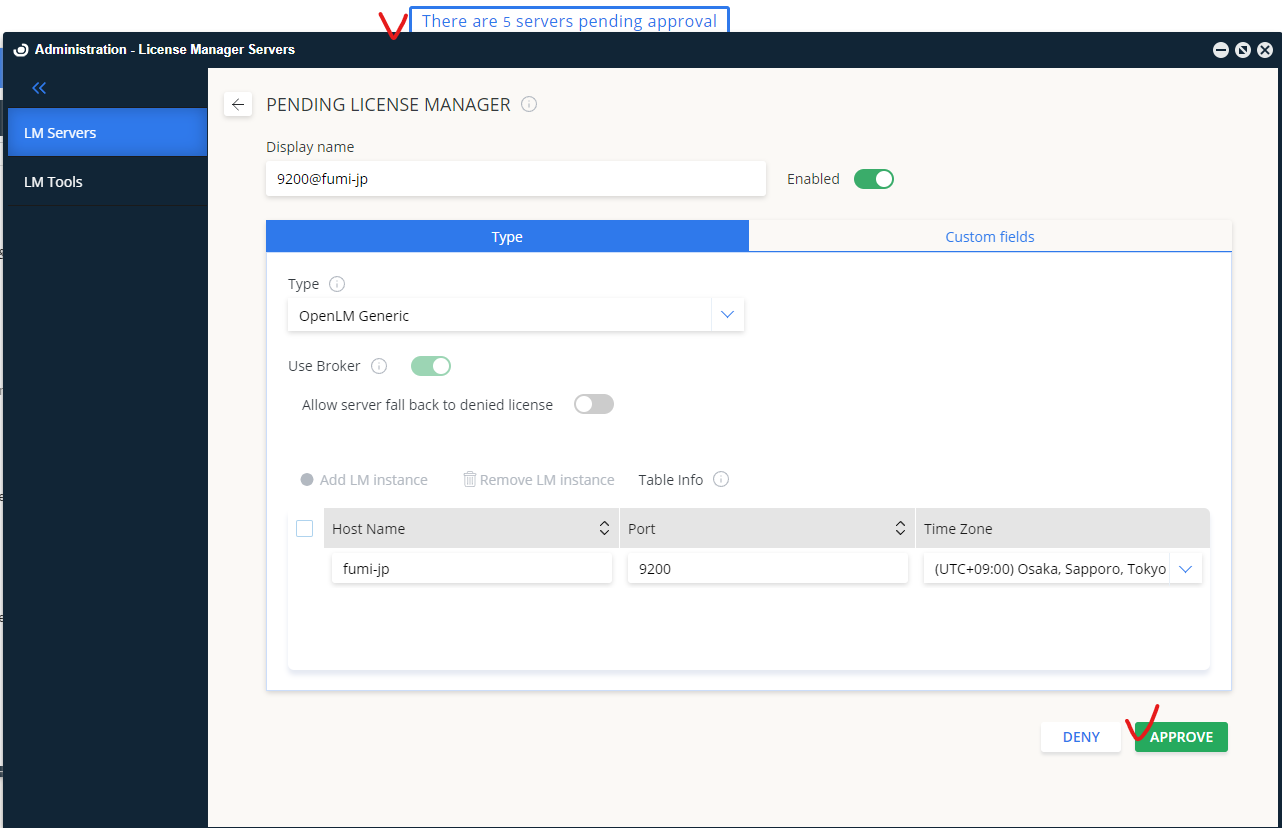
- Select Approve.
How to verify configuration
- In EasyAdmin, select the Pending Approval link and approve SEH-UTN.
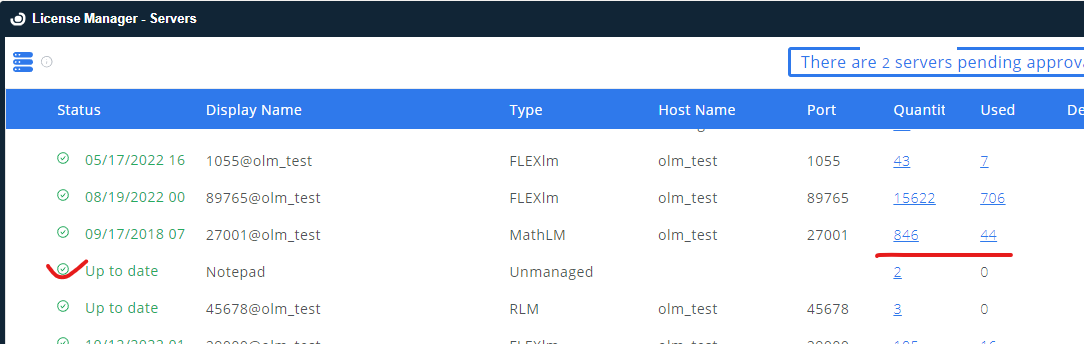
- Check that SEH-UTN appears in the list with a green status indicator.