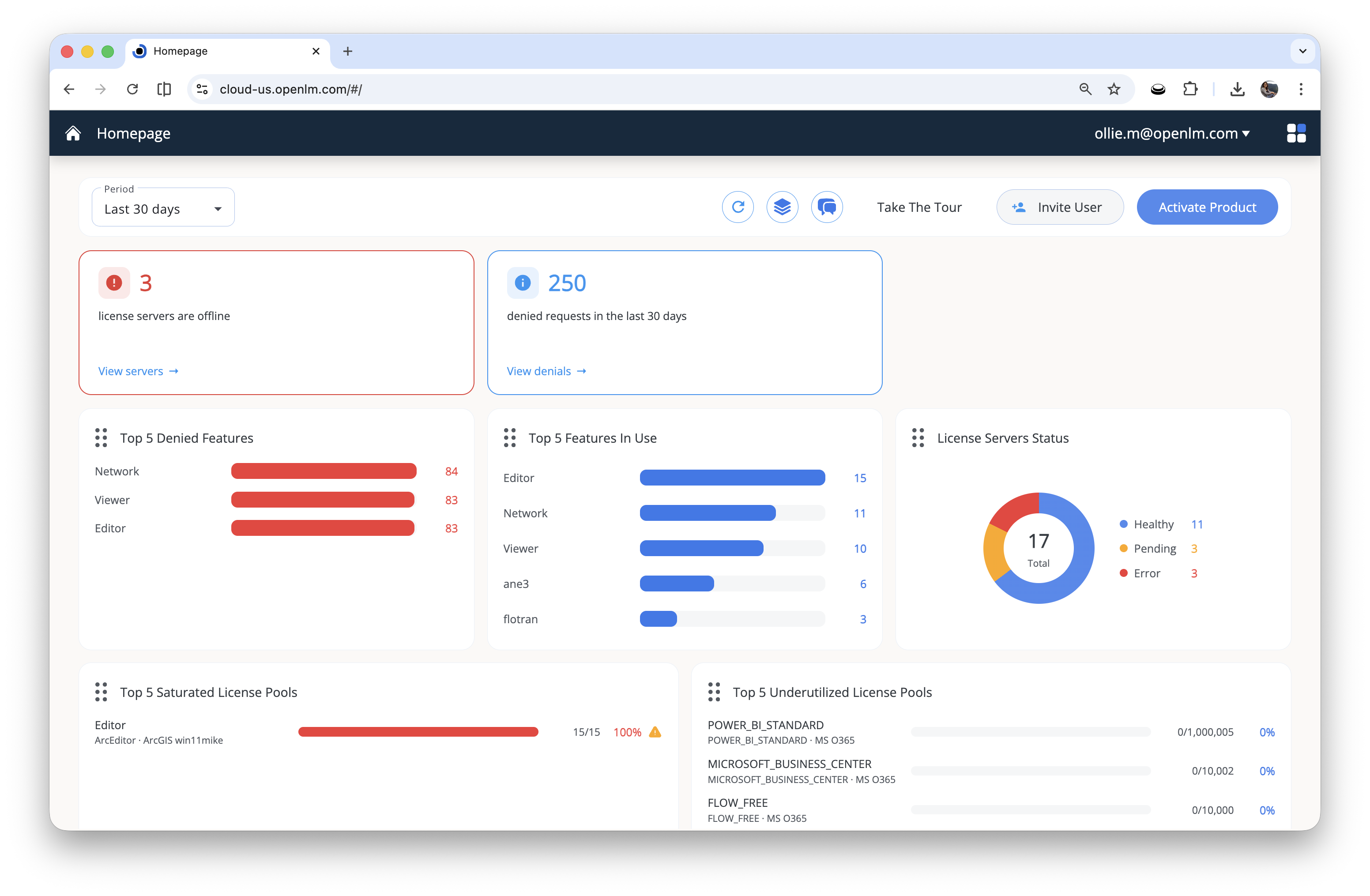
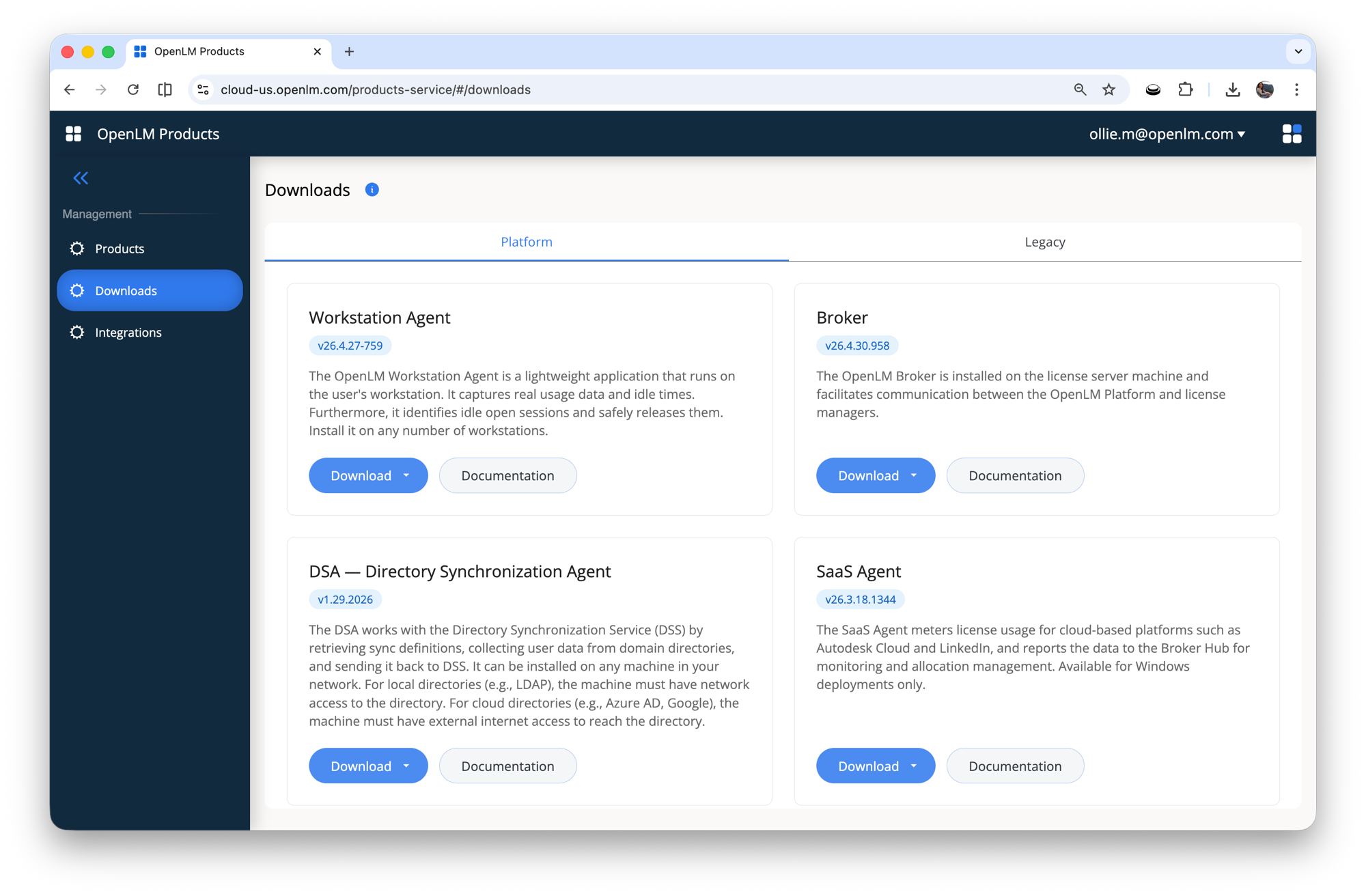
The next OpenLM Platform release reshapes the post-login experience. A redesigned Homepage replaces the QuickSight lobby with operational signal you can act on, Agent Activity Manager turns mass upgrades into a single action across your fleet of Workstation Agents, License File Management brings editing, validation, and deployment of license files into one workspace, and the OpenLM MCP Connector opens your reporting data to AI assistants for plain-language queries. The post-login screen is no longer a lobby of nav tiles — it is a real operational dashboard. The QuickSight-backed Homepage has been replaced with a native Angular widget grid that surfaces license health, denial volume, and pool utilization the moment you sign in. First paint is faster, the cloud-only dependency is gone, and every widget plugs into a shared shell so loading, empty, and error states behave the same way across the board. See the Homepage changelog for the full per-version history. OpenLM now speaks the Model Context Protocol (MCP), the open standard for connecting AI assistants to live business data. Point Claude, ChatGPT, Cursor, Windsurf, Gemini CLI, or any other MCP-aware client at your tenant, sign in once with OAuth, and ask questions in plain language: "Which features were denied most often last month?", "Show me underused AutoCAD seats by office." The OpenLM MCP Connector translates your prompt into a GraphQL query against your reporting database and returns tables, summaries, or — on higher-tier AI plans — fully interactive dashboards. No new BI tool to learn, no exported CSVs, no hand-built filters. Your reporting data, conversational. Endpoints are provided for both regions — Updating Workstation Agents one machine at a time is over. From Agent Activity Manager, select any subset of agents across your fleet, pick a target Workstation Agent version, and trigger the upgrade in a single action. There is no per-machine MSI work, no need to touch endpoints individually, and rollout progress is visible in one place. Use it to deploy a hotfix to a single team, stage a phased rollout, or move an entire organization onto the latest agent on the same day. LFM brings license-file editing, validation, and deployment into one place. Work safely with drafts before you push, see each file's parsed features as a structured table, compare versions at both the text and feature level, and let LFM keep license-file to license-server links in sync with SLM — triad-aware, with a full per-file event history. See the License File Management documentation for the full feature reference. LAC graduates from observation to enforcement. A new Agent enforcement engine prevents license consumption from workstations that are not running the Workstation Agent, bulk rule creation eliminates the per-rule call pattern that made large-option-file onboarding painful, and SaaS license servers join the supported targets for policy deployment. Deployment itself is more resilient, and the audit trail is finally complete. See the License Access Control changelog for the full per-version history. Installers for both Platform and Legacy products now live in a single place — Platform Administration → Products → Downloads. Switch between the Platform and Legacy tabs to find every component alongside its version and a link to its documentation. More items will land in this section as the release approaches.New Homepage dashboard
OpenLM MCP Connector
https://cloud-us.openlm.com/mcp for US and https://cloud-eu.openlm.com/mcp for EU. See the OpenLM MCP Connector documentation for client setup and the full tool reference.Mass upgrade Workstation Agents from Agent Activity Manager
License File Management (LFM)
License Access Control (LAC)
AddRules GraphQL mutation; the existing AddRule mutation is unchanged.Downloads moved to Platform Administration
Additional updates
Release notes
Release Notes
The latest OpenLM Platform feature releases, improvements, and bug fixes.
Coming soonC
Broad Peak
Coming nextIn progress