Float
Float Usage Monitoring
About Float
Float is a resource management platform that helps teams plan projects, schedule resources, and manage workloads. It provides a visual overview of team availability and project timelines. Monitoring Float usage is important for ensuring that licenses are used effectively and for optimizing costs. This is similar to monitoring other project management platforms like Monday or Notion.
Prerequisites
To begin monitoring Float, ensure you have the following components and permissions in place:
- OpenLM Components: OpenLM Cloud Broker and OpenLM SLM are required.
- Platform-specific Requirements: You'll need administrative access to your Float account to generate an API key with the necessary read permissions.
Configuring data collection
Follow these step-by-step instructions to set up data collection for Float in OpenLM Cloud Broker:
- Enable API Access: In your Float account settings, navigate to Integration Menu then API Key. Create a new API Key.
- Add Credentials: In the OpenLM Cloud Broker dashboard, find the Float integration and enter the API key.
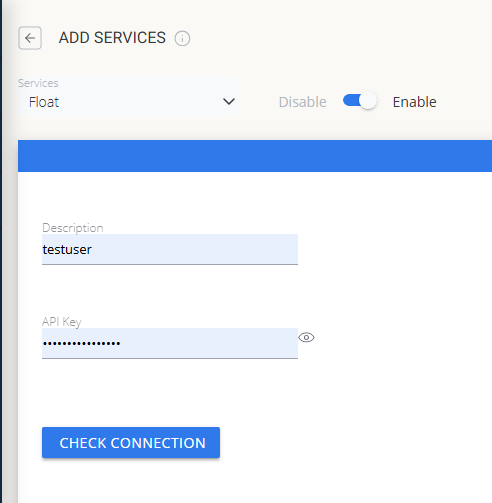
- Verify Connection: Test the connection to ensure that OpenLM can successfully retrieve data.
- Approve in OpenLM: Approve the new data source within the License Servers section.
- See Data: Usage data for Float will now be visible in the OpenLM Allocation service.
Viewing reports
Access your reports to analyze usage patterns.
- User Activity Trends: See which users are most active, which helps you reallocate licenses.
- Expired/Unused License Reports: Identify and reclaim licenses from inactive users to save on costs.