AMP
OpenLM can interface with AMP to monitor license usage and obtain statistics.
AMP generates a periodic XML file, which OpenLM parses and displays in EasyAdmin.
Requirements
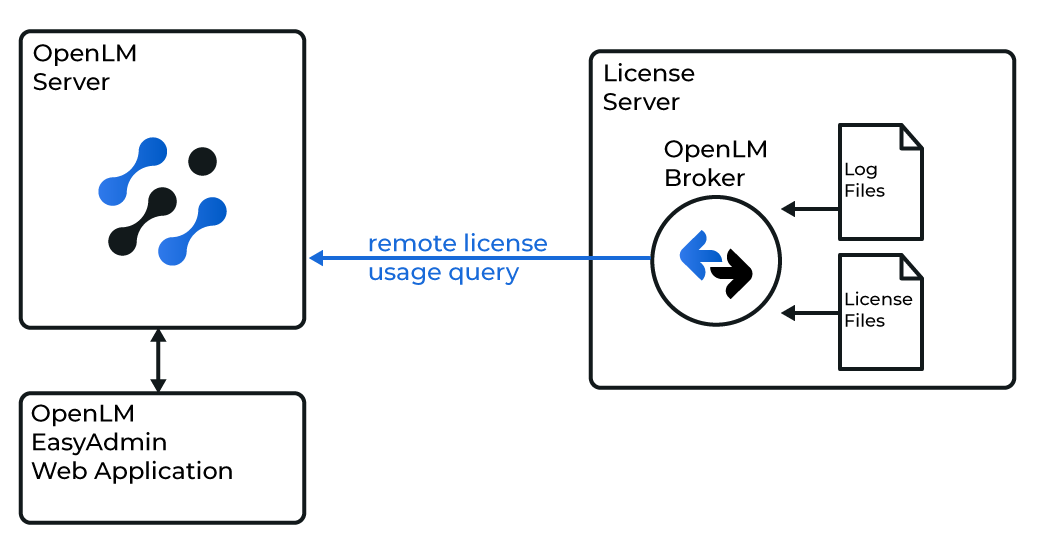
- OpenLM Broker installed on the AMP license server machine
- OpenLM Server installed on any Windows machine in the network (can be the same as the AMP server)
OpenLM Broker configuration
-
Install the latest OpenLM Broker.
-
In the License Managers node, select Add Port (if auto-detect fails).
-
Enter the AMP port number (for example,
2306). -
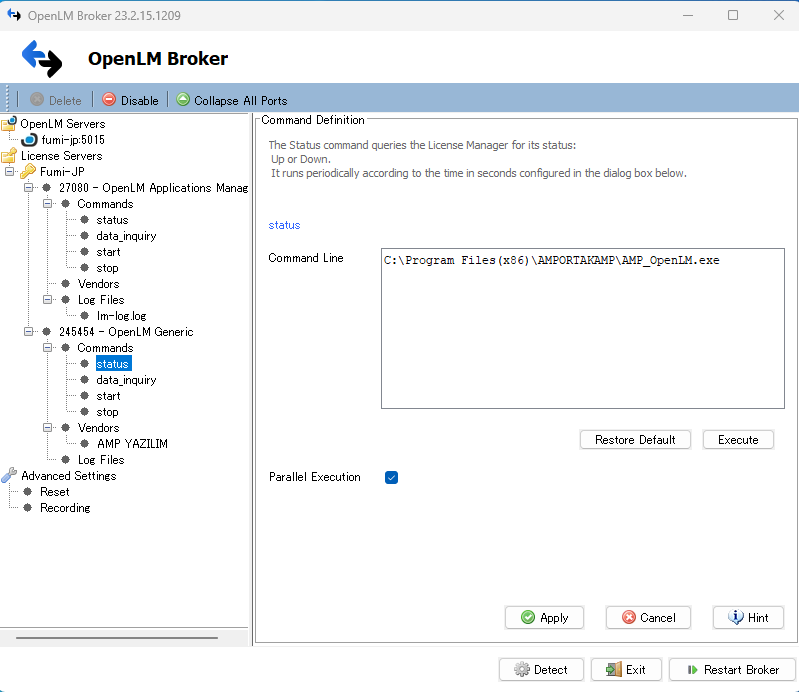
In License Manager Type, select OpenLM Generic.
-
In Commands, set the path to
AMP_OpenLM.exe(provided by vendor or in AMP installation folder).
Example:C:\Program Files (x86)\AMPORTAKAMP\AMP_OpenLM.exe -
Select Update → Apply.
-
Select Execute to confirm data retrieval works.
-
Repeat for the
Statuscommand. -
In Vendors, enter
AMP YAZILIM(case sensitive). -
Select Apply and then Restart Broker.
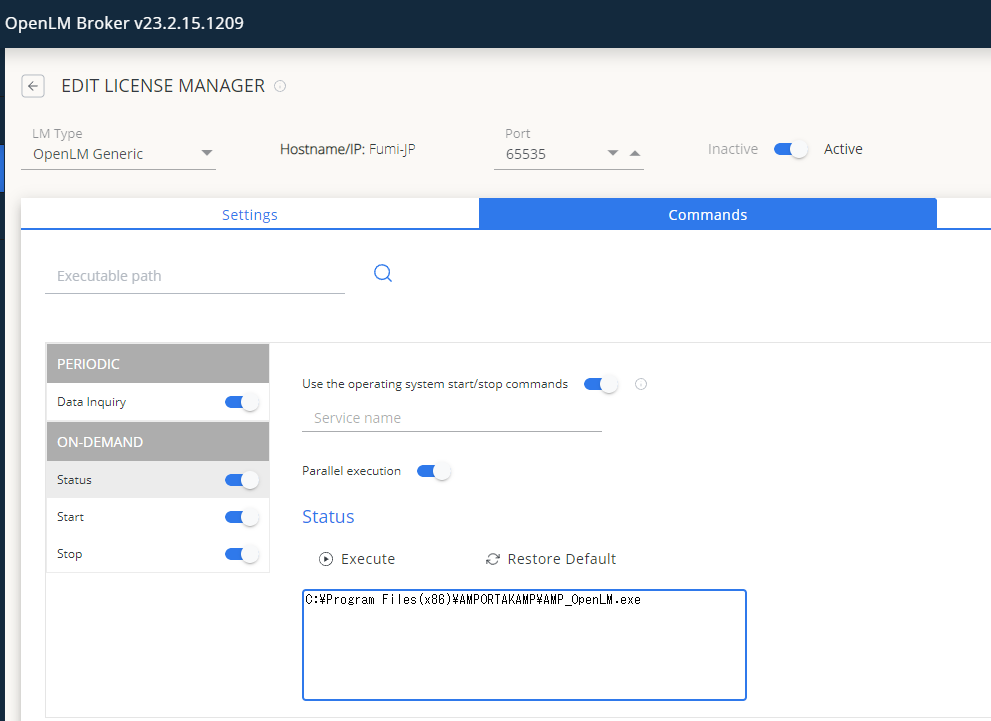
You can also use Broker Web UI for configuration.
OpenLM Server configuration (Manual)
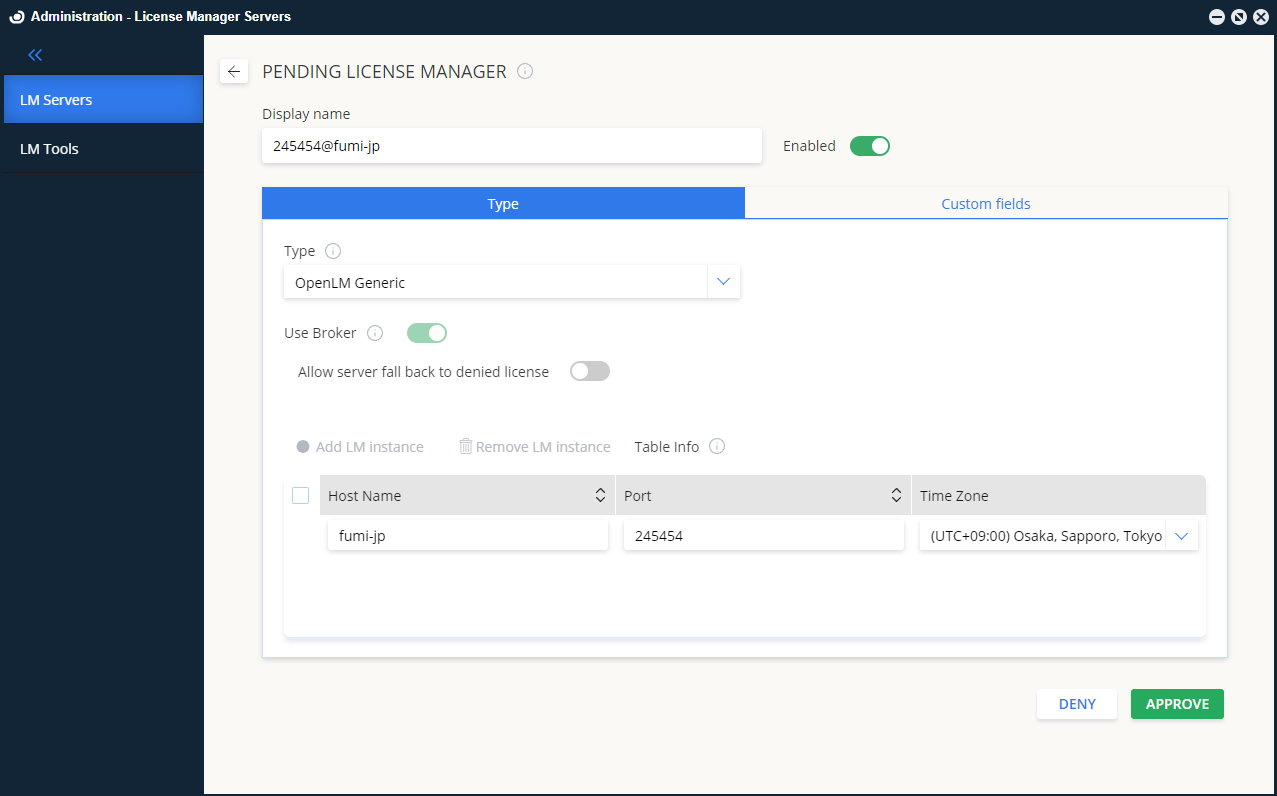
- In EasyAdmin → Start → Administration → License Manager Servers, select Add LM.
- In Type, select OpenLM Generic.
- Enter a Display Name (for example,
My AMP License Server). - Select the server's Time Zone.
- Enter the Hostname and Port (for example,
amp_license_serverand2306). - Check Use Broker.
- Select Save and restart the OpenLM Server service.
Verifying in EasyAdmin
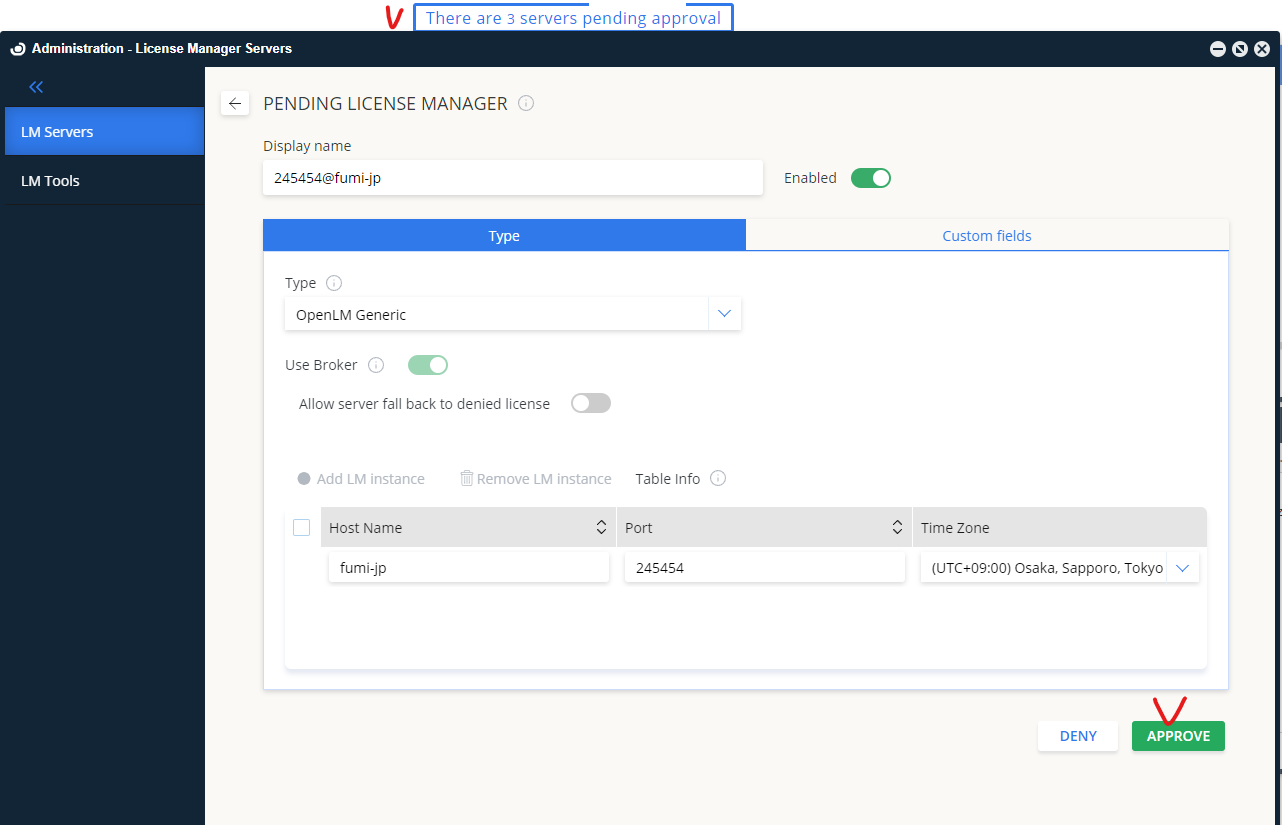
- Open EasyAdmin and approve the pending AMP license manager.
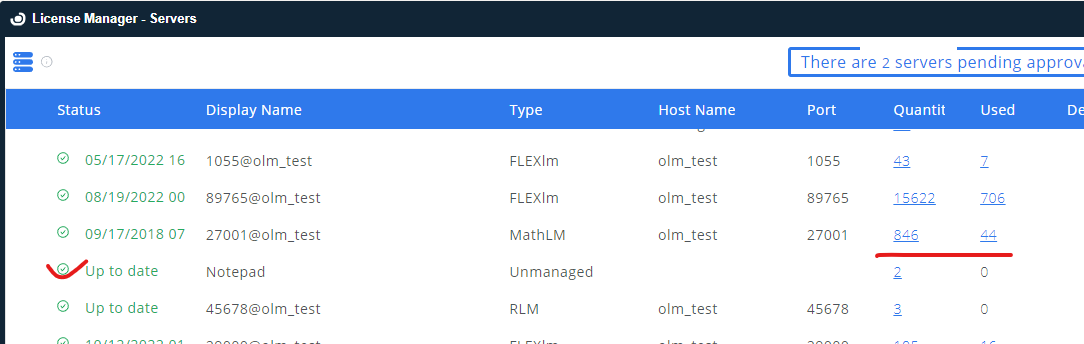
- Confirm that it appears in the License Servers list.
- A green circle means an active connection.