INTES PERMAS
This integration enables OpenLM to monitor INTES PERMAS for license usage and availability.
Requirements
- OpenLM Platform
- OpenLM Broker v25.x or higher installed on the same machine as INTES PERMAS, and approve it in Broker Hub.
Monitoring capabilities and features
| Item | Value |
|---|---|
| Report resolution | By minute/second |
| License totals | Yes |
| License usage | Yes |
| Denials reporting | No |
| Borrowed license reporting | No |
| Expiration date reporting | No |
| Multiple server redundancy | No |
OpenLM Broker configuration
OpenLM Broker communicates with INTES PERMAS to collect license data and send it to OpenLM Server.
You must have OpenLM Broker installed and reporting to OpenLM Server before starting this configuration.
Manual configuration
-
Open Broker UI at http://localhost:5090/.
-
Go to License Managers -> Add License Manager.
-
Set License Manager Type to INTES.
-
In the Commands tab -> status tab, enter the path to INTES_OpenLM.exe, for example:C:\Program Files (x86)\AMPORTAK\INTES_OpenLM.exe
-
In the Commands tab -> data_inquiry tab, enter the path to AMP_OpenLM.exe, for example:C:\Program Files (x86)\AMP\AMP_OpenLM.exe
-
Click Apply.
-
In the Vendors tab, click Add Vendor if none exists.
-
Select the vendor and set Name to INTES PERMAS.
-
Click Apply.
-
Click Restart Broker -> click OK -> close the tool.
Configure OpenLM Platform
-
Log in to OpenLM Platform.
-
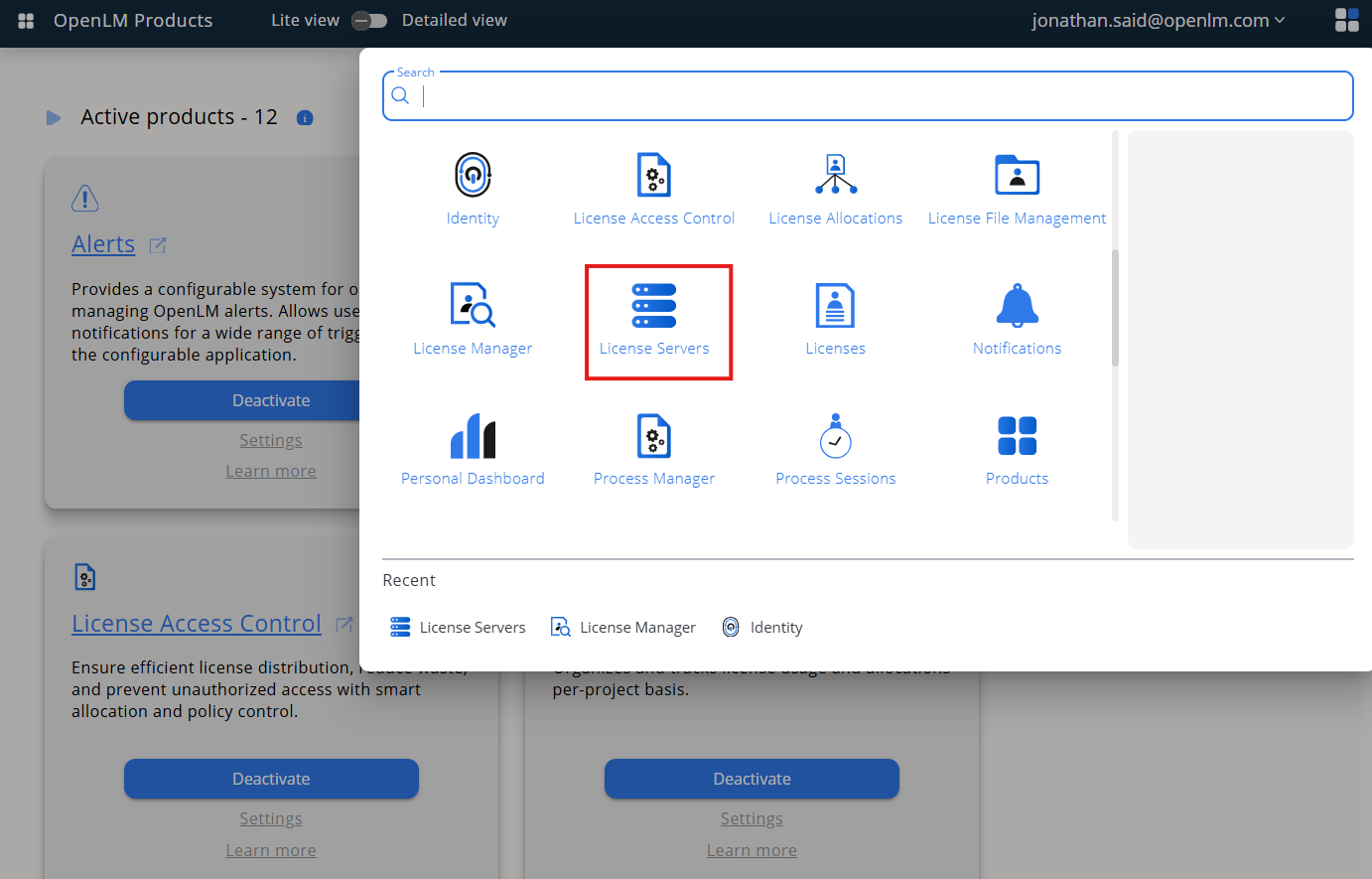
From Menu, go to License Servers.
-
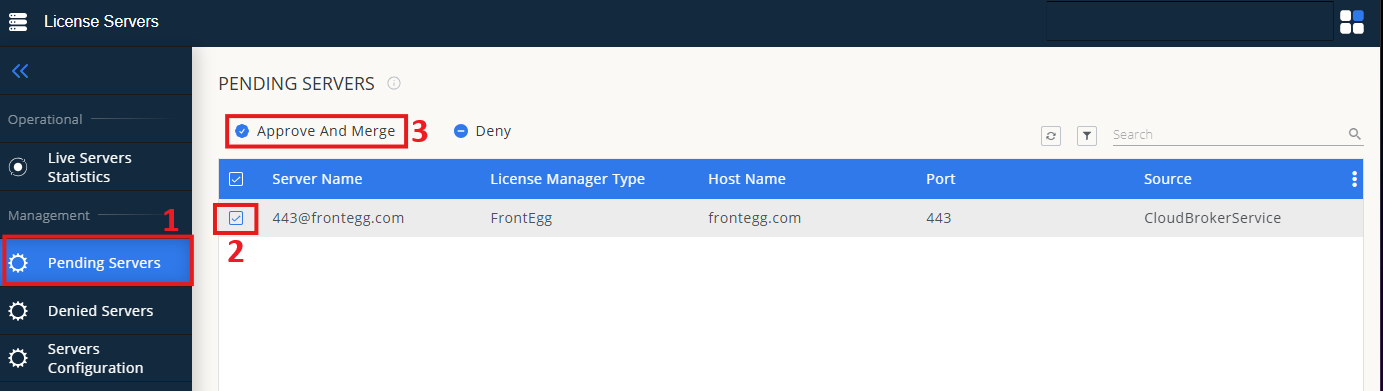
On left menu, select Pending Server
-
On the list, select the INTES license manager and click on Approve and Merge
-
In OpenLM Web Interface -> Menu -> License Servers Live -> Server Statistics.
-
Ensure INTES appears in the list with a green status indicator.
Note: It can take up to 3 minutes for the status to update for new connections.