SlickEdit
Scope
SlickEdit is a cross-platform, multi-language source code and text editor. It provides various coding tools and time-saving programming features. SlickEdit 2014 supports over 40 languages across 9 different platforms.
Usage of SlickEdit is licensed and managed by a proprietary license manager. This guide explains how to configure OpenLM to monitor the SlickEdit license manager, track license usage, and collect license statistics.
Requirements
- OpenLM Platform
- OpenLM Broker v25.x or higher installed on the same machine as SlickEdit, and approve it in Broker Hub.
Configuring via Broker UI
-
Open Broker UI at http://localhost:5090/.
-
Go to License Managers -> Add License Manager.
-
Download and install the latest OpenLM Broker version from the Downloads page.
-
In Broker, select the license manager node. Click Add Port if Auto-Detect did not find SlickEdit.
-
Configure Broker to monitor the SlickEdit license server (for example, slickedit_license_server) on port 27100.
-
Set the vendor name to SlickEdit.
-
In the Commands node, enter the full path to the selicutil.exe executable. Click Update and Apply.
-
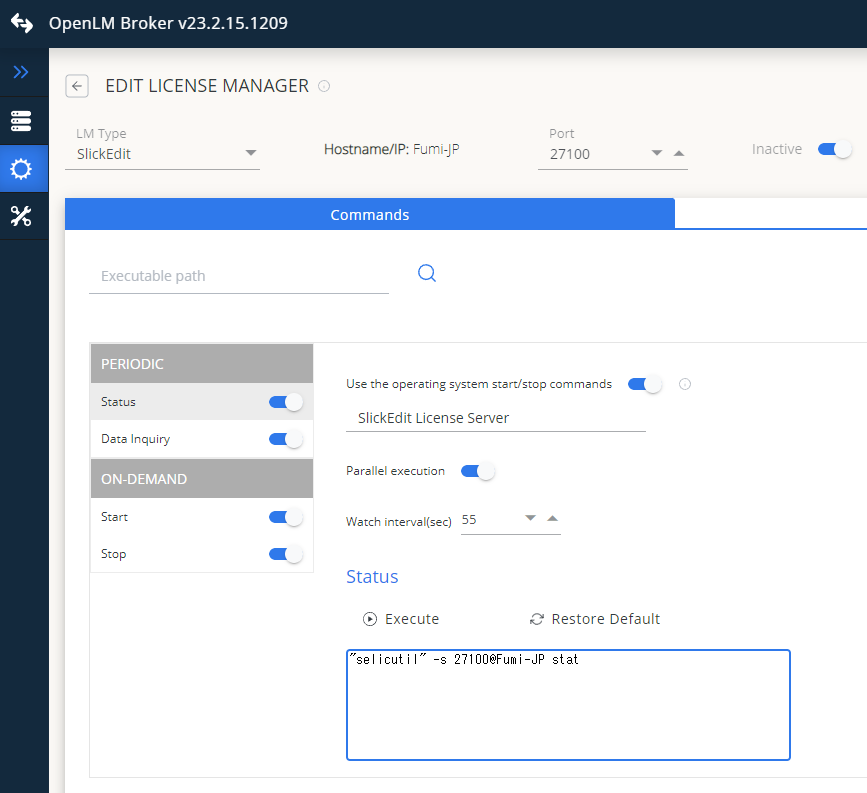
Set the SlickEdit commands for Status and Data_inquiry as shown in the image below, replacing
<fullpath>with the actual path to selicutil.exe. -
Configuring Broker commands for SlickEdit.
- Click Restart Broker.
- You can also configure Broker via the Broker web UI.
Configure OpenLM Platform
-
Log in to OpenLM Platform.
-
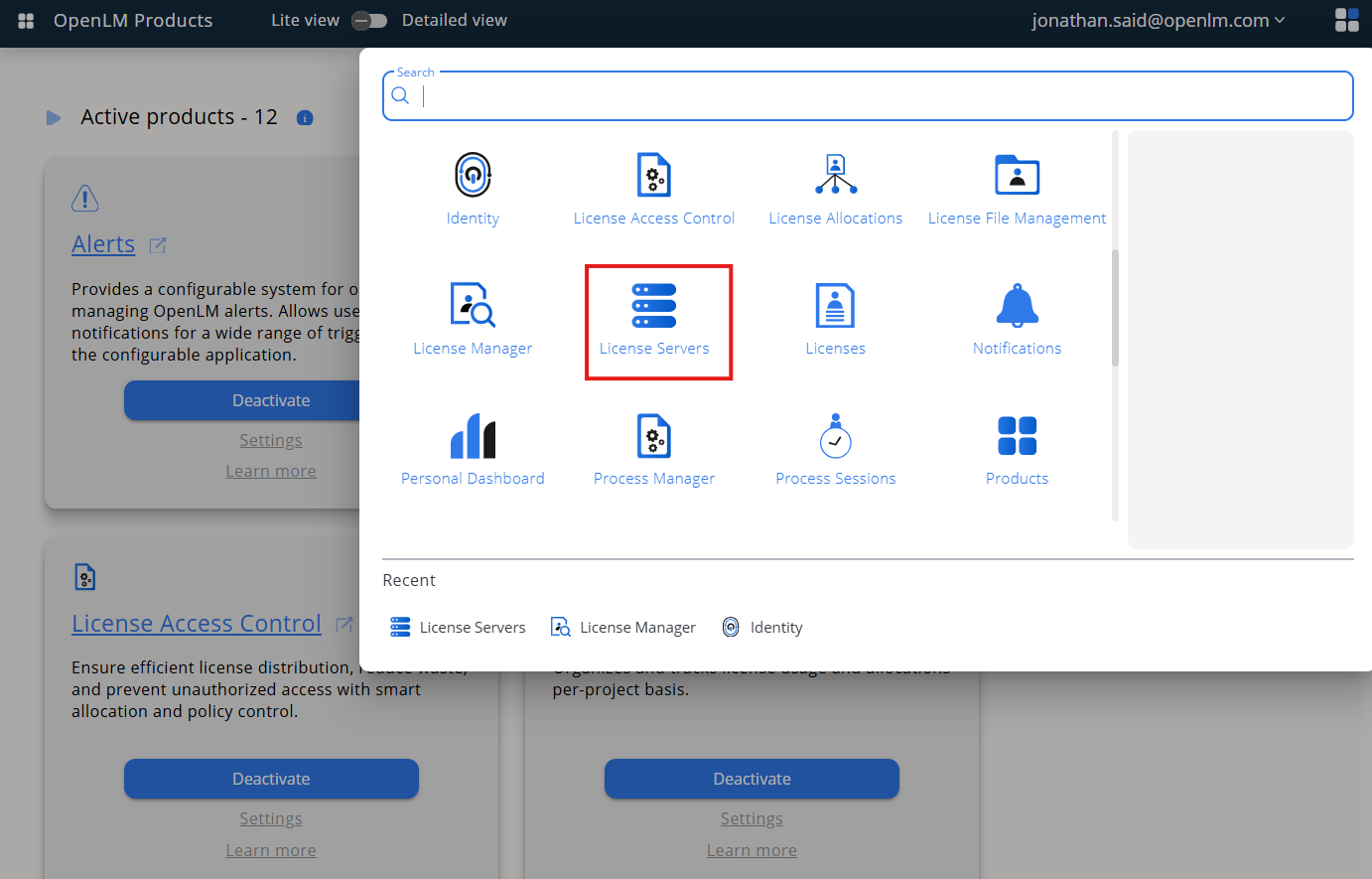
From Menu, go to License Servers.
-
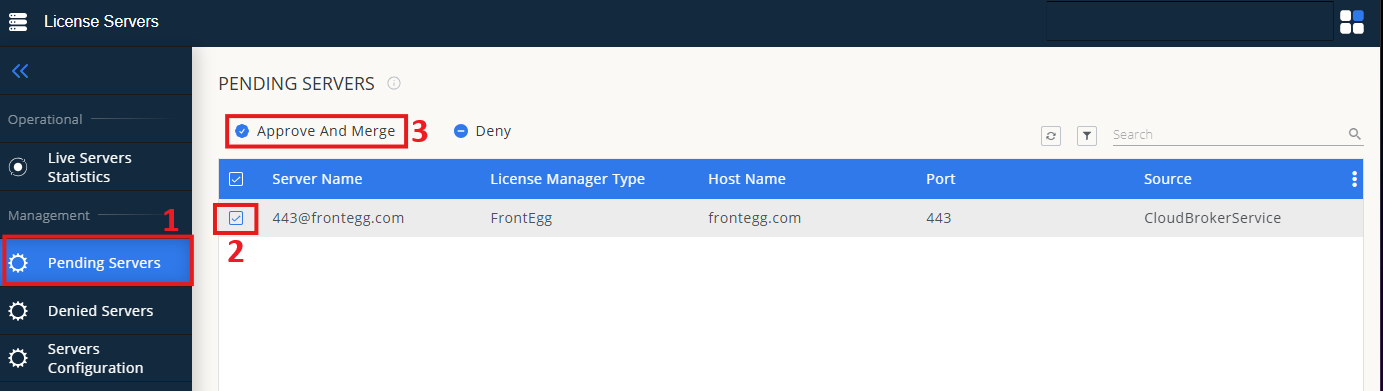
On left menu, select Pending Server
-
On the list, select the SlickEdit license manager and click on Approve and Merge
-
In OpenLM Web Interface -> Menu -> License Servers Live -> Server Statistics.
-
Ensure SlickEdit appears in the list with a green status indicator.
Note: It can take up to 3 minutes for the status to update for new connections.

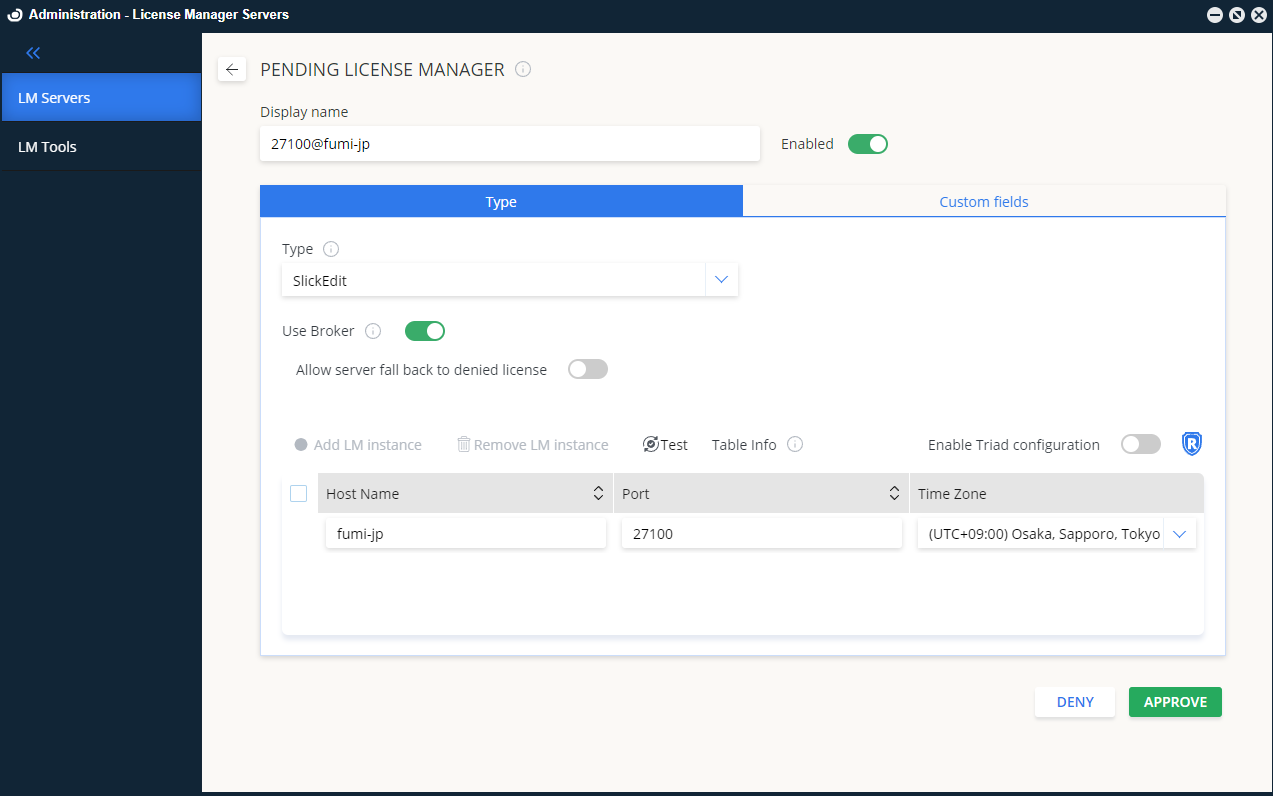
SlickEdit license server approved in OpenLM Web Interface.
