LS-DYNA
General
LS-DYNA is a finite element simulation tool developed by Livermore Software Technology Corporation (LSTC). LS-DYNA includes peripheral tools such as LS-OPT, LS_PREPOST, LS_TASC, and THUMS. Together they cover a wide range of physics simulation topics, from fluid dynamics to car safety.
LS-DYNA uses a proprietary license manager to control deployment of network licenses. OpenLM enables you to view license utilization, analyze usage statistics and patterns, and manage idle licenses.
OpenLM supports multiple license managers such as Flexera FLEXnet Publisher (FLEXlm) and Sentinel RMS. This document explains how to configure OpenLM to monitor LS-DYNA licenses.
Query the license server locally using OpenLM Broker and forward the information to OpenLM Server.
Requirements
- OpenLM Platform
- OpenLM Broker v25.x or higher installed on the same machine as LM-DYNA, and approve it in Broker Hub.
Configuring via Broker UI
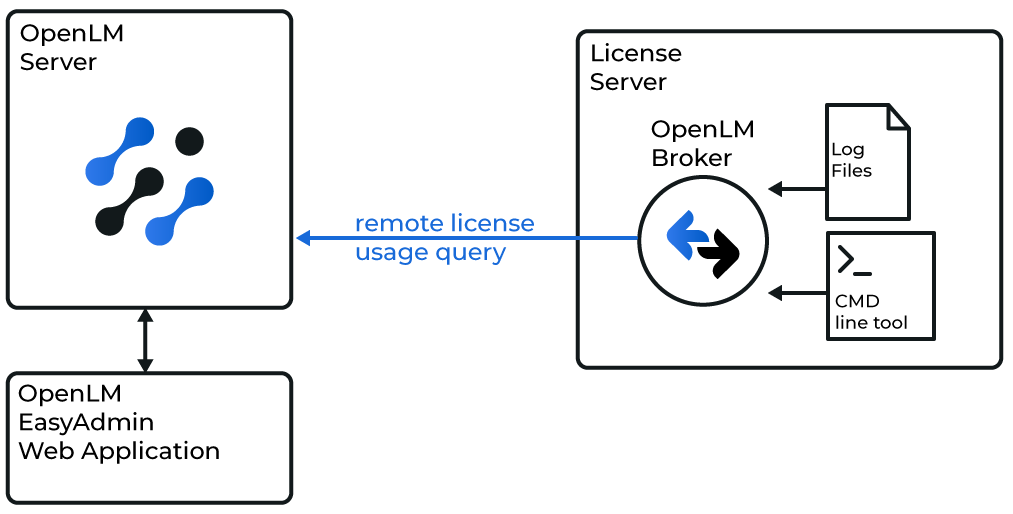
Install and configure OpenLM Broker on the LS-DYNA license server machine. Broker queries the license server locally and forwards data to OpenLM Server. It also provides buffered communication to overcome network failures and security restrictions.
-
Open Broker UI at http://localhost:5090/.
-
Go to License Managers -> Add License Manager.
-
In the Commands node, enter the full path to lstc_qrun.exe.
-
Click Apply.
-
Go to the Vendors node and enter the vendor name.
-
Click Restart Broker.
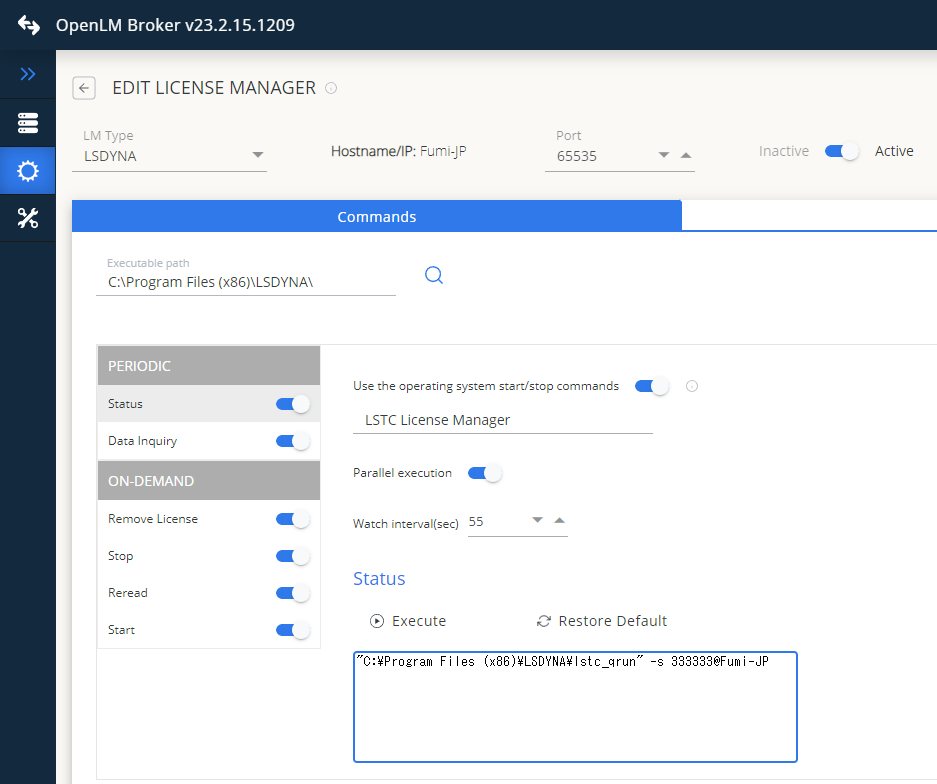
Configure OpenLM Platform
-
Log in to OpenLM Platform.
-
From Menu, go to License Servers.
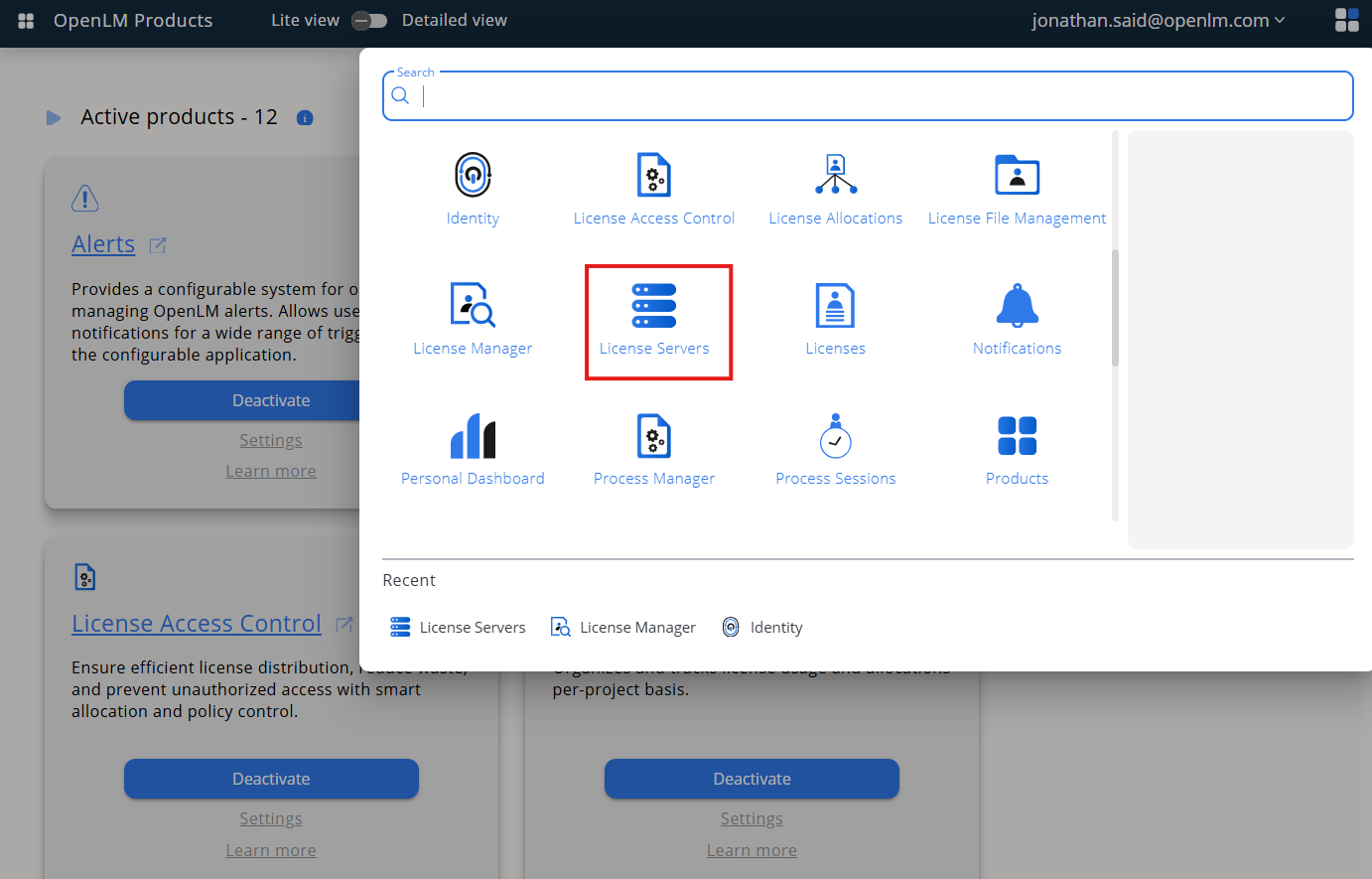
-
On left menu, select Pending Server
-
On the list, select the LS-DYNA license manager and click on Approve and Merge
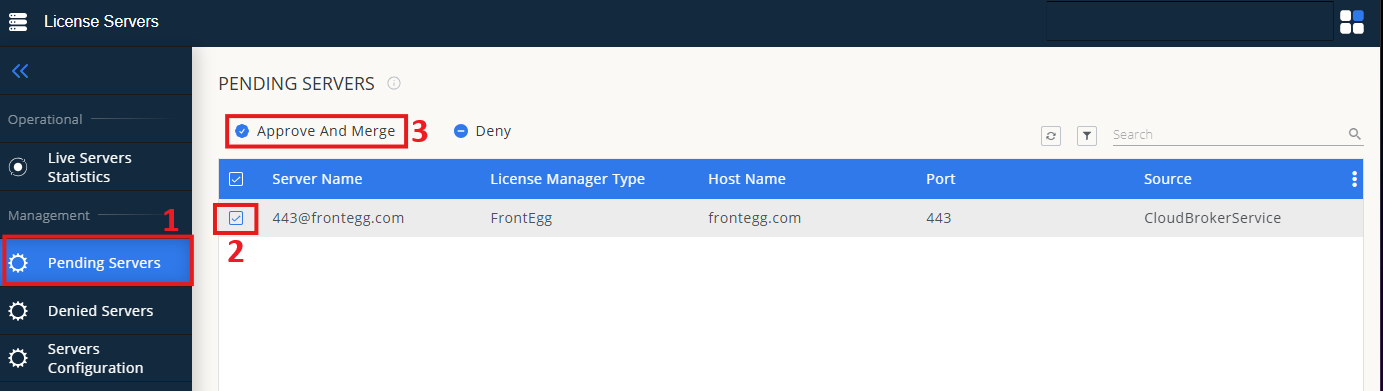
-
In OpenLM Web Interface -> Menu -> License Servers Live -> Server Statistics.
-
Ensure LS-DYNA appears in the list with a green status indicator.
Note: It can take up to 3 minutes for the status to update for new connections.