LM-X
Scope
OpenLM supports monitoring for a wide and growing variety of license managers. This guide describes how to configure OpenLM to interface with LM-X, monitor license usage, and obtain license statistics.
Install OpenLM Broker on the LM-X server to query locally and forward the data to OpenLM Server.
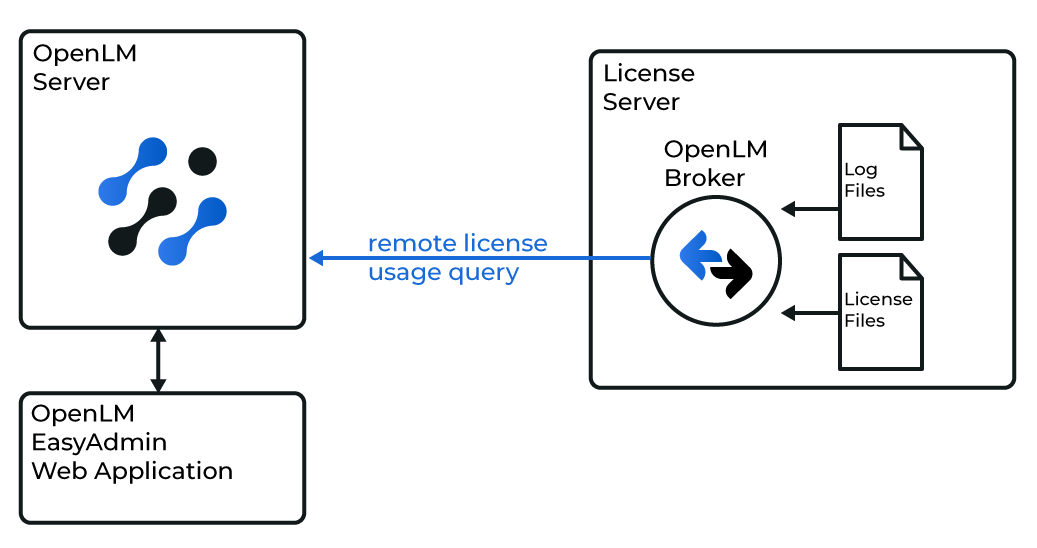
The OpenLM Broker is optional but recommended. Installed on the LM-X host, it queries usage locally and forwards it to OpenLM Server. Broker ensures buffered communication in case of network outages or security restrictions.
In addition, Broker can query LM-X for license request denials, providing valuable insight into license efficiency.
Requirements
- OpenLM Platform
- OpenLM Broker v25.x or higher installed on the same machine as LMX, and approve it in Broker Hub.
Configuring via Broker UI
-
Open the Broker Web UI at http://localhost:5090/#/license-managers.
-
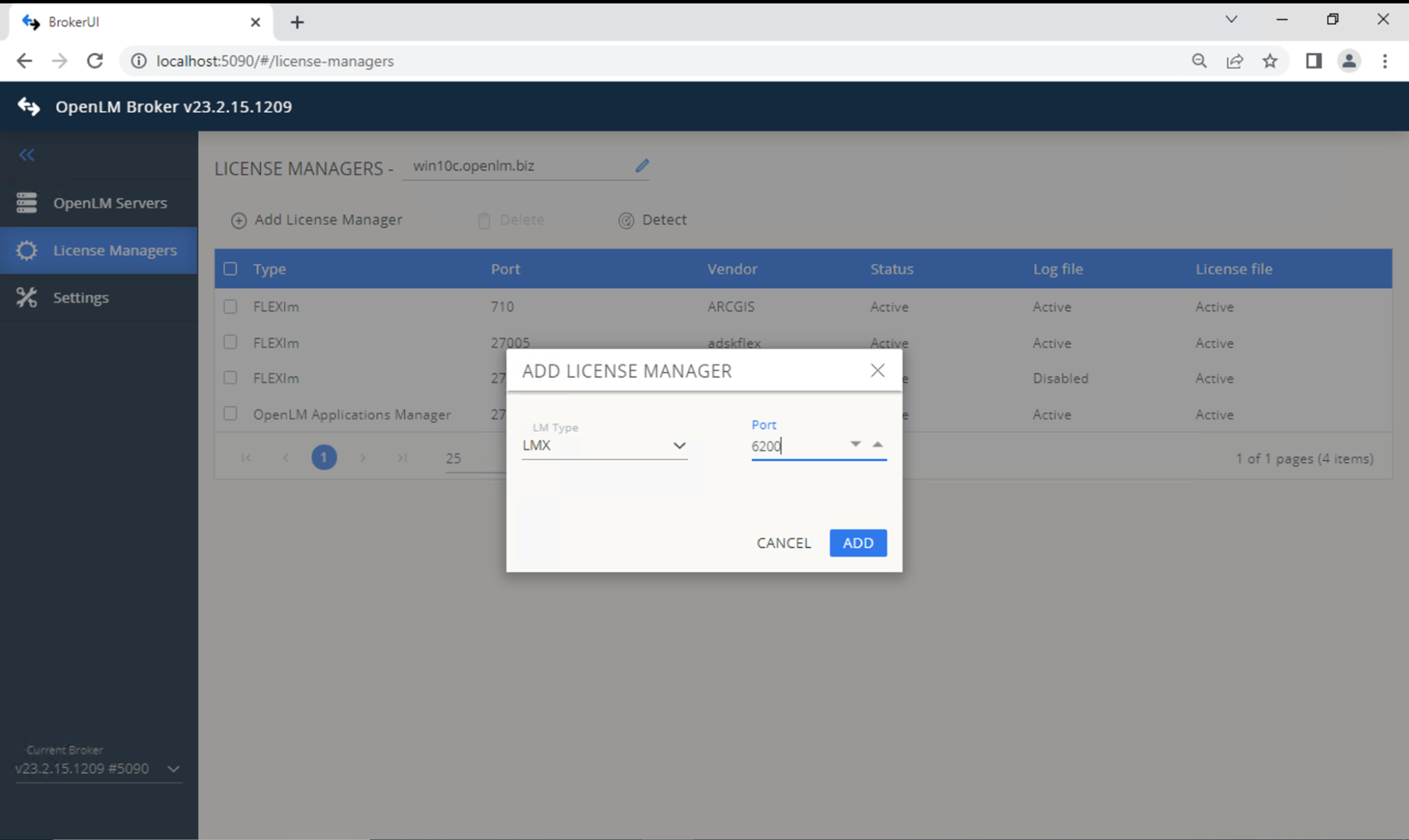
Under License Managers, select LM Type LMX and input the port. Click Add.
-
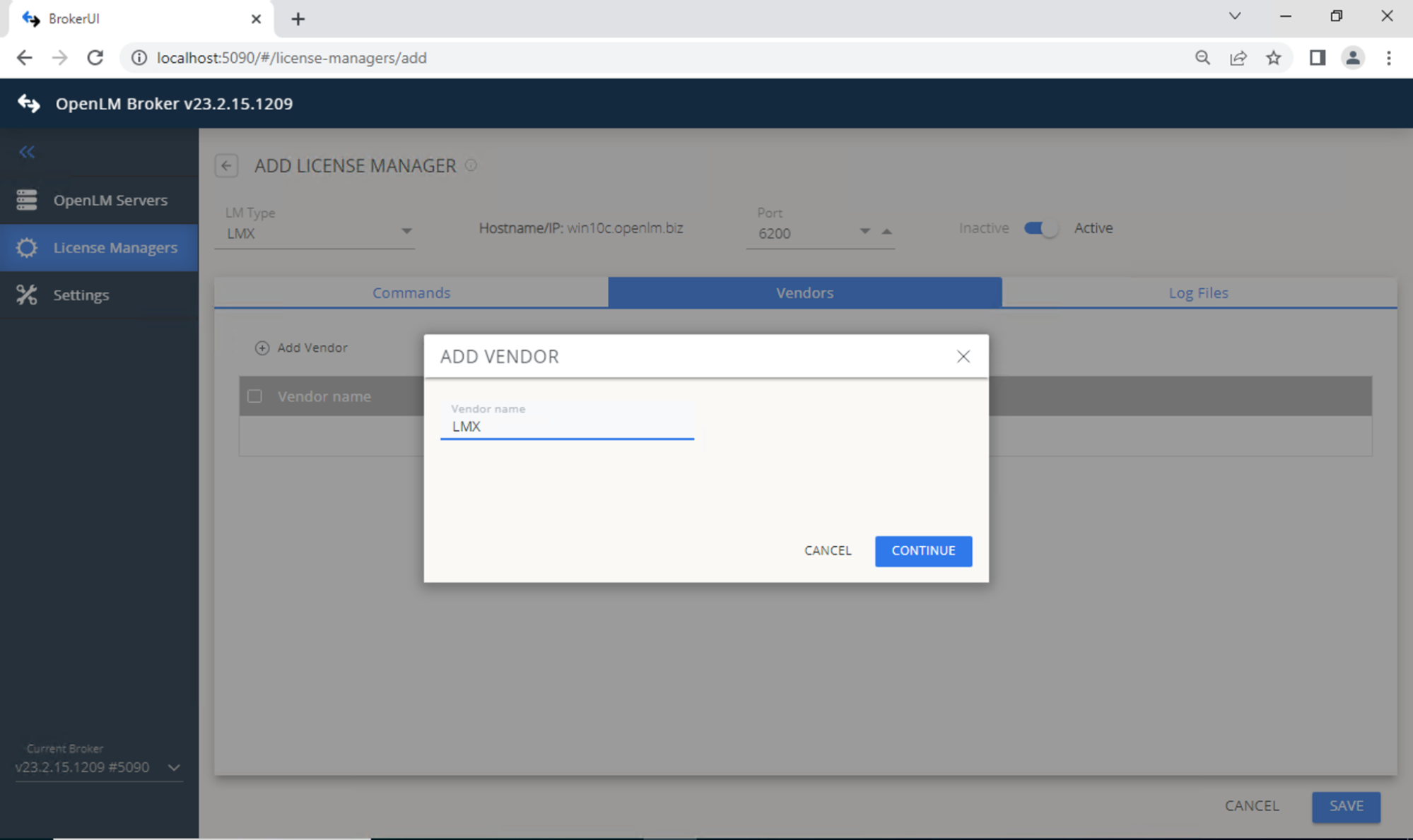
Add the vendor: switch to the Vendors tab -> Add Vendor -> enter a name -> Continue.
-
Click Save.
Configure OpenLM Platform
-
Log in to OpenLM Platform.
-
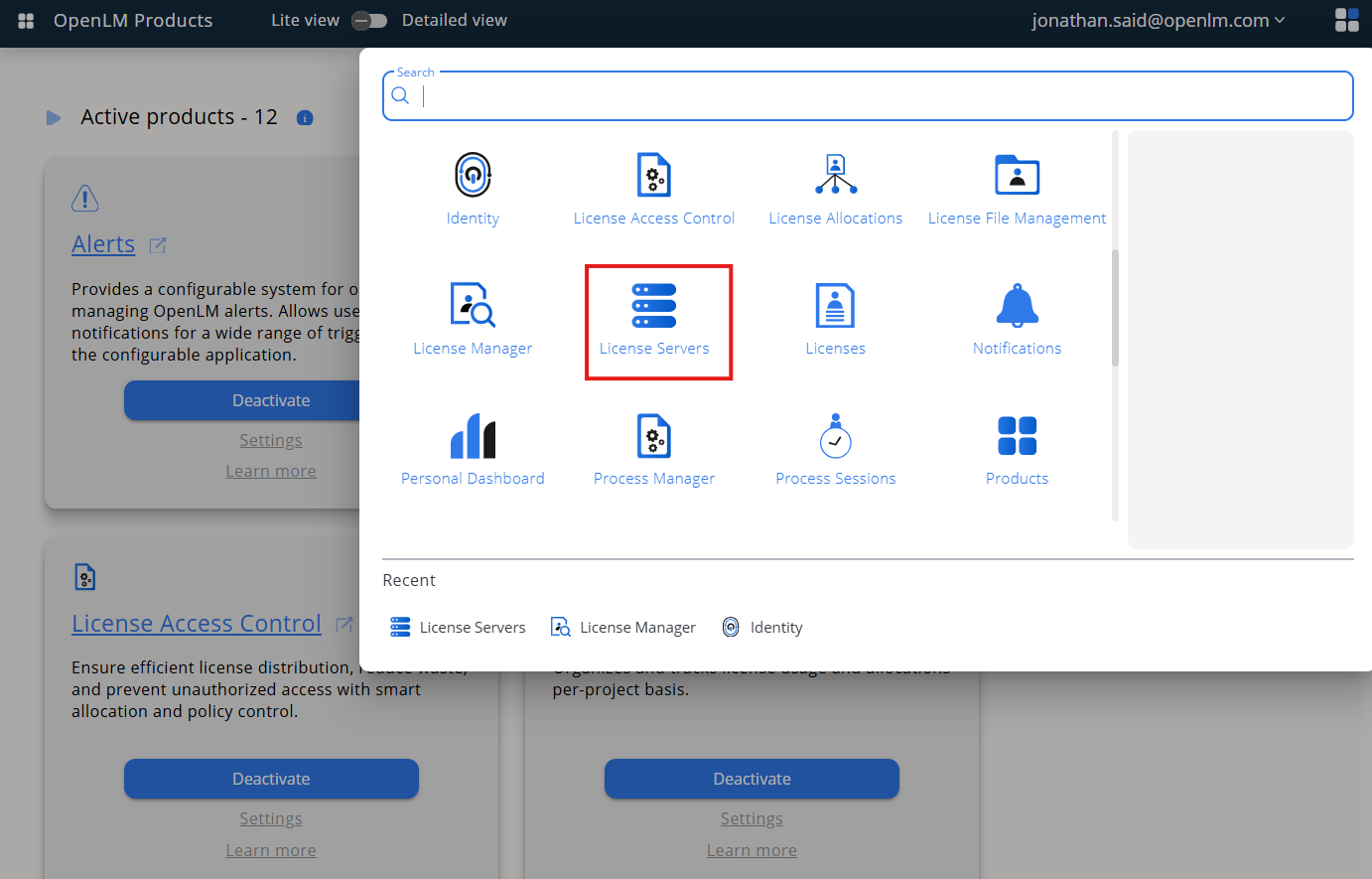
From Menu, go to License Servers.
-
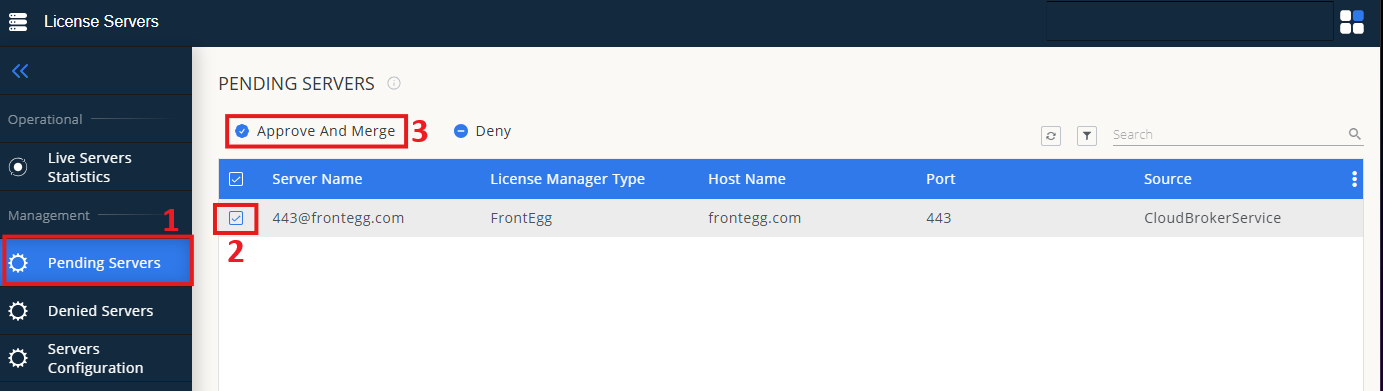
On left menu, select Pending Server
-
On the list, select the LM-X license manager and click on Approve and Merge
-
In OpenLM Web Interface -> Menu -> License Servers Live -> Server Statistics.
-
Ensure LM-X appears in the list with a green status indicator.
Note: It can take up to 3 minutes for the status to update for new connections.